
Clipboard Sharing Scope
Note:
Clipboard sharing scope is the generally available (GA) version of the feature previously released as a Preview under the name Cross-session clipboard exchange (Citrix Virtual Apps and Desktops 2507). It replaces the earlier Tech Preview functionality and documentation. At GA the feature is extended beyond session-to-session sharing to also support Chrome Enterprise Premium (CEP) as a destination.
Overview
Many organizations prevent users from copying data out of their Citrix sessions to the local device to reduce the risk of data leakage. Clipboard sharing scope lets you keep that protection in place while still allowing clipboard data to move between approved, controlled destinations.
Clipboard sharing scope can be used to restrict where clipboard data copied from a VDA session can be shared, without making that data available on the local device clipboard. Data copied from a session can be shared with another VDA session, or with Chrome Enterprise Premium (CEP), or both, but when Clipboard sharing scope is configured; it is never written to the endpoint's local clipboard. This keeps sensitive data inside a controlled environment.
How it works
Clipboard sharing scope is controlled by a single Citrix Studio policy: Clipboard sharing scope. The policy defines the set of destinations that a session is allowed to share clipboard data with:
VDA → VDA. Clipboard data is tunneled directly between the user's Citrix sessions. These can be Published Desktops, Published Applications or a combination of both. The data is never placed on the local device clipboard.
VDA → CEP. Clipboard data is shared from a VDA session to Chrome Enterprise Premium only. The data is never placed on the local device clipboard, and clipboard data from VDA to VDA is not possible.
When the policy is left at its default (e.g. the Clipboard sharing scope is Unlimited), clipboard data follows the standard clipboard redirection behavior governed by your existing clipboard policies, and no sharing-scope restrictions apply. The Unlimited behavior is the same as the clipboard behavior before CVAD 2607: the default behavior does not change, so existing deployments are unaffected unless you explicitly configure a different scope.
In every scope other than Unlimited, two things are always true:
VDA → Client is blocked. Clipboard data is never written to the local device clipboard. This is the core protection the feature provides.
Client → VDA is blocked by default, copying from the local device into the session is also blocked. This is by design and currently not configurable.
Requirements
Windows VDA 2607 LTSR with Citrix Workspace App for Windows 2603.10, or later. Clipboard sharing scope is available only on Windows VDA 2607 LTSR in combination with CWA for Windows 2608. Both are required to use any configured scope other than the default.
Older Citrix Workspace app clients are not supported. Any configured scope other than the default (VDA, CEP, or VDA and CEP) requires CWA for Windows 2603.10 or later. The default Unlimited scope preserves the existing (pre-2607) clipboard behavior and has no new client requirement.
When Clipboard sharing scope is configured for a VDA to anything other than the default, unlimited scope, clipboard transfer is not possible between the VDA and the client (and vice versa). To allow clipboard transfer between pre-CWA 2608 clients and the VDA that has clipboard sharing scope enabled, the client MUST update to CWA 2608 or later.
Both VDAs must have the policy enabled (VDA-to-VDA sharing). To share clipboard data between two VDA sessions, the Clipboard sharing scope policy must be enabled on both the sending and the receiving VDA. This is by design to prevent (accidental) data leakage via the receiving destination VDA.
CEP must be configured (CEP sharing). To share clipboard data from a VDA session to Chrome Enterprise Premium, CEP must be appropriately configured to receive clipboard data from the sending VDA.
Client clipboard redirection must be enabled. Clipboard data only transfers when the Client clipboard redirection policy is enabled. See Dependencies and related policies.
Configuration
Use the Clipboard sharing scope policy to restrict which destinations clipboard data can be shared with, without making it available on the local device clipboard. This helps keep sensitive data within a controlled environment.
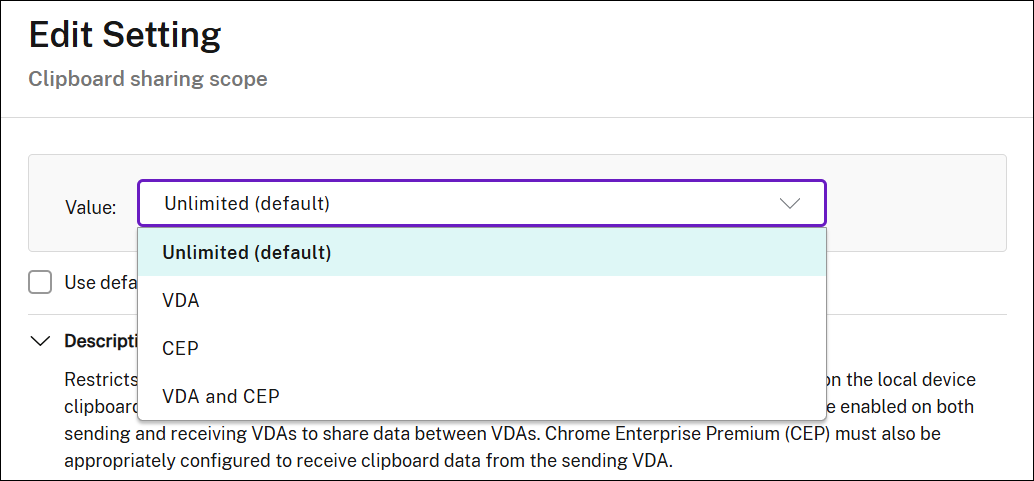
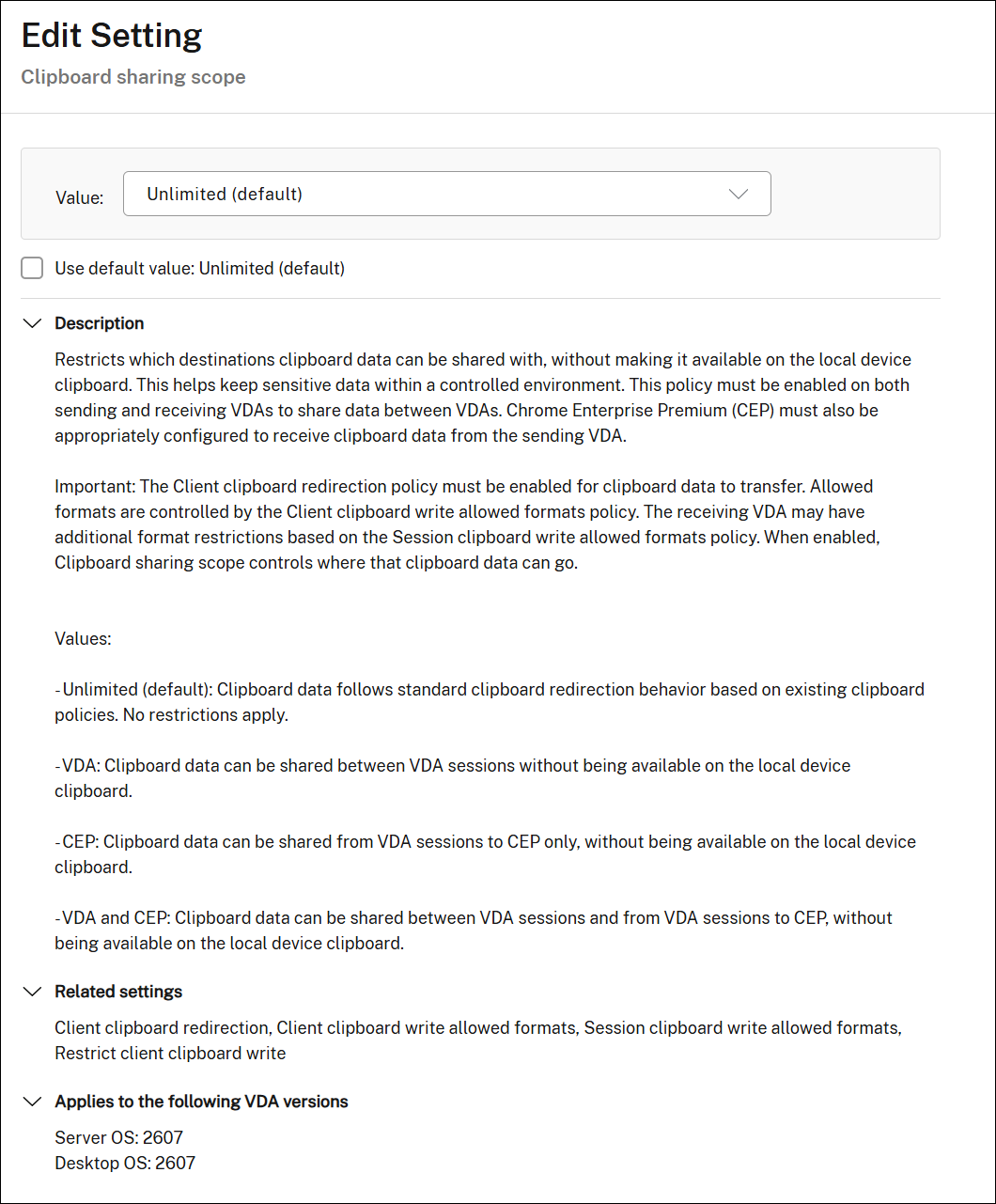
This policy must be enabled on both sending and receiving VDAs to share data between VDAs. Chrome Enterprise Premium (CEP) must also be appropriately configured to receive clipboard data from the sending VDA.
Important:
The Client clipboard redirection policy must be enabled for clipboard data to transfer. The receiving VDA may have additional format restrictions based on the Session clipboard write allowed formats policy. When enabled, Clipboard sharing scope controls where that clipboard data can go.
| Value | Behavior |
|---|---|
| Unlimited (default) | Clipboard data follows standard clipboard redirection behavior based on existing clipboard policies. No restrictions apply. This matches the clipboard behavior before 2607 — the default behavior is unchanged. |
| VDA | Clipboard data can be shared between VDA sessions without being available on the local device clipboard. Clipboard data cannot be shared with the local endpoints. |
| CEP | Clipboard data can be shared from VDA sessions to CEP only, without being available on the local device clipboard. |
| VDA and CEP | Clipboard data can be shared between VDA sessions and from VDA sessions to CEP, without being available on the local device clipboard. Clipboard data cannot be shared with the local endpoints. |
Important:
behavior change at GA: When Clipboard sharing scope is set to any value other than Unlimited (that is, VDA, CEP, or VDA and CEP), client-to-VDA clipboard redirection (copying from the local device into the session) is also blocked by default. This ensures that, once a controlled sharing scope is in effect, data does not flow in from the local endpoint clipboard unless you explicitly allow it.
Dependencies and related policies
Clipboard sharing scope works in conjunction with your existing clipboard policies. Configure the following alongside it:
Client clipboard redirection
This policy must be enabled for any clipboard data to transfer. Allowed by default.
More information: Client clipboard redirection
Client clipboard write allowed formats
This policy controls which clipboard data formats are permitted to be shared with the client.
More information: Client clipboard write allowed formats
Session clipboard write allowed formats
When Clipboard Scope is configured, the receiving VDA may apply additional format restrictions through this policy.
More information: Session clipboard write allowed formats
Limitations and notes
Any scope other than Unlimited requires Citrix Workspace app for Windows 2608 or later. Older clients are not supported with these scopes.
For VDA-to-VDA sharing, the policy must be enabled on both the sending and the receiving VDA. If it is enabled on only one side, sharing does not occur.
For CEP sharing, CEP must be configured to receive clipboard data from the sending VDA.
Setting the scope to any value other than Unlimited blocks client-to-VDA clipboard by default. See Client-to-VDA clipboard behavior.
Configuration examples
Example 1
Clipboard policies configured for VDA1:
-
Client clipboard redirection: Enabled
-
Clipboard Sharing scope: Set to VDA only
Clipboard policies configured for VDA2:
-
Client clipboard redirection: Enabled
-
Clipboard Sharing scope: Set to VDA only
In this example, both VDAs have the same clipboard sharing scope configured, and the end user will be able to copy data from VDA1 to VDA2 securely without the clipboard data being available on the local endpoint clipboard.
Client-to-VDA and VDA-to-client clipboard transfers are blocked for both VDAs; clipboard sharing is only possible between VDA1 and VDA2.
Example 2
Clipboard policies configured for VDA1:
-
Client clipboard redirection: Enabled
-
Clipboard Sharing scope: Set to VDA only
Clipboard policies configured for VDA2:
-
Client clipboard redirection: Enabled
-
Clipboard Sharing scope: Set to VDA and CEP
This example is similar to the previous example, because both VDAs have a clipboard sharing scope configured that contains the VDA scope, the end user will be able to copy data from VDA1 to VDA2 securely without the clipboard data being available on the local endpoint clipboard.
Client-to-VDA and VDA-to-client clipboard transfers are blocked for both VDAs; clipboard sharing is only possible between VDA1 and VDA2.
Additionally, VDA2 will be able to securely share clipboard data with CEP.
Example 3
Clipboard policies configured for VDA1:
-
Client clipboard redirection: Enabled
-
Clipboard Sharing scope: not set or default
Clipboard policies configured for VDA2:
-
Client clipboard redirection: Enabled
-
Clipboard Sharing scope: Set to VDA only
Here, a user can copy clipboard data from VDA1 to VDA2. Because Clipboard sharing scope is not configured on VDA1, the clipboard data will also be available on the local endpoint.
The user cannot copy from VDA2 to VDA1, because VDA2 has clipboard sharing scope enabled.
Clipboard sharing from client to VDA is also not restricted to VDA1, but VDA2 cannot copy from, or to the client because it has Clipboard sharing scope configured for VDA only sharing.
Example 4
Clipboard policies configured for VDA1:
-
Client clipboard redirection: Enabled
-
Clipboard Sharing scope: set to VDA only
Clipboard policies configured for VDA2:
-
Client clipboard redirection: Enabled
-
Clipboard Sharing scope: Set to VDA only
-
Session clipboard write allowed format: set to text-based formats only
Both VDAs have the same clipboard sharing scope configured, and the end user will be able to copy data from VDA1 to VDA2 securely without the clipboard data being available on the local endpoint clipboard; however, because there are additional constraints that have been set on clipboard data formats that VDA2 will accept, only text-based clipboard data may be pasted into VDA2. From VDA1 to VDA2, no clipboard-type restrictions are defined, and as such, any clipboard data type can be pasted from VDA2 into VDA1.
Client-to-VDA and VDA-to-client clipboard transfers are blocked for both VDAs; clipboard sharing is only possible between VDA1 and VDA2.