What’s new
New Features
Rich Popup and Deny Access Appearance (DEVTRUST-572)
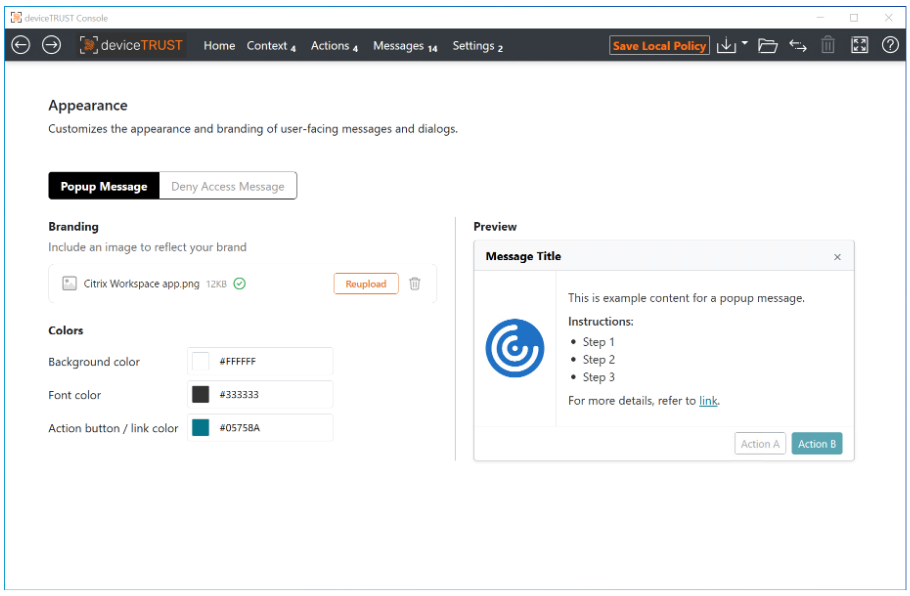
The Popup and Deny Access tasks have been made customizable, allowing for corporate identity elements such as logo’s and color schemes, embedded links that can be launched on the local or remote device, and rich text formatting.
A new Appearance setting allows for an optional corporate logo, and customization of the color scheme for either Popup or Deny Access tasks:
The Popup and Deny Access tasks now include a rich text editor supporting bold, italic or underline, embedded links, and bullet points:
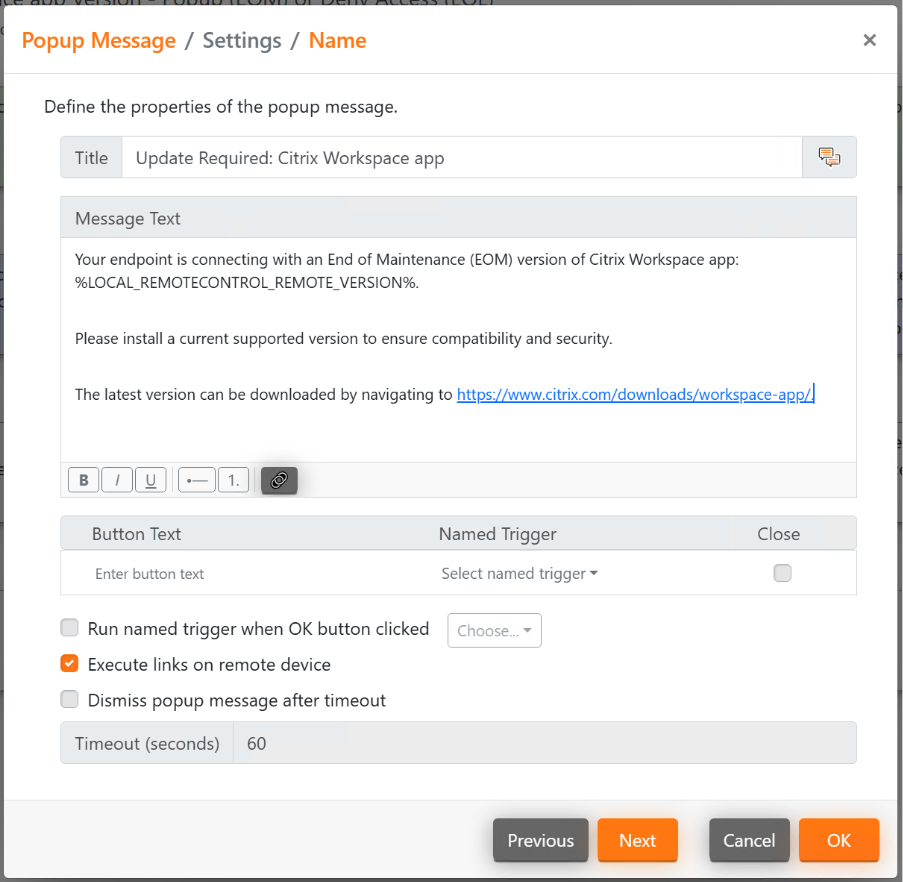
For the Deny Access task, embedded links must be launched on the remote device. For the Popup Message task, embedded links can be launched either on the remote device, or on the local device.
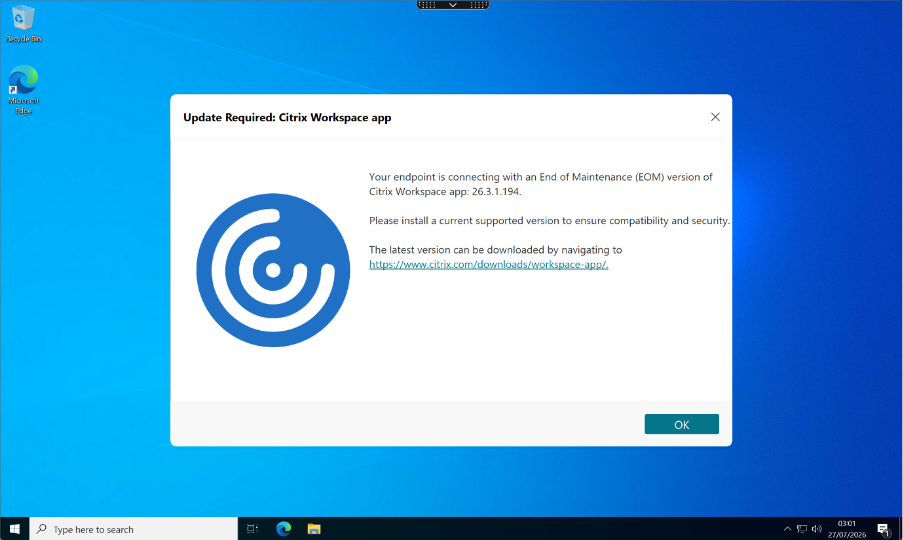
The above task results in the following popup dialog shown to the user:
USB Device Properties (DEVTRUST-548)
A new category of properties, titled ‘USB Device’, has been added. These properties can be used to detect removable USB devices on the local or remote device. They include the following properties:
- Name – The name of the USB device.
- Path – The device path of the USB device. This field will vary depending on the OS.
- Device Class – The USB device class, such as Audio, HID, Mass Storage, Smart Card, etc.
- Vendor ID – The vendor ID of the USB device.
- Product ID – The product ID of the USB device.
These new properties are supported on Windows, macOS and Linux when using a 2607 or later version of the deviceTRUST® Client Extension or Citrix Workspace™ app.
Remote Device Lock Status (DEVTRUST-441)
A new property Remote -> Session -> Locked has been added, which indicates whether the user’s session is currently locked on the remote device. This enables use cases such as triggering a disconnect or logoff whenever the remote device is locked. This new property is supported on Windows, macOS and Linux when using a 2607 or later version of the deviceTRUST Client Extension or Citrix Workspace app.
Dynamic Disablement of App Protection Anti Screen Sharing (DEVTRUST-439)
App Protection’s Anti Screen Sharing can now be dynamically disabled for the connecting Citrix Workspace app process. This follows the changes introduced in deviceTRUST 2603 which introduced the ability to enable this feature.
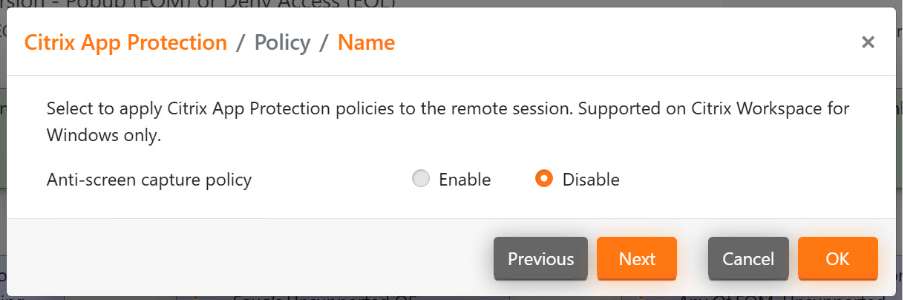
This feature is available on Windows when using 2607 or later version of the deviceTRUST Client Extension or Citrix Workspace app.
HTML5 and Chrome OS Clients (RFHTMCRM-17263)
Support for deviceTRUST has been added to the HTML5 and Chrome OS clients with access to a limited set of properties. For more information, refer to the Property Reference.
Additional Changes
-
Various changes have been made to the deviceTRUST templates. This includes, but is not limited to (DEVTRUST-878):
-
The Device Type Contractor and Device Type Corporate building blocks have been removed.
-
The deviceTRUST Client Extension Availability building block has been removed.
-
All Country and Country Provider contexts have had the WHOIS provider removed.
-
The Citrix Workspace App Version contexts have had a new Loading state added.
-
The Operating System Update contexts have had a new Loading state added.
-
-
Support for Operating System native notifications has been removed.
-
Support for different images in different popup messages has been removed.