Selecting the Operating System at Boot
Using the boot menu
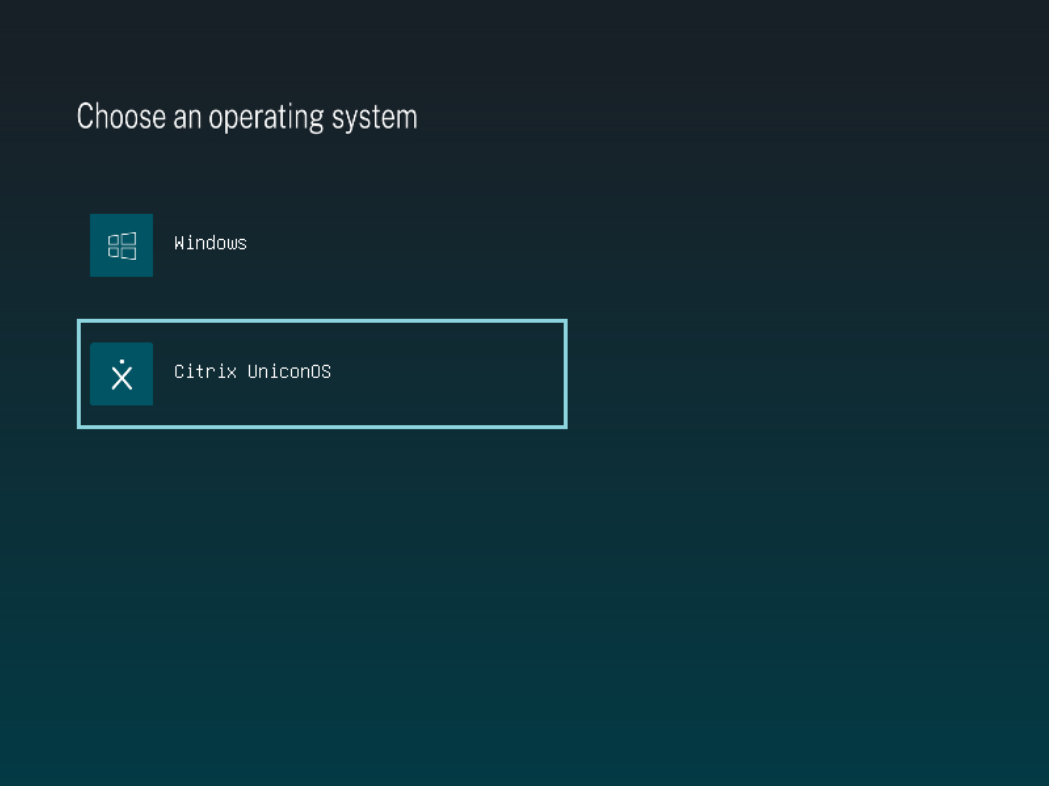
When the boot menu is enabled (the default), it appears for a short time at startup. The user selects the operating system to start:
- Windows — the default operating system.
- Citrix UniconOS (formerly eLux 7) — the UniconOS system installed alongside Windows.
If no selection is made within the menu timeout, the device starts the default operating system. This also applies in an emergency: if Windows is compromised, the user can boot UniconOS from the menu.
Setting the default operating system and boot-menu timeout
By default the device boots Windows. You can change the default operating system and the boot-menu timeout from Windows or from Scout.
From Windows
Run the installed command-line tool as administrator after installation.
To change the default operating system, use --default:
UniconOSDualBoot.exe boot-menu --default windows
<!--NeedCopy-->
UniconOSDualBoot.exe boot-menu --default uniconos
<!--NeedCopy-->
To also change the timeout, add --timeout and the number of seconds the boot menu is shown before
the default operating system starts. For example, to make UniconOS the default and show the menu
for 10 seconds:
UniconOSDualBoot.exe boot-menu --default uniconos --timeout 10
<!--NeedCopy-->
The new settings do not show in the boot menu right away. To apply them, start UniconOS once, for example by choosing it in the boot menu. After that, every restart uses the new default and timeout until you change them again.
The tool is installed at %ProgramFiles%\UniconOSDualBoot\.
From Scout
An administrator can also set the default operating system and the boot-menu timeout centrally, without touching the device in Windows. On a device that is already booted into UniconOS, run the following with Run with system rights:
/usr/sbin/dualboot-set-menu --default uniconos|windows --timeout <seconds>
<!--NeedCopy-->
The new settings apply the next time the device restarts.