
Advanced file entries
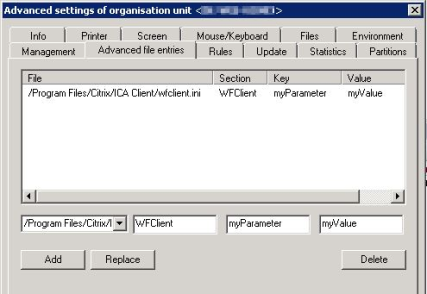
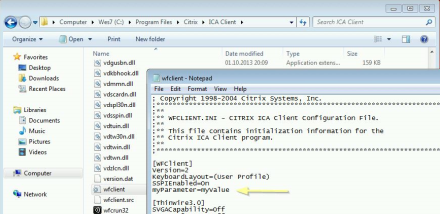
By using the Advanced file entries feature of the Scout Console, you can set and modify parameters and their values in
.ini files. This feature can also be used to modify particular preferences and parametrize program calls on the Windows client.
Note:
For the file path on the Windows client, do not enter a drive letter (it is always drive C:) and use slashes instead of back slashes.
For further information, see Advanced file entries in the Scout guide.