
Changing values of individual file entries
-
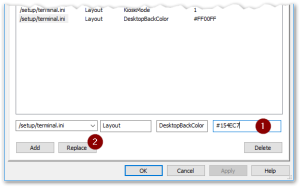
In the Advanced device configuration > Advanced file entries, select the entry whose value you want to change.
-
Below, in the Value box, replace the current value.
-
Click Replace.
The new values are written to the .ini file on the next device restart.