
Sorting devices
-- applies for device lists in all views --
Note:
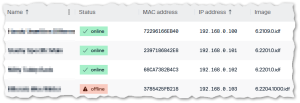
By default, a device list is sorted by the Name field.
-
A sorting arrow
 is displayed to the right of the field name.
-
To sort in reverse order, click the column header again.
Once you have set sorting, the sorting arrow is permanently displayed next to the column header.
To re-use sorting settings and apply them to any device lists, save them in an individual view.
Note:
To undo a sort order, use the Actions menu of the column header.