
Logging of UEFI updates
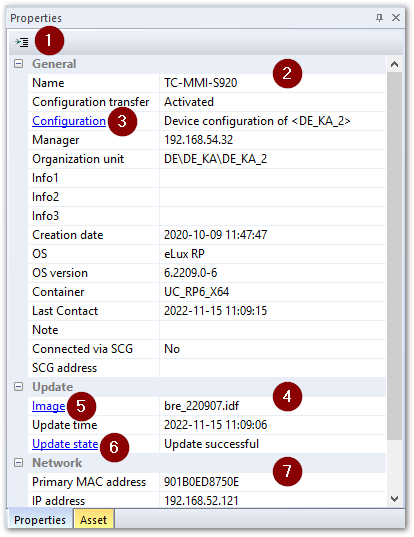
UEFI updates can be triggered by a Scout command or by a Scout notification. For each device, in the Scout Console in the Proerties window, you may check the command status and other information:
 |
|
|---|---|
| 1 | Make sure that all relevant UEFI update fields are displayed. To show or hide fields, click the toolbar button. |
| 2 | Under UEFI update, you get relevant information about the update result and the time, size, provider, and image. |
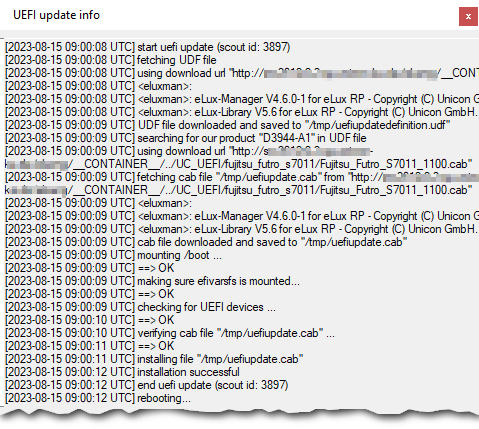
| 3 | To view details, double-click UEFI update state. |
Via the configured UEFI file (.udf), for each device type , a download-URL with the assigned UEFI firmware is used to transfer the appropriate .cab file. After a device restart, the installation of the UEFI firmware is started.
After the installation, the devices will restart again, this time using the new UEFI.
If it is a Fujitsu FUTRO device type and the system partition is encrypted, it will be found on the blacklist and the command will be canceled.