-
-
-
-
教育構成デバイスポリシー
-
This content has been machine translated dynamically.
Dieser Inhalt ist eine maschinelle Übersetzung, die dynamisch erstellt wurde. (Haftungsausschluss)
Cet article a été traduit automatiquement de manière dynamique. (Clause de non responsabilité)
Este artículo lo ha traducido una máquina de forma dinámica. (Aviso legal)
此内容已经过机器动态翻译。 放弃
このコンテンツは動的に機械翻訳されています。免責事項
이 콘텐츠는 동적으로 기계 번역되었습니다. 책임 부인
Este texto foi traduzido automaticamente. (Aviso legal)
Questo contenuto è stato tradotto dinamicamente con traduzione automatica.(Esclusione di responsabilità))
This article has been machine translated.
Dieser Artikel wurde maschinell übersetzt. (Haftungsausschluss)
Ce article a été traduit automatiquement. (Clause de non responsabilité)
Este artículo ha sido traducido automáticamente. (Aviso legal)
この記事は機械翻訳されています.免責事項
이 기사는 기계 번역되었습니다.책임 부인
Este artigo foi traduzido automaticamente.(Aviso legal)
这篇文章已经过机器翻译.放弃
Questo articolo è stato tradotto automaticamente.(Esclusione di responsabilità))
Translation failed!
教育構成デバイスポリシー
-
教育構成デバイスポリシーは、以下を定義します。
-
教員デバイス向けのApple Classroomアプリ設定
-
教員デバイスと生徒デバイス間のクライアント認証に使用される証明書
-
教育構成デバイスポリシーは、iOS (iPadOS) デバイスでサポートされています。
このポリシーでクラスを選択すると、Citrix Endpoint ManagementコンソールはApple School Manager構成から教員と生徒を入力します。このポリシーのApple Classroomアプリ設定がすべてのクラスで同じである場合は、1つのポリシーを作成します。
このポリシーを追加または構成するには、構成 > デバイスポリシーに移動します。詳細については、デバイスポリシーを参照してください。
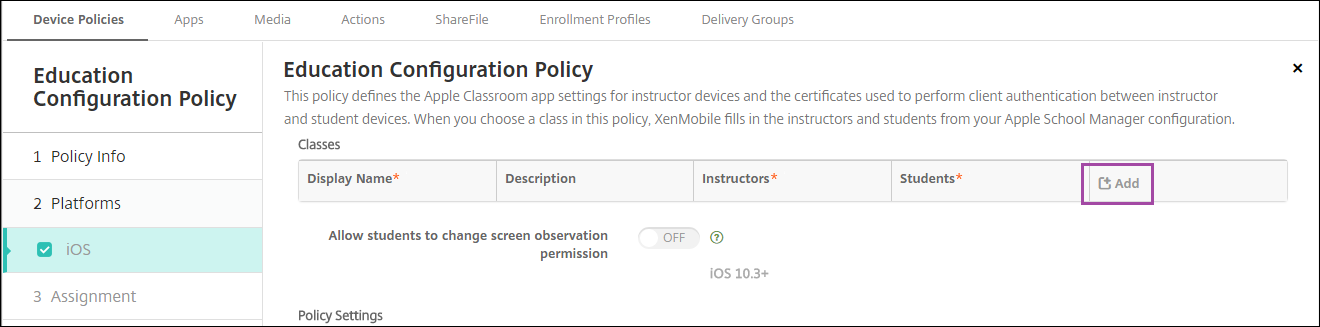
次に、表示名リストをクリックします。接続されているApple School Managerアカウントから取得されたクラスのリストが表示されます。
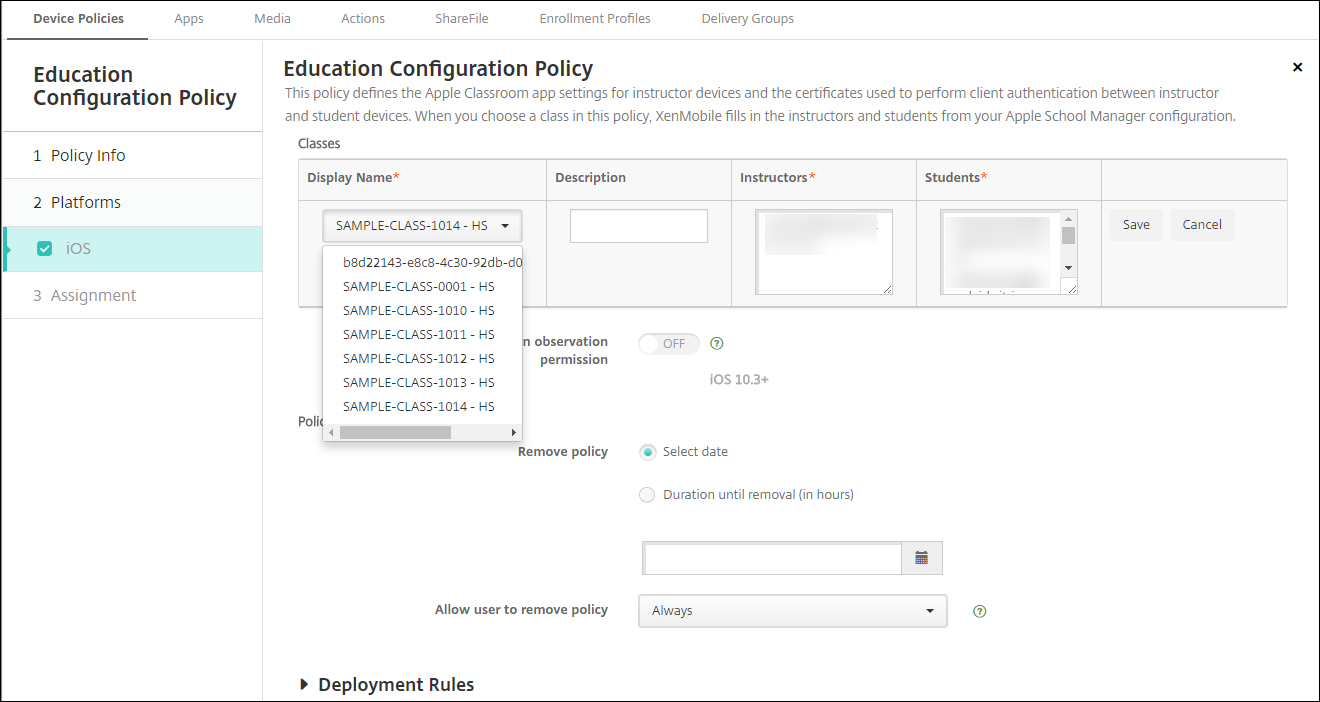
表示名からクラスを選択すると、Citrix Endpoint Managementは教員と生徒を入力します。クラスの追加を続行します。
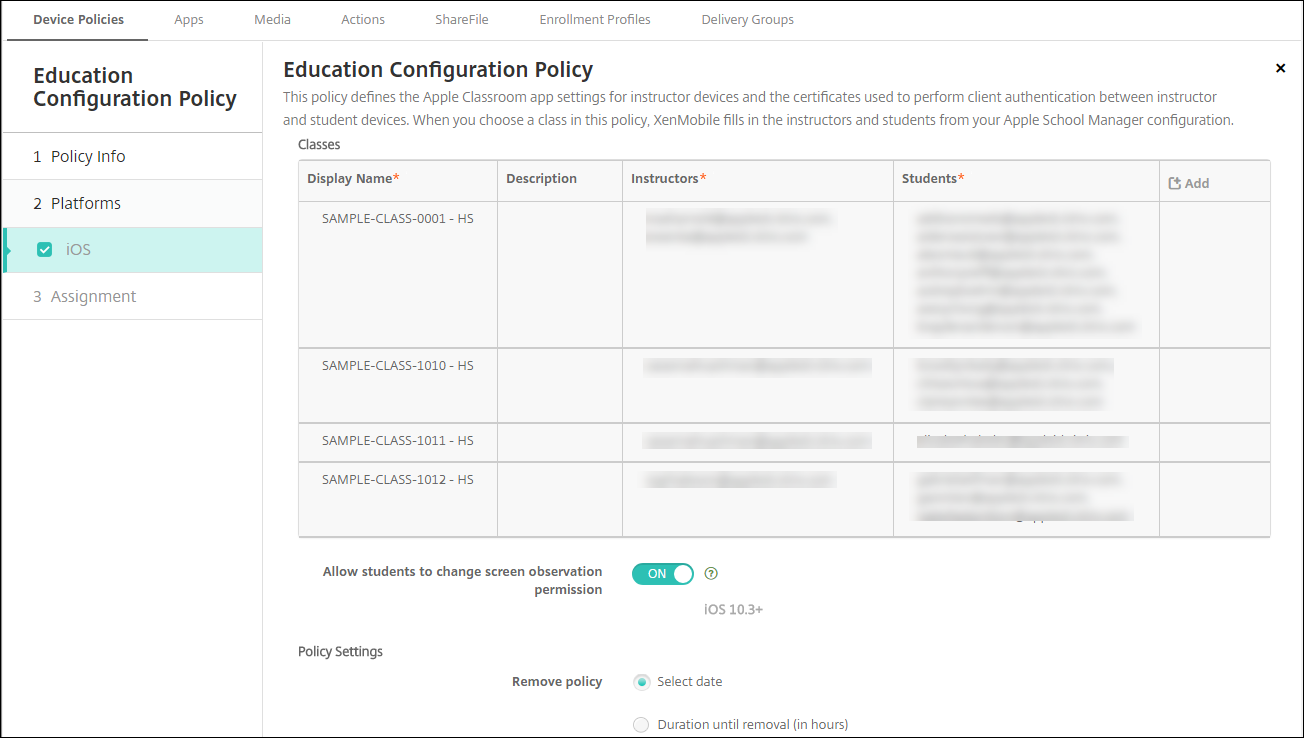
- **生徒による画面監視権限の変更を許可:** **オン**の場合、管理対象クラスに登録されている生徒は、教師が自分のデバイス画面を監視することを許可するかどうかを選択できます。デフォルトは**オフ**です。
-
ポリシー設定
-
ポリシーの削除: ポリシー削除のスケジュール方法を選択します。利用可能なオプションは、日付を選択と削除までの期間 (時間)です。
- 日付を選択: カレンダーをクリックして、削除する特定の日付を選択します。
- 削除までの期間 (時間): ポリシーが削除されるまでの時間を時間単位で入力します。
-
ポリシーの削除: ポリシー削除のスケジュール方法を選択します。利用可能なオプションは、日付を選択と削除までの期間 (時間)です。
ポリシーでのクラス情報の編集
クラスに説明を追加できます (Classroomアプリの「表示名」)。教員と生徒を追加または削除することもできます。Citrix Endpoint Managementは、これらの変更をApple School Managerアカウントに保存しません。詳細については、Apple Education機能との統合の「教員、生徒、およびクラスデータの管理」を参照してください。
編集するクラスの追加列にマウスオーバーし、鉛筆アイコンをクリックします。
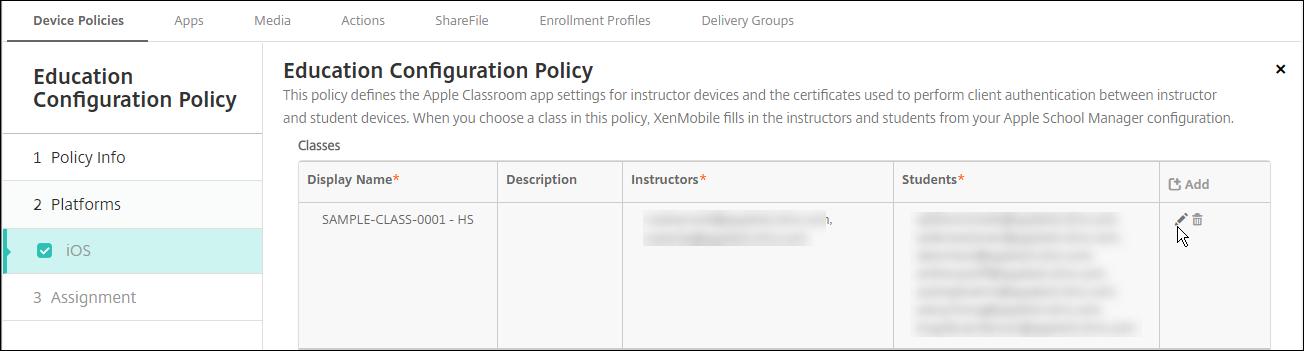
ポリシーからクラスを削除するには、削除するクラスの追加列にマウスオーバーし、ゴミ箱アイコンをクリックします。
共有
共有
この記事の概要
This Preview product documentation is Citrix Confidential.
You agree to hold this documentation confidential pursuant to the terms of your Citrix Beta/Tech Preview Agreement.
The development, release and timing of any features or functionality described in the Preview documentation remains at our sole discretion and are subject to change without notice or consultation.
The documentation is for informational purposes only and is not a commitment, promise or legal obligation to deliver any material, code or functionality and should not be relied upon in making Citrix product purchase decisions.
If you do not agree, select I DO NOT AGREE to exit.