-
-
-
セッションログオン画面でのカスタム背景とバナーメッセージ
This content has been machine translated dynamically.
Dieser Inhalt ist eine maschinelle Übersetzung, die dynamisch erstellt wurde. (Haftungsausschluss)
Cet article a été traduit automatiquement de manière dynamique. (Clause de non responsabilité)
Este artículo lo ha traducido una máquina de forma dinámica. (Aviso legal)
此内容已经过机器动态翻译。 放弃
このコンテンツは動的に機械翻訳されています。免責事項
이 콘텐츠는 동적으로 기계 번역되었습니다. 책임 부인
Este texto foi traduzido automaticamente. (Aviso legal)
Questo contenuto è stato tradotto dinamicamente con traduzione automatica.(Esclusione di responsabilità))
This article has been machine translated.
Dieser Artikel wurde maschinell übersetzt. (Haftungsausschluss)
Ce article a été traduit automatiquement. (Clause de non responsabilité)
Este artículo ha sido traducido automáticamente. (Aviso legal)
この記事は機械翻訳されています.免責事項
이 기사는 기계 번역되었습니다.책임 부인
Este artigo foi traduzido automaticamente.(Aviso legal)
这篇文章已经过机器翻译.放弃
Questo articolo è stato tradotto automaticamente.(Esclusione di responsabilità))
Translation failed!
セッションログオン画面でのカスタム背景とバナーメッセージ
セッションログオン画面へのカスタム背景またはバナーメッセージの追加
ヒント:
SUSE 15.4でこの機能を使用するには、http://download.opensuse.org/distribution/leap/15.3/repo/oss/から
imlib2をインストールします。
次のコマンドを使用して、セッションログオン画面にカスタム背景またはバナーメッセージを追加できます。セッションログオン画面に背景とバナーメッセージの両方を追加するには、バナーメッセージを背景画像に埋め込むことができます。セッションを開くと、まずバナーメッセージページが表示され、その後、認証ダイアログが表示されます。
カスタムバナーメッセージのタイトルを設定するには、次を実行します。
/opt/Citrix/VDA/bin/ctxreg create -k "HKLM\System\CurrentControlSet\Control\Citrix" -t "REG_SZ" -v "LogonDisplayStringTitle" -d "<Banner message title>" --force
<!--NeedCopy-->
バナーメッセージのタイトルの最大長は64バイトです。
カスタムバナーメッセージの本文を設定するには、次を実行します。
/opt/Citrix/VDA/bin/ctxreg create -k "HKLM\System\CurrentControlSet\Control\Citrix" -t "REG_SZ" -v "LogonDisplayString" -d "Body of custom banner message\nBody of custom banner message\nBody of custom banner message\n" --force
<!--NeedCopy-->
バナーメッセージの本文の最大長は1,024バイトです。
ヒント:
\n要素は改行を作成します。この例では、バナーメッセージ画面は次のようになります。
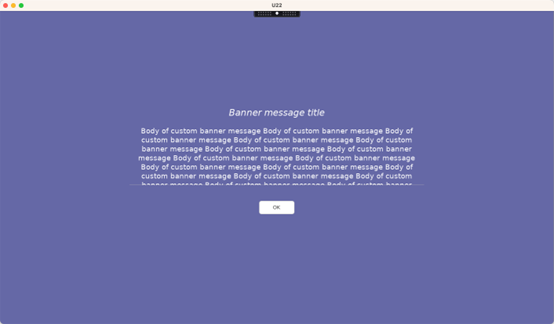
セッションログオン画面にカスタム背景を追加するには、次を実行します。
    -  /opt/Citrix/VDA/bin/ctxreg create -k "HKLM\System\CurrentControlSet\Control\Citrix" -t "REG_SZ" -v "BackgroundImagePath" -d "<path to the background image>" --force
<!--NeedCopy-->
カスタム背景を表示するには、セッションユーザーは背景画像パスにアクセスできる必要があります。
例:
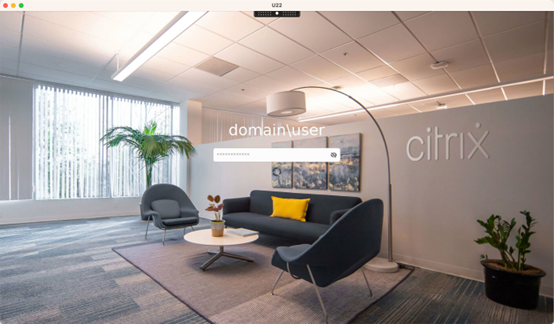
セッションログオン画面の例
さまざまなシナリオでのセッションログオン画面の例を次に示します。
- シングルサインオン (SSO) シナリオでのセッションログオン:
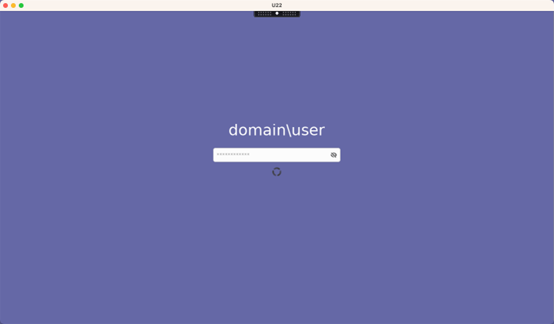
ログオンプロセスが表示されます。
- 一般的な非SSOシナリオでのセッションログオン:
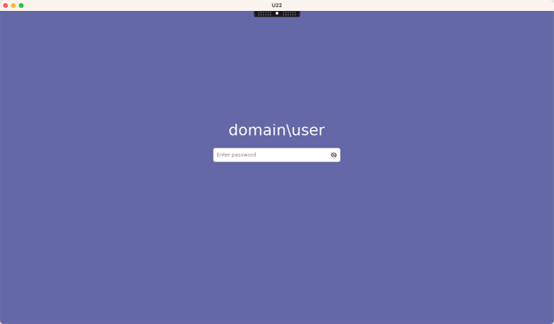
- 非SSOシナリオでは、パスワードまたはPINコードが必要です
- ユーザーはパスワードとPINコードの表示を切り替えることができ、誤った入力を簡単に見つけることができます
-
ユーザーがCitrix Workspace™アプリへのログオンに使用した資格情報とは異なる資格情報でVDAセッションにログオンする非SSOシナリオでのセッションログオン:
セッションログオンに使用されるユーザー名とパスワード:
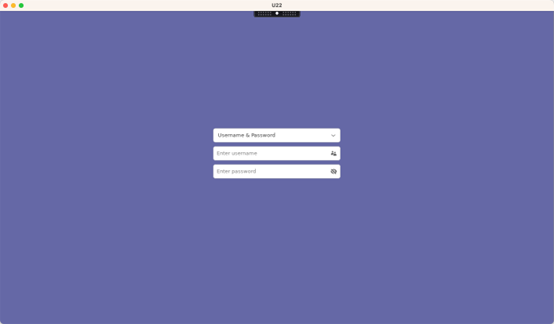
セッションログオンに使用されるスマートカード:
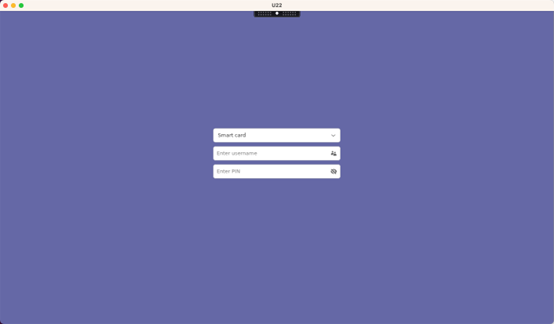
非SSOシナリオでサポートされているユーザー認証方法の組み合わせについては、「非SSO認証」を参照してください。
共有
共有
This Preview product documentation is Citrix Confidential.
You agree to hold this documentation confidential pursuant to the terms of your Citrix Beta/Tech Preview Agreement.
The development, release and timing of any features or functionality described in the Preview documentation remains at our sole discretion and are subject to change without notice or consultation.
The documentation is for informational purposes only and is not a commitment, promise or legal obligation to deliver any material, code or functionality and should not be relied upon in making Citrix product purchase decisions.
If you do not agree, select I DO NOT AGREE to exit.