
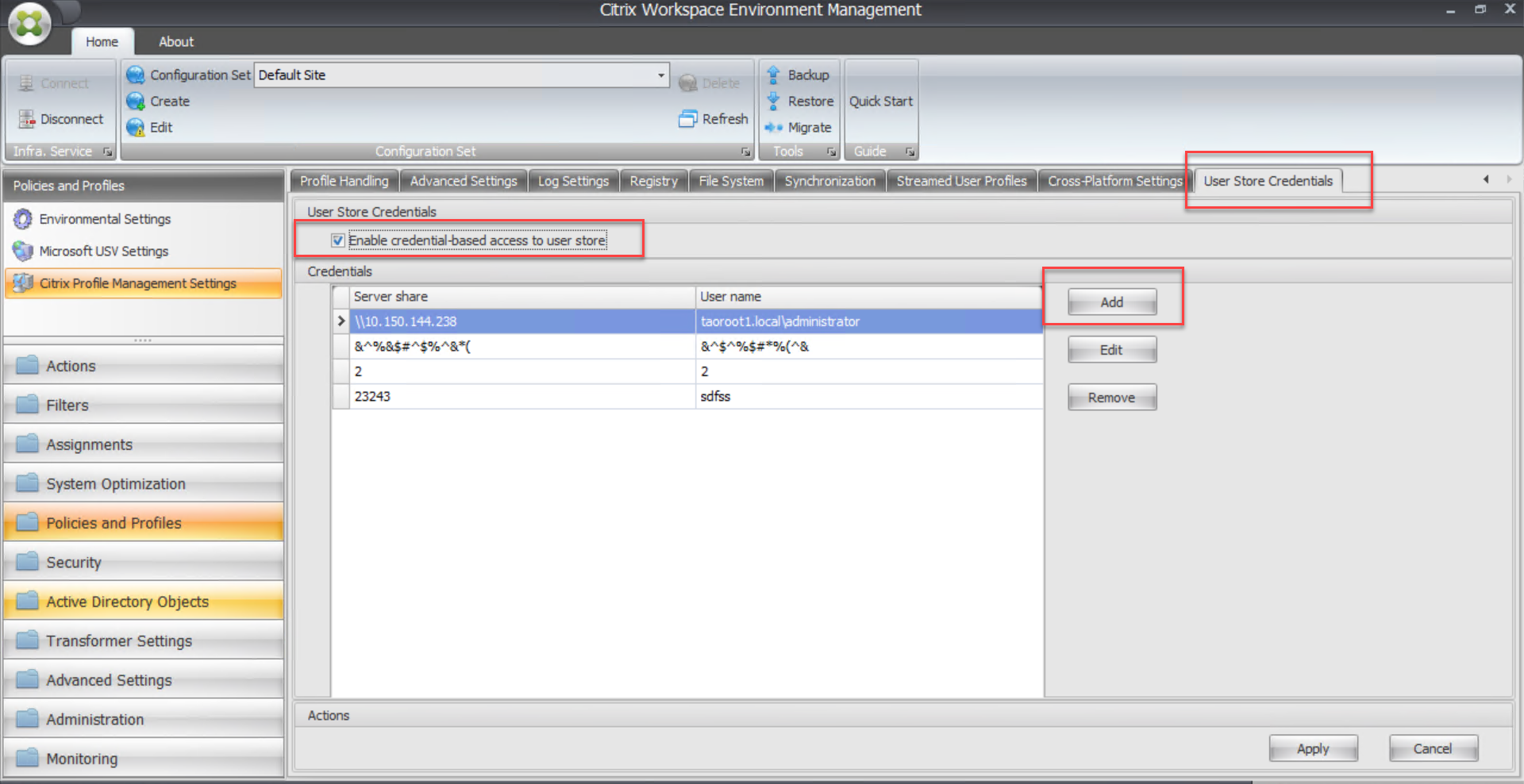
ユーザー ストアへの資格情報ベースのアクセスを有効にする
デフォルトでは、Citrix Profile Management は現在のユーザーを偽装してユーザー ストアにアクセスします。そのため、現在のユーザーがユーザー ストアに直接アクセスする権限を持っている必要があります。Profile Management がユーザー ストアにアクセスする際に現在のユーザーを偽装しないようにする場合は、この機能を有効にしてください。ユーザー ストアを、現在のユーザーがアクセスする権限を持たないストレージ リポジトリ(Azure Files など)に配置できます。
To ensure that Profile Management can access user stores, save the profile storage server’s credentials in Workspace Environment Management™ (WEM) or Windows Credential Manager. We recommend that you use Workspace Environment Management to eliminate the need of configuring the same credentials for each machine where Profile Management runs. If you use Windows Credential Manager, use the Local System account to securely save the credentials.
注:
To ensure that NTFS permissions are retained, you must put the entire profile in a profile container.
-
プロファイルストレージサーバーの資格情報をWEMに保存するには、次の手順を実行します。
-
-
WEM の「新しい資格情報」ダイアログボックス(/en-us/profile-management/2206/media/the-new-credential-dialog-box-in-wem.png)
-
プロファイルストレージサーバーの FQDN または IP アドレスとその資格情報を入力します。
-
プロファイルストレージサーバーの資格情報をWindows資格情報マネージャーに保存するには、Profile Managementが実行されている各マシンで次の手順を実行します。
-
Sysinternals WebサイトからPsExecをダウンロードし、ファイルを
C:\PSToolsに解凍します。 -
スタートメニューから「コマンドプロンプト」を見つけます。コマンドプロンプトオプションを右クリックし、管理者として実行を選択します。コマンドシェルが起動します。コマンドプロンプトを管理者として実行(/en-us/profile-management/2206/media/run-command-prompt-as-an-administrator.png)
-
C:\PSTools\PsExec -s -i cmdコマンドを実行します。別のコマンドシェルが起動します。C:\PSTools\PsExec -s -i cmd コマンドを実行した後の新しいコマンドシェル(/en-us/profile-management/2206/media/new-command-shell.png) -
新しいコマンドシェルで、
rundll32.exe keymgr.dll, KRShowKeyMgrコマンドを実行します。保存されているユーザー名とパスワードダイアログボックスが表示されます。rundll32.exe keymgr.dll, KRShowKeyMgr コマンドを実行(/en-us/profile-management/2206/media/running-a-command.png) -
保存されているユーザー名とパスワードダイアログボックスで、追加をクリックします。保存されているユーザー名とパスワードダイアログボックス(/en-us/profile-management/2206/media/the-stored-user-names-and-passwords-dialog-box.png)
-
プロファイルストレージサーバーのFQDNまたはIPアドレスとその資格情報を入力します。デフォルトの資格情報タイプを使用します。OKをクリックします。プロファイルストレージサーバーのFQDNまたはIPアドレスを入力(/en-us/profile-management/2206/media/type-fqda-or-ip-address-of-your-profile-storage-server.png)
-