
Custom landing page
Many administrators access the Cloud Console to perform specific tasks like managing applications in the Web Studio console or viewing data in DaaS - Monitor. However, these tasks require multiple clicks and navigating through multiple pages every time the admins log in, which can be time-consuming. This new feature allows admins to set or modify a custom landing page, saving time and providing an enhanced console experience.
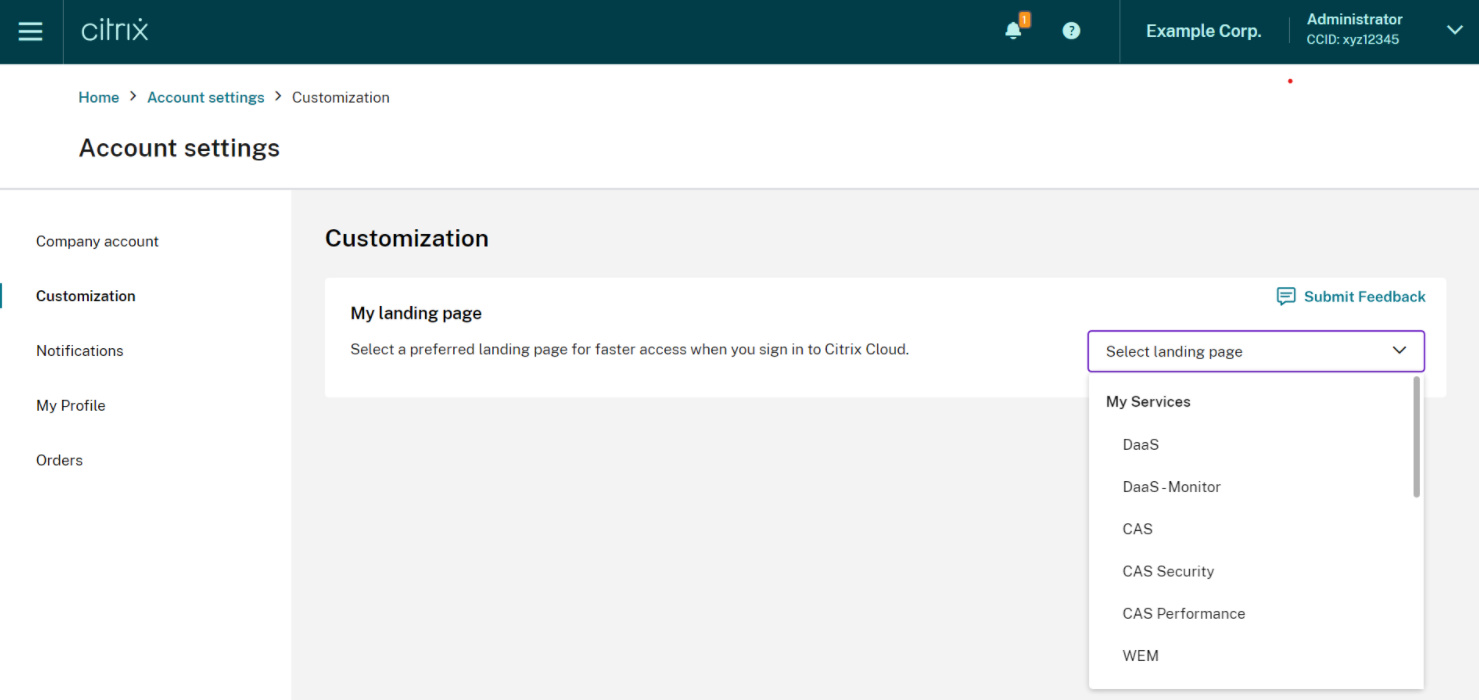
Currently, the following pages are available to be configured as a custom landing page, with more expected to be added in the future:
-
DaaS
-
DaaS-Monitor
-
NetScaler® Console
-
CAS
-
CAS Security
-
CAS Performance
-
WEM
-
General
Note:
The custom landing page setting is optional, and is set on a per account basis. So each administrator can customize their own experience within Citrix Cloud. All admins (whether custom or full) have access to this feature.
Configure a custom landing page
-
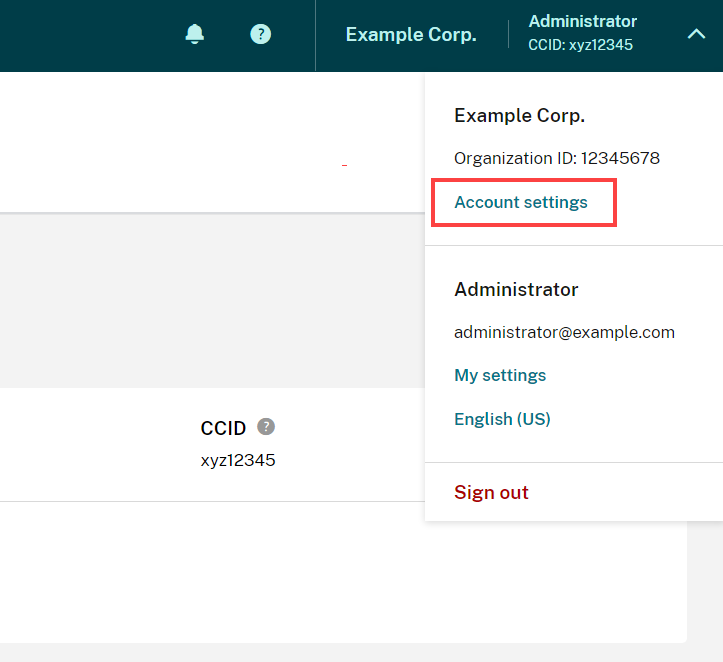
Click the profile name and select Account Settings.
-
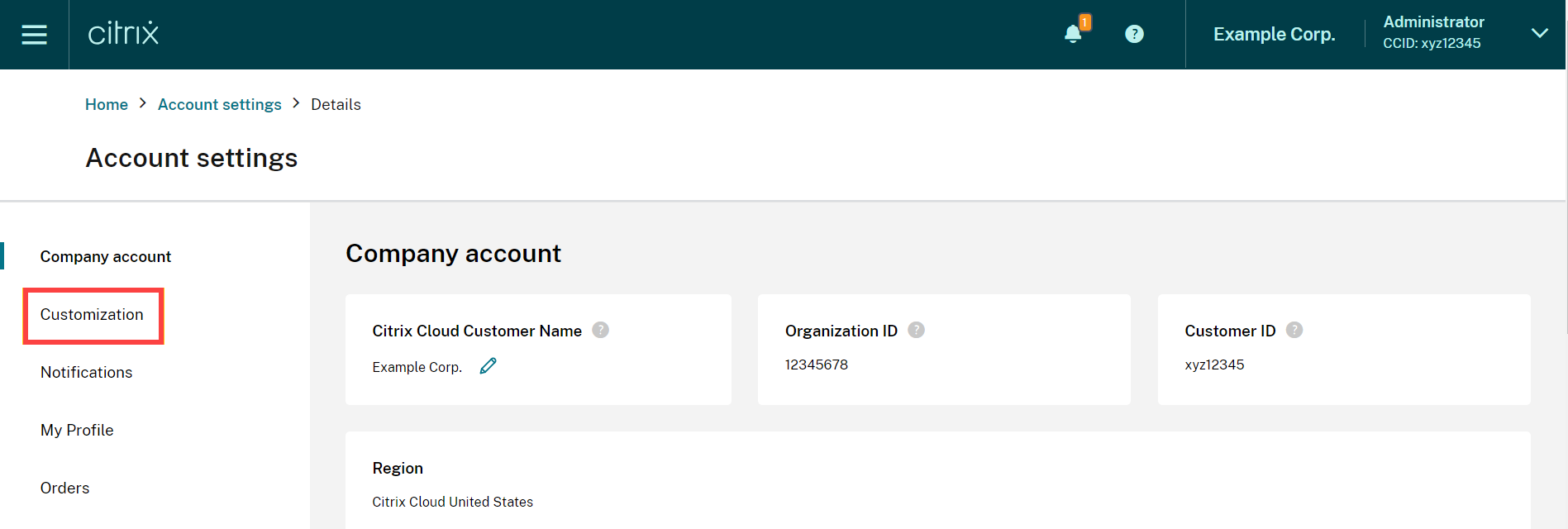
Click Customization.
-
Select the service you would like to configure as your custom landing page.
-
Click Apply.Your custom landing page is now set.
Note:
-
You can reset your custom landing page to the default Cloud home page anytime by clicking Reset to default.
-
If you sign in again on the same page where you just signed out, it will take you to your last viewed page instead of your new landing page.