
Client app management
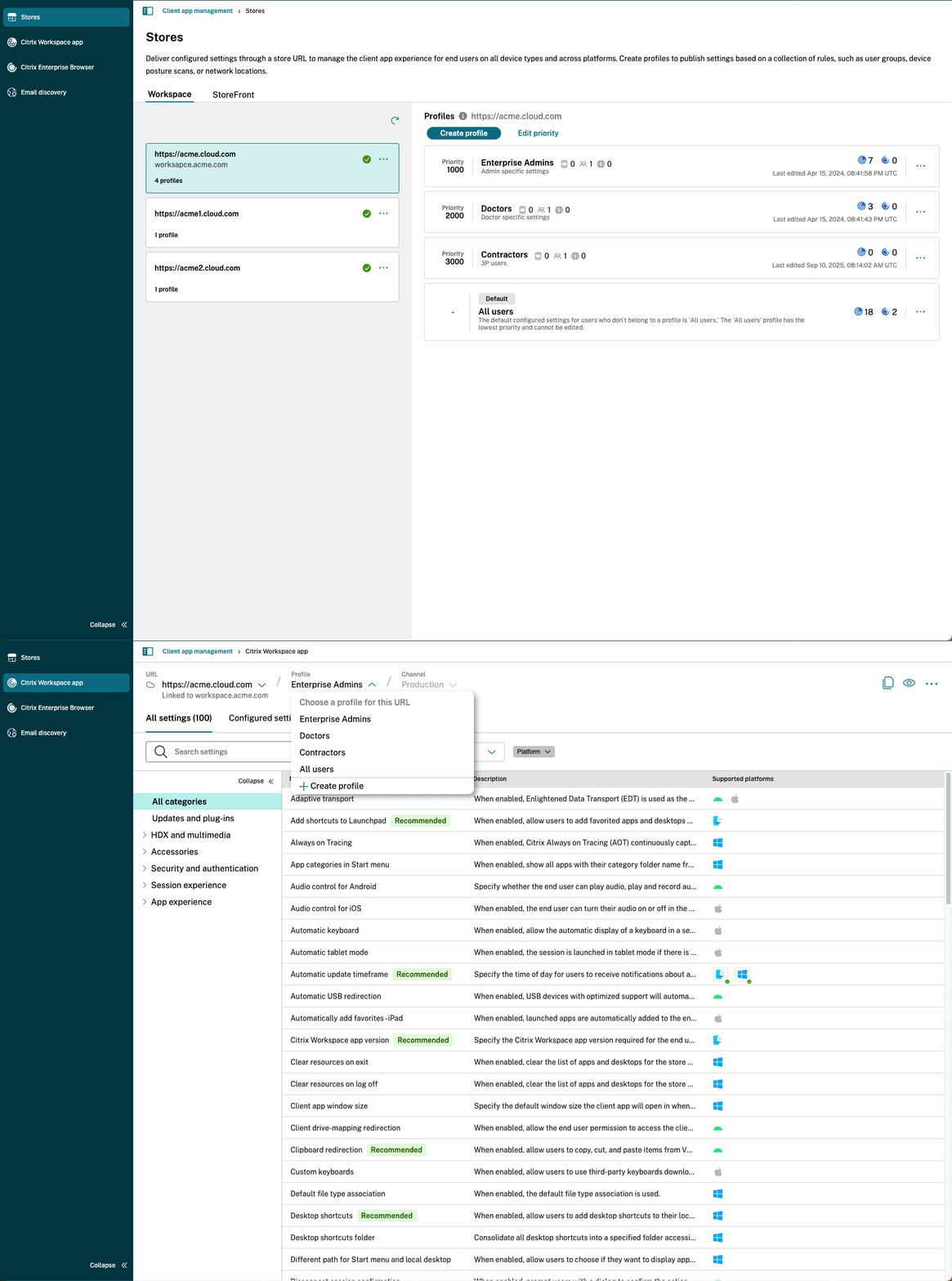
Client app management (previously known as the Global App Configuration Service), is a cloud service designed to provide a single, centralized place for administrators to manage the settings of various Citrix client applications.
This service allows administrators to define and distribute configurations for a specific Store URL. It's designed to be highly flexible and work across various environments:
-
Deployment Types
-
Cloud (Citrix Workspace)
-
On-premises (Citrix StoreFront)
-
-
Device Types
-
Managed
-
Unmanaged (Bring Your Own Device)
-
-
Operating Systems
-
Windows, macOS, HTML5, ChromeOS, Android, iOS, and Linux.
-
Supported client applications
You can manage settings for the following Citrix applications:
-
Citrix Workspace app
-
Citrix Enterprise Browser
Key benefits of Client app management
Client app management offers a robust set of features to streamline administration.
Centralized configuration
-
Manage multiple URLs: Onboard and manage multiple StoreFront, gateway, or workspace URLs from a single cloud tenant.
-
Granular control: For each URL, you can manage specific settings for the Citrix Workspace app, and Citrix Enterprise Browser.
-
Configuration profiles: Create specific configuration profiles for each URL. These profiles allow you to apply different settings based on contextual policies, such as:
-
User groups
-
Device Posture service rules
-
Network Location service rules
-
Simplified rollouts and management
-
Test and production channels: Easily switch between a test channel and a production channel for each store URL, allowing you to validate changes before a full rollout.
-
Detailed settings view: Access a detailed view for each setting that includes descriptions, supported client versions, dependencies on other settings, and default behaviors.
-
Smart categorization: Settings are highlighted as "recommended," "new," or "legacy" to guide administrators.
-
Powerful search and filtering: Quickly find specific settings or profiles by filtering based on:
-
Platform (for example, Windows, macOS, and so on)
-
Category of settings
-
Description of a setting
-