
Appearance
Customizes the appearance and branding of user-facing messages and dialogs
The Appearance Settings allow the appearance and branding of user facing messages and dialogs to be customized.
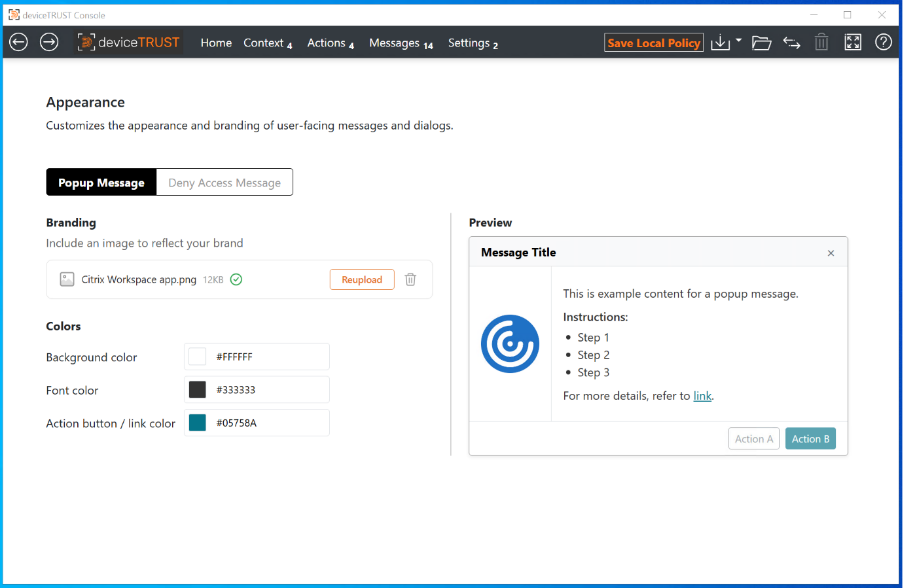
The following controls are available:
-
Popup Message , Deny Access Message – Determines whether the controls are editing the appearance of the Popup Message task, or the Deny Access task.
-
Branding – Allows an optional image to be specified that will be shown as part of the user interface.
-
Background color – Defines a background color of the user interface.
-
Font color – Defines the font color for all text shown in the user interface body.
-
Action button / link color – Defines the color of any buttons or links shown within the message body.
A preview of the user interface is shown on the right hand side with example message content.