Monitor Linux VMs and Linux sessions in Citrix Director
This article lists some of the metrics that are available for Linux VMs and Linux sessions in Citrix Director.
Metrics for Linux VMs
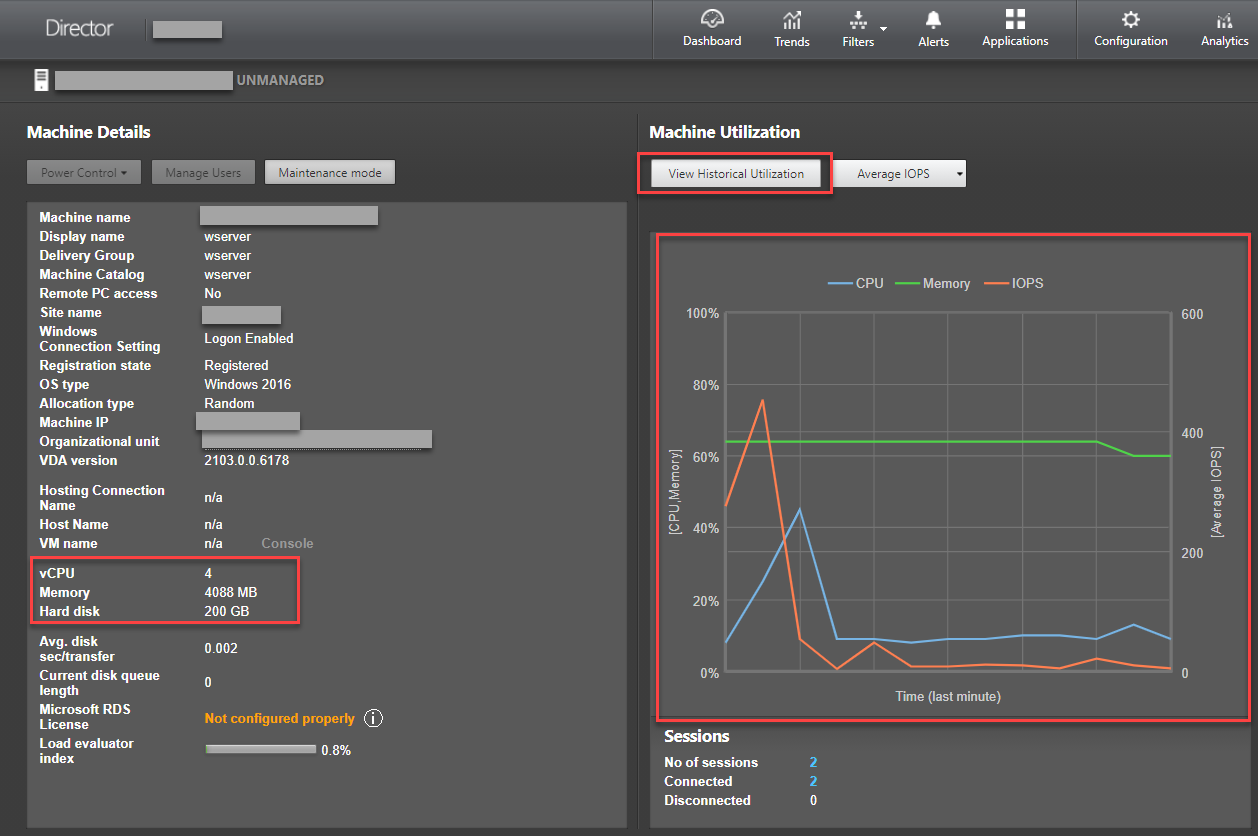
To access the metrics of a Linux VM, find the VM in Citrix Director and check the Machine Details panel.
Starting with Linux VDA Version 2103, the following metrics for Linux VMs are available in Citrix Director.
-
The number of CPU cores
-
Memory size
-
Hard disk capacity
-
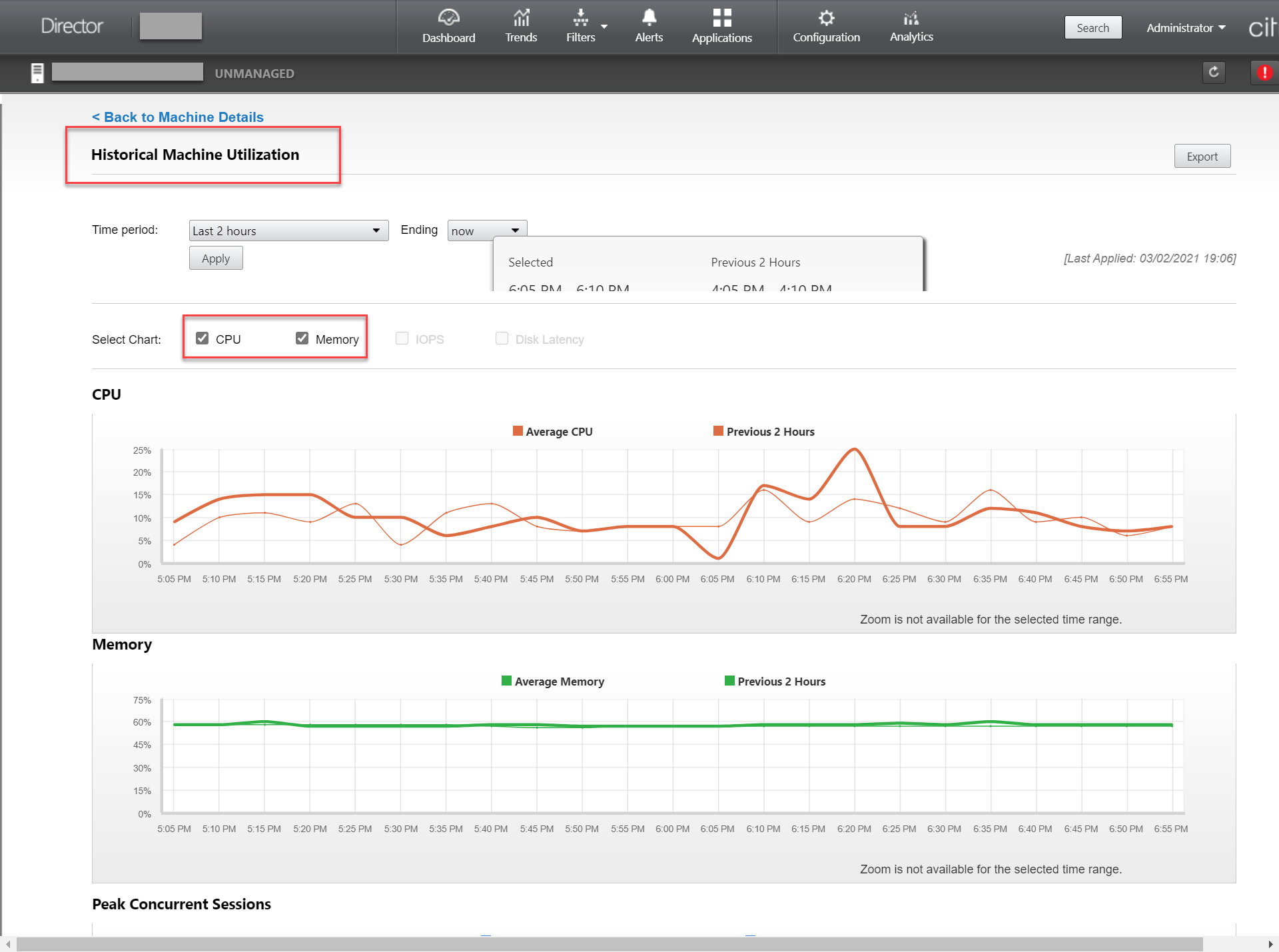
Current and historical CPU and memory utilization
Metrics for Linux sessions
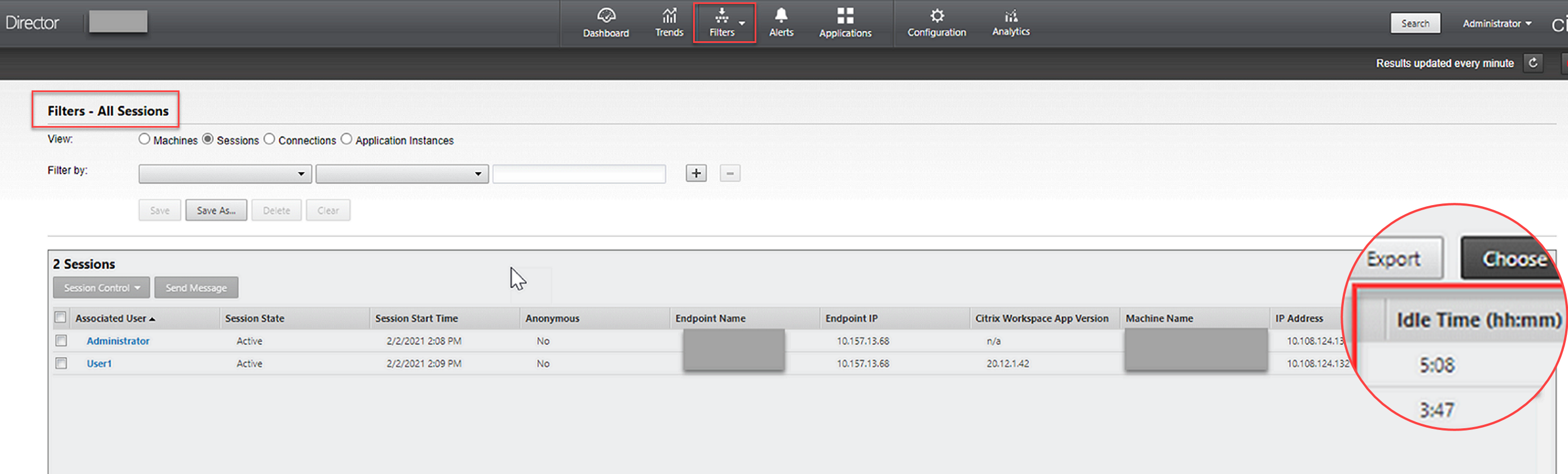
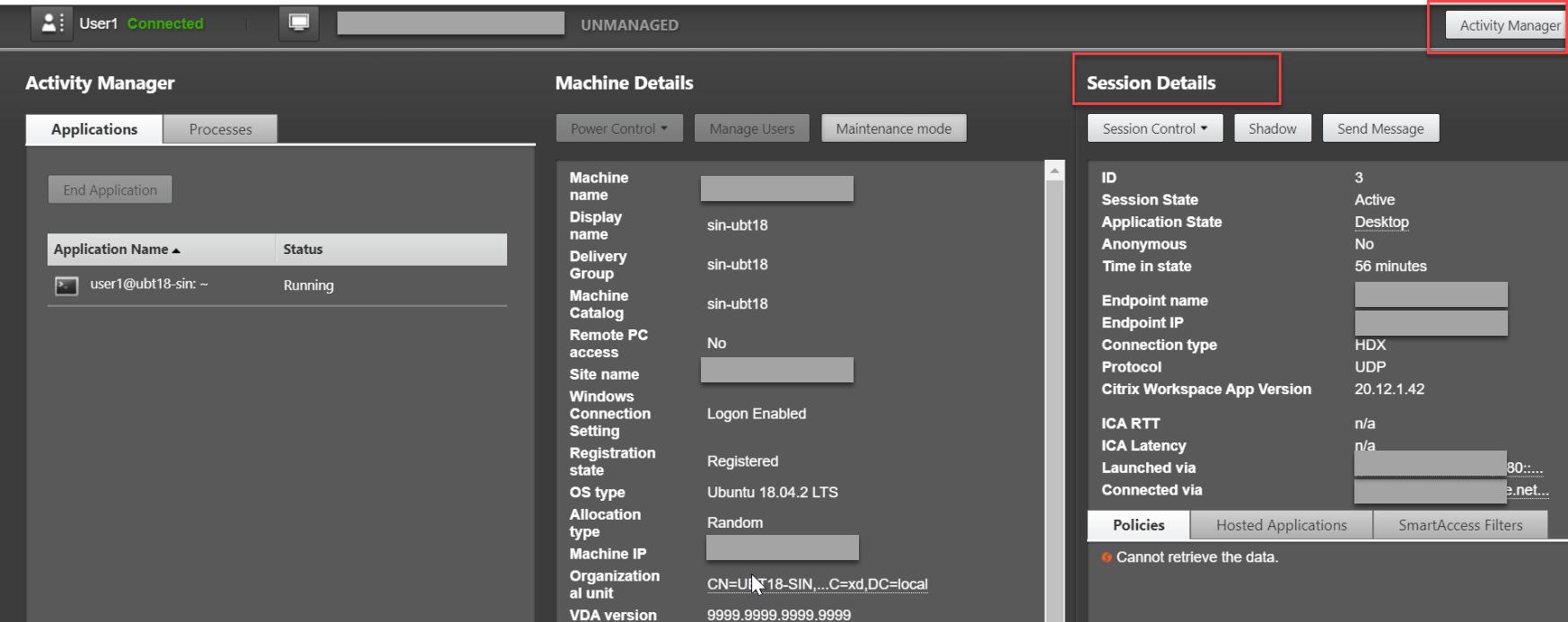
To view the metrics of a Linux session, open the All Sessions page by selecting Filters > Sessions > All Sessions, or access the Session Details panel. To access the Session Details panel, open the All Sessions page and click a target session to access its Activity Manager view. For example:
-
ICA® RTTStarting with Linux VDA Version 1903, ICA RTT metrics are available. To view ICA RTT metrics, use Citrix Director 1903 or later and create the ICA round trip calculation and ICA round trip calculation interval policies in Citrix Studio. For information about policy creation, see Create a policy using Studio.
-
ProtocolStarting with Linux VDA Version 1909, protocol information is available. The transport protocol of a Linux session appears as UDP or TCP in the Session Details panel.
-
Idle timeStarting with Linux VDA Version 2103, the idle time metric is available for Linux sessions. To access this metric, open the All Sessions page by selecting Filters > Sessions > All Sessions.