
Client battery status display
The Linux VDA can redirect and display the battery status of client devices in virtual desktops. This feature is enabled by default and available for the following versions of Citrix Workspace™ app:
-
Citrix Workspace app for iOS
-
Citrix Workspace app for Linux
-
Citrix Workspace app for Mac (version 2204.1 is not supported)
-
Citrix Workspace app for Windows (version 2204.1 is not supported)
Overview
When users open a virtual desktop, they can see a battery icon in the Linux system tray. The battery icon indicates the battery status of their client devices. To check for the percentage of remaining battery life, click the battery icon. For example, see the following screen capture:
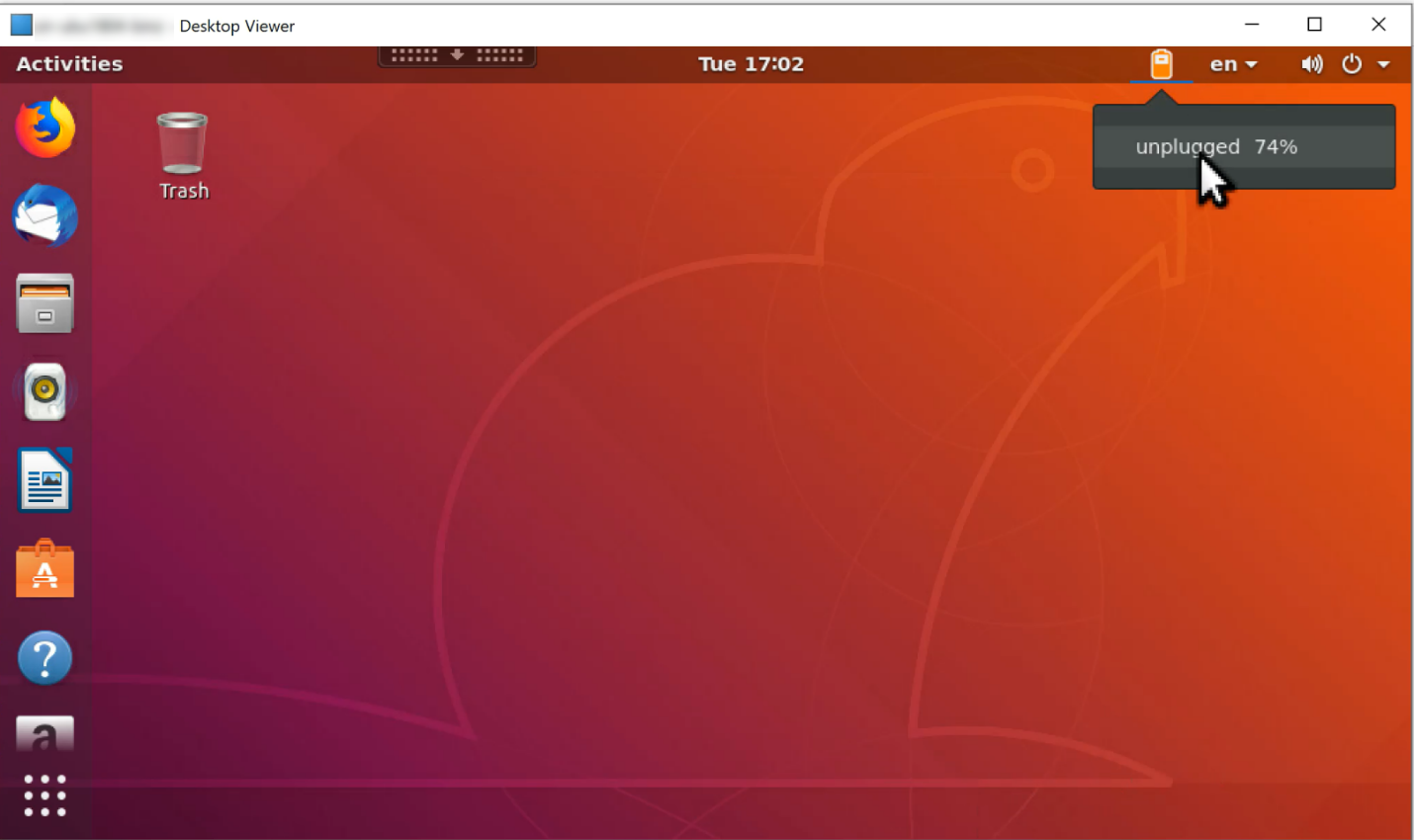
Different battery icons indicate different battery statuses. For an overview, see the following table:
| Battery icon | Charging status | Level of remaining battery life | Percentage of remaining battery life |
|---|---|---|---|
 |
Charging, indicated with a "+" symbol | High, indicated with a green color | >=80% |
 |
Charging, indicated with a "+" symbol | Medium, indicated with an amber color | >=20% and <80% |
 |
Charging, indicated with a "+" symbol | Low, indicated with a red color | < 20% |
 |
Not charging, indicated with a "-" symbol | High, indicated with a green color | >=80% |
 |
Not charging, indicated with a "-" symbol | Medium, indicated with an amber color | >=20% and <80% |
 |
Not charging, indicated with a "-" symbol | Low, indicated with a red color | < 20% |
 |
Unknown | Unknown | Unknown |
Configuration
The client battery status display is enabled by default.
To disable the feature, run the following command:
/opt/Citrix/VDA/bin/ctxreg update -k "HKLM\System\CurrentControlSet\Control\Citrix\VirtualChannels\MrVc" -v "Enabled" -d "0x00000000"
To enable the feature, run the following command:
/opt/Citrix/VDA/bin/ctxreg update -k "HKLM\System\CurrentControlSet\Control\Citrix\VirtualChannels\MrVc" -v "Enabled" -d "0x00000001"
Note:
The preceding commands impact the soft keyboard feature, which shares the Mobile Receiver Virtual Channel (MRVC) with the client battery status display.
Based on your distribution, complete the extra steps to enable the feature. For more information, see the Enable the system tray section.