
Fixed issues

Last published : Oct 12, 2026
Profile Management 2507 LTSR includes the following fixed issues:
  • When you exclude the Pictures folder using the Exclusion list - directories policy and enable folder redirection for Documents, the Pictures folder might become unavailable.
  • Enabling folder redirection in Citrix Profile Management might lead to slow logons.
  • Using a mandatory profile in Citrix Profile Management might result in slow logons.
  • Citrix Profile Management might crash if a user logs off immediately after logging on while the Profile streaming for folders policy is enabled.
  • If a third-party application (such as Ivanti AppSense) deletes a user's ProfileList SID registry key from HKLM\SOFTWARE\Microsoft\Windows NT\CurrentVersion\ProfileList\<SID> during logoff, Citrix Profile Management might fail to merge the profile container or synchronize changes to the user store.
  • The upmjit.sys driver might rarely cause the Virtual Delivery Agent (VDA) to hang or become unresponsive.
  • When a session managed by Citrix Profile Management (CPM) with an active Profile container is running, users might be unable to delete files in a non-CPM-managed session. The following error message appears:
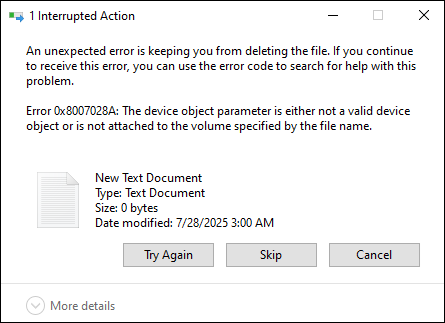
    Error message
  • The Reset profile action might fail if the user's profile type is Microsoft roaming profile.
  • In Citrix Profile Management version 2503, OneDrive cannot sign in when the OneDrive container is enabled.
  • Enabling the Active write back for registry policy might cause a system crash (Blue Screen of Death) due to a upmjit.sys driver issue.
  • When the OneDrive container is enabled, OneDrive cannot sign in. The following error message might appear:
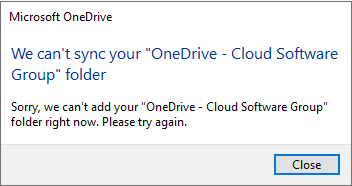
    OnDrive container fails to work