
Deleting cache on a difference disk
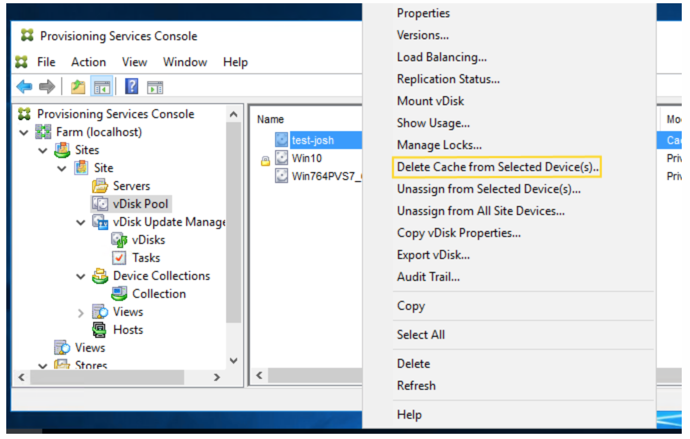
The Delete Cache from Selected Devices context menu option manually deletes the cache on a difference disk. It is only available if the virtual disk cache mode is set to Server Persistent Cache.
Note:
The write cache on a difference disk is not automatically deleted if that file becomes invalid. Citrix® recommends manually deleting files marked as invalid.
To delete a cache on a difference disk
-
In the Citrix Provisioning™ console, right-click on the virtual disk that is associated with difference disk files you want to delete. Select the Delete Cache from Selected Devices menu option.
 The Delete Cache for Devices dialog box appears.
 -
Check each target device cache you want to delete, or click Select all to delete all cache files associated with this virtual disk.
-
Click Delete to delete the cache files from the server.