Use events and comments
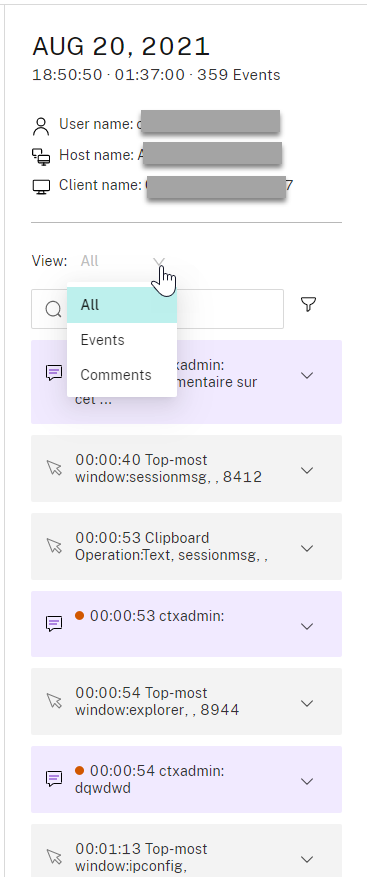
In the right pane of the playback page, the Events and Comments filters are available. You can use events and comments to help you navigate through recorded sessions in the web player.
Comment on recordings
When a recorded session is being played, you can click the Comments player control to leave comments and set comment severities. Severities include Normal, Medium, and Severe. Severe and Medium comments are indicated with red and orange dots, respectively. During session playback, you can view all comments about a recording. To delete a comment that you left, refresh your webpage, expand the comment, and then click Delete.
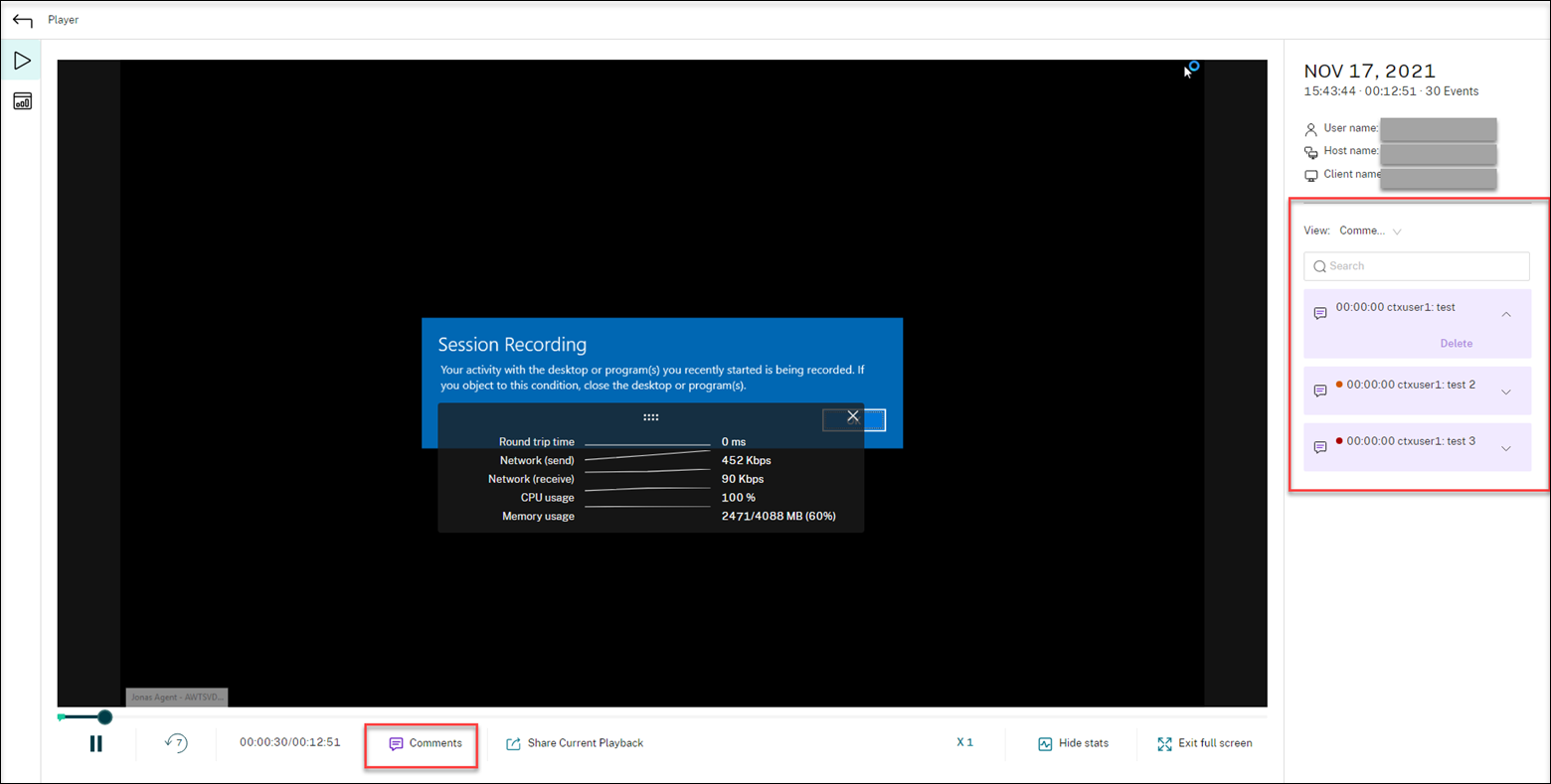
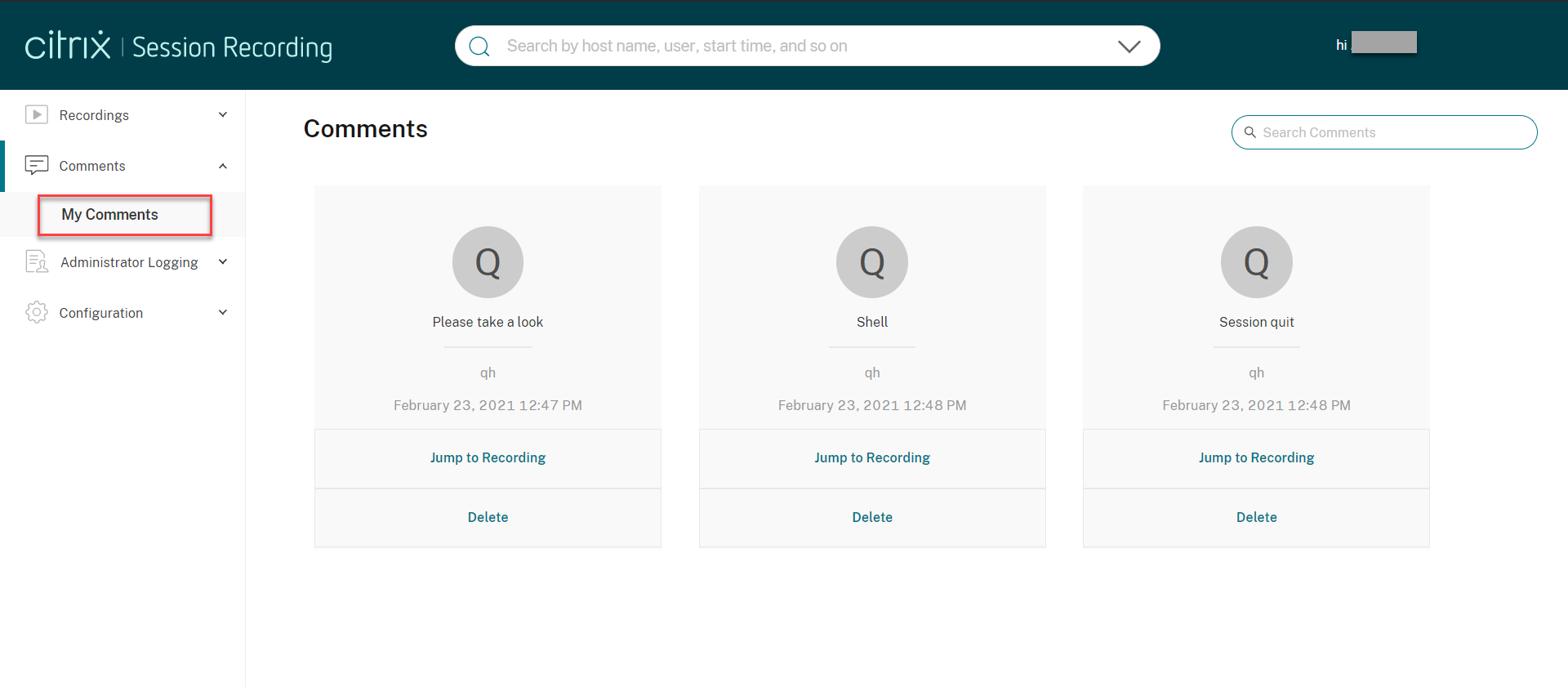
Clicking a comment lets you jump to the location where the comment was given. You can view all your comments on the My comments page.
Note:
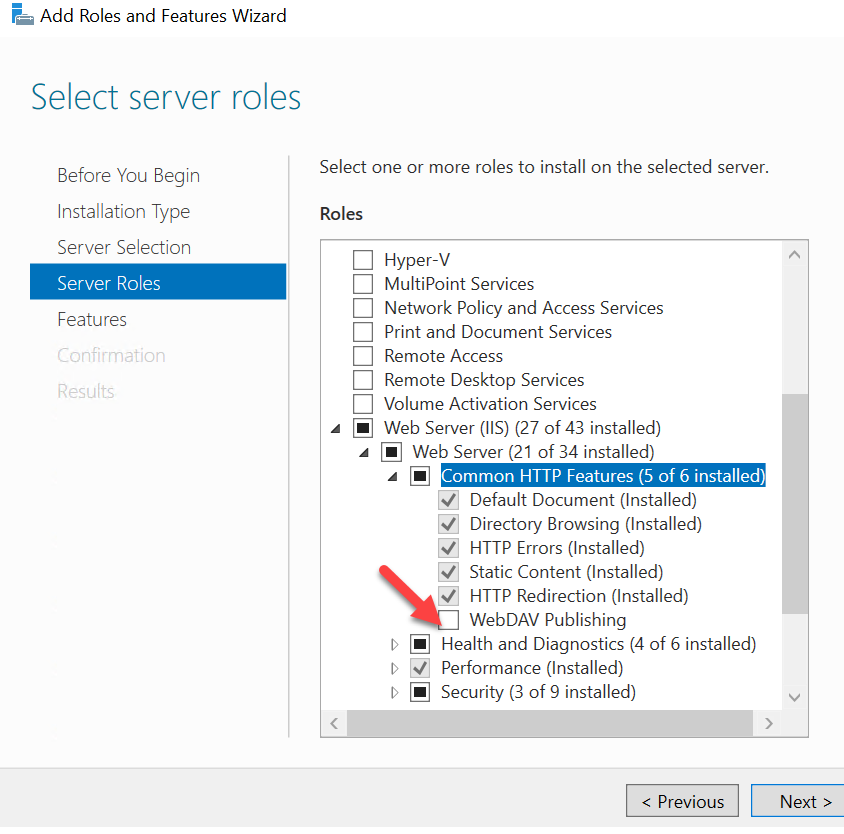
To make the comment feature work as expected, clear the WebDAV Publishing check box in the Add Roles and Features wizard of Server Manager on the Session Recording Server.