
uberAgent® Log Collector Splunk App
uberAgent maintains a very detailed and informative log file that can tell you a lot not only about uberAgent's health but also about the machine uberAgent is running on\. Naturally, the log file is stored locally on the computer uberAgent is running on which makes analysis and troubleshooting a bit difficult in large environments\. But luckily it is very easy to solve that problem with Splunk\!
What is it
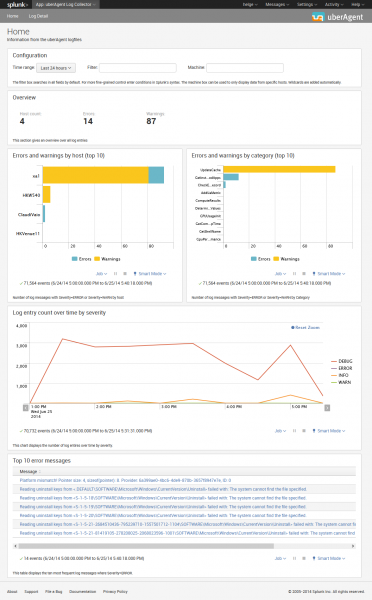
uberAgent Log Collector is a set of associated Splunk apps that collect the data logged by uberAgent, send it to Splunk for indexing and provide dashboards for easy access\.
Installation
uberAgent Log Collector consists of the Splunk app containing the dashboards and a technology add\-on (TA) for collecting the data with Splunk's Universal Forwarder\. These two components need to be installed on the following systems:
-
App: search head(s)
-
TA: endpoints where uberAgent and the Splunk Universal Forwarder are deployed
Splunk Index
You need to create the Splunk index
ua_meta_log that stores the logs.
To add the new index
ua_meta_log with the CLI run splunk add index ua_meta_log. The full documentation on creating Splunk indexes is available in the Splunk docs.
Configuration
Configurable Log Path
Since uberAgent 7.3, the log path is configurable. If you set a custom log path, you have to modify the TA app: copy the
default/inputs.conf to local/inputs.conf and adjust the paths accordingly.
System Requirements
The TA requires Splunk's Universal Forwarder to be installed on the same machine\.
Download
The uberAgent Log Collector apps are available in the Splunk App Directory:
-
Download uberAgent Log Collector app
-
Download uberAgent Log Collector TA