Changing menu rights
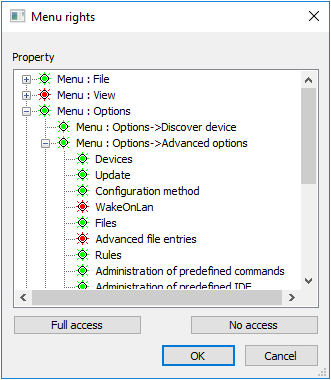
Menu rights refer to the executability of menu functions. If you deny an administrator access to a menu option, the menu item is dimmed and the administrator cannot perform the function.
-
In the Scout Console, click Security > Menu rights.
-
In the Menu rights dialog, select the relevant administrator.
-
Click Menu rights. The Menu rights dialog opens.
-
Change the relevant rights by double-clicking or by pressing the Space bar.
-
Confirm with OK.