Citrix Secure Access
You can sign in to your Citrix Cloud account and access Client app management from the main menu. For more information, see Workspace - Client app management.
Configure settings for cloud stores
You can update and manage the Citrix Secure Access client configurations for end users of the Secure Private Access service using the Client app management.
Prerequisites
-
Admins must create the following registry entry in the Citrix Secure Access client:
-
REG_PATH: HKEY_LOCAL_MACHINE\SOFTWARE\Citrix\Secure Access Client
-
REG_TYPE: DWORD
-
REG_NAME: EnableAdminConfigFetch
-
REG_VALUE: 1
-
-
Verify that you have access to a Citrix Cloud account. If not, you can create an account from https://onboarding.cloud.com/. For more information, see Sign-up for Citrix Cloud.
Configure Client app management for version control of the Citrix Secure Access client
-
Sign in to the Citrix Cloud portal and navigate to Client app management > Citrix Secure Access.
-
From the list of configured store URLs, select the store for which you want to configure settings.
-
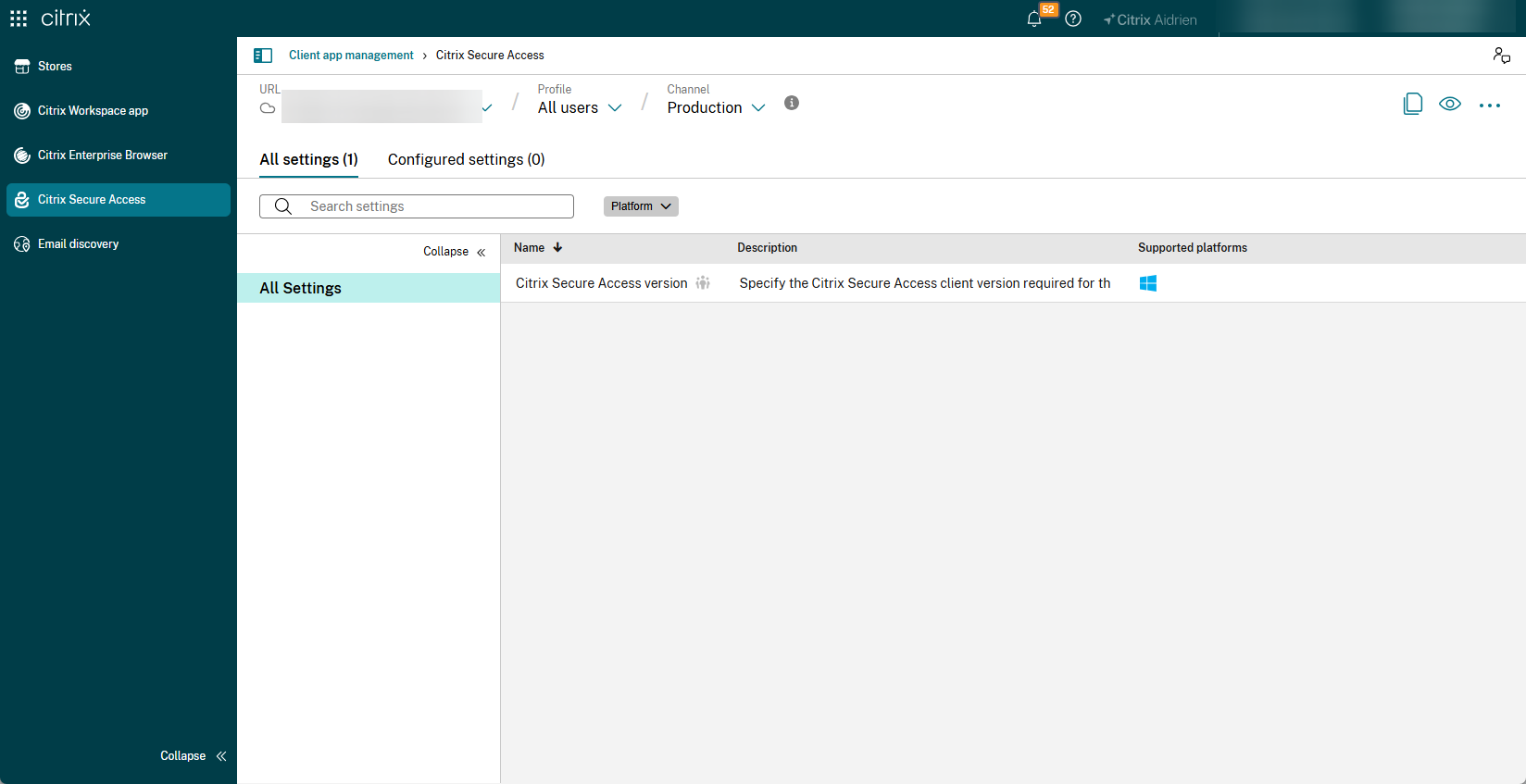
Navigate to All Settings > Citrix Secure Access version.
-
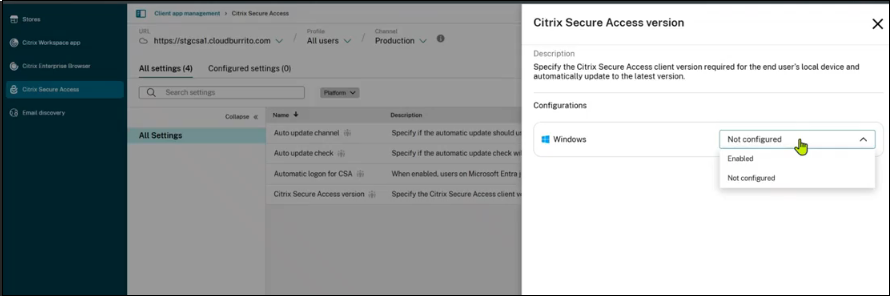
In the Citrix Secure Access version screen, select Enabled from the drop-down menu next to the required platform.
-
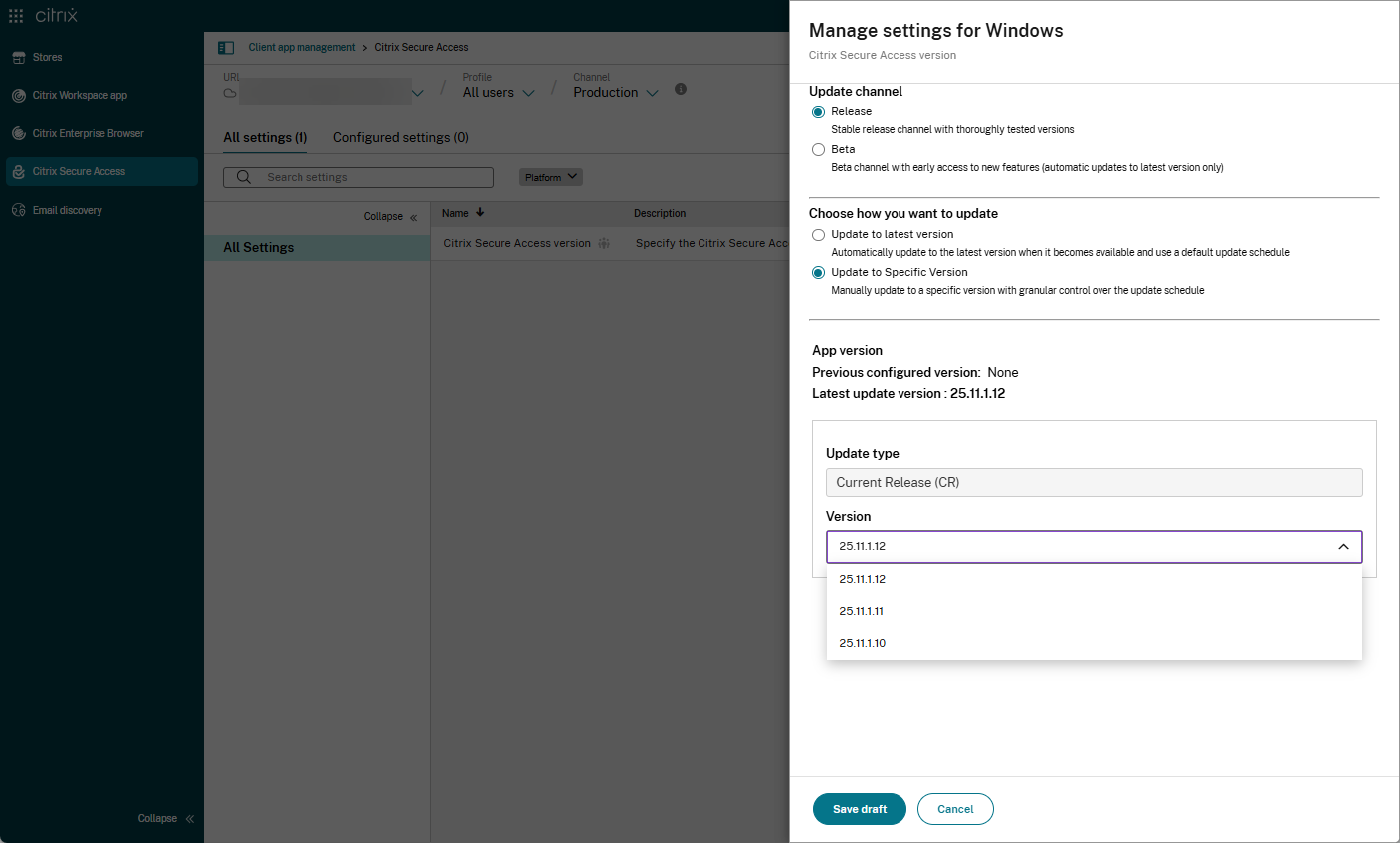
In the Manage settings for Windows screen, enable the following options:
-
Update channel:
-
Release: Select this option to control the client version of the production build.
-
Beta: Select this option to control the client version of the preview build.
-
-
Choose how you want to update:
-
Update to latest version: Select this option to update the client version for all the end users to the latest version. If you enable the Beta channel, only the latest version is available.
-
Update to Specific Version: Select this option to update the client version for all the end users to a specific version. When enabled, select the desired client version from the Version drop-down list, which displays the three latest client versions.
-
-
-
Click Save draft > Yes > Save to save your settings.
-
Click Review unsaved setting(s) to review the unsaved settings.
-
Review the changes and click Publish Drafts > Publish to publish your settings.
Note:
The settings are updated immediately to the Citrix Secure Access clients.
Compatibility
The following Citrix Secure Access versions support this feature:
- Windows: Version 25.11.1.12 or later