This content has been machine translated dynamically.
Dieser Inhalt ist eine maschinelle Übersetzung, die dynamisch erstellt wurde. (Haftungsausschluss)
Cet article a été traduit automatiquement de manière dynamique. (Clause de non responsabilité)
Este artículo lo ha traducido una máquina de forma dinámica. (Aviso legal)
此内容已经过机器动态翻译。 放弃
このコンテンツは動的に機械翻訳されています。免責事項
이 콘텐츠는 동적으로 기계 번역되었습니다. 책임 부인
Este texto foi traduzido automaticamente. (Aviso legal)
Questo contenuto è stato tradotto dinamicamente con traduzione automatica.(Esclusione di responsabilità))
This article has been machine translated.
Dieser Artikel wurde maschinell übersetzt. (Haftungsausschluss)
Ce article a été traduit automatiquement. (Clause de non responsabilité)
Este artículo ha sido traducido automáticamente. (Aviso legal)
この記事は機械翻訳されています.免責事項
이 기사는 기계 번역되었습니다.책임 부인
Este artigo foi traduzido automaticamente.(Aviso legal)
这篇文章已经过机器翻译.放弃
Questo articolo è stato tradotto automaticamente.(Esclusione di responsabilità))
Translation failed!
常に無損失モード
常に無損失モードを使用すると、クライアントに送信されたデータで損失が発生しなくなります。 つまり、すべてのフレームは無損失コーデックのみでエンコードされ、品質はピクセル単位で完璧になります。
常に無損失モードの圧縮率は他のモードを使用する場合ほど高くなく、設定すると大量の帯域幅を消費します。 十分な帯域幅が利用できない場合、インタラクティブ性に大きな影響を及ぼす可能性があります。
Citrix®では、医療画像処理などの無損失画質が必要な特定のユースケースにのみこの設定を使用することをお勧めします。
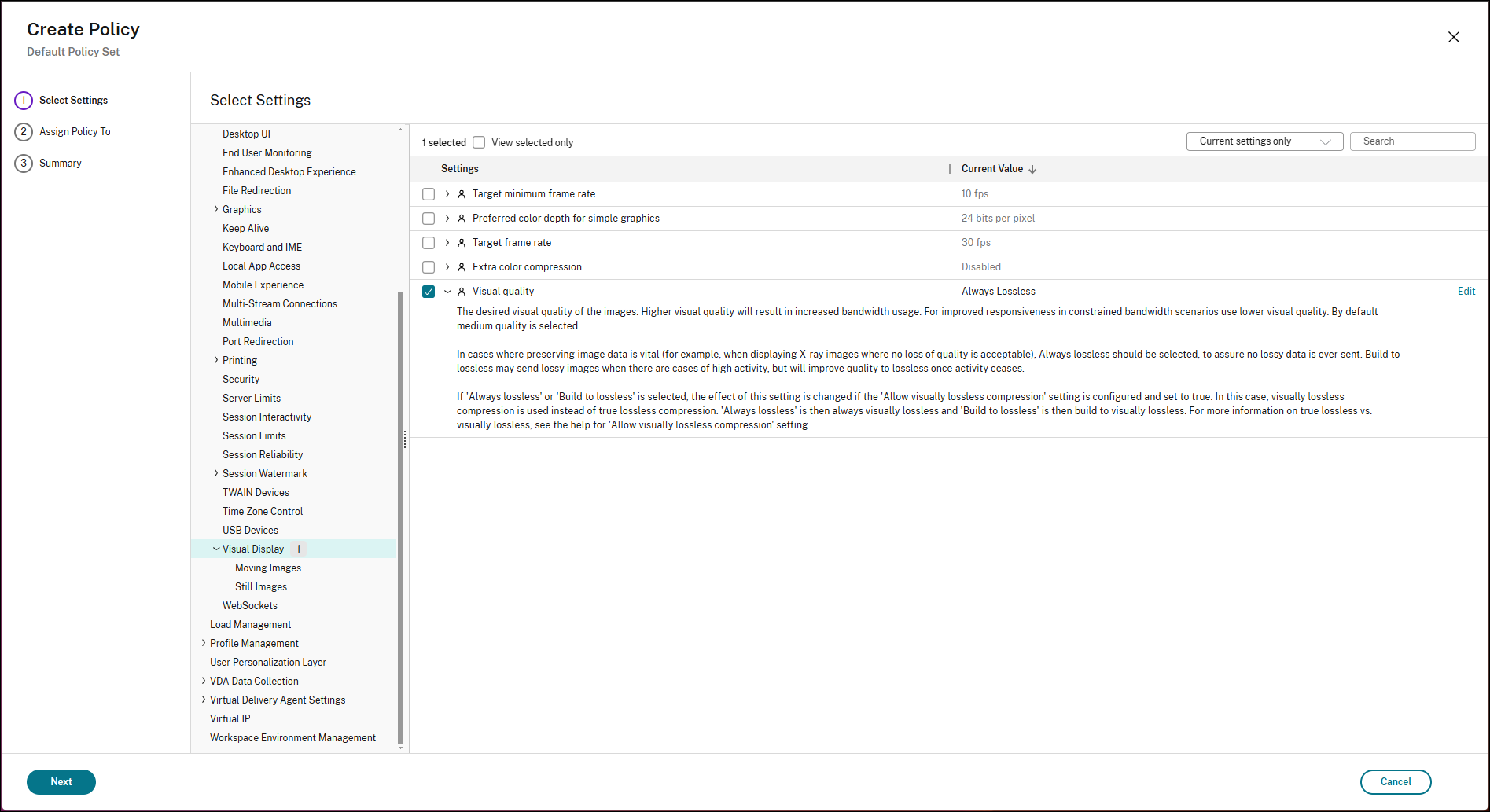
エンドユーザーは、常に無損失モードを明示的に設定するだけでなく、グラフィック状態インジケーターが使用可能な場合は、セッション中に無損失モードと切り替えることもできます。
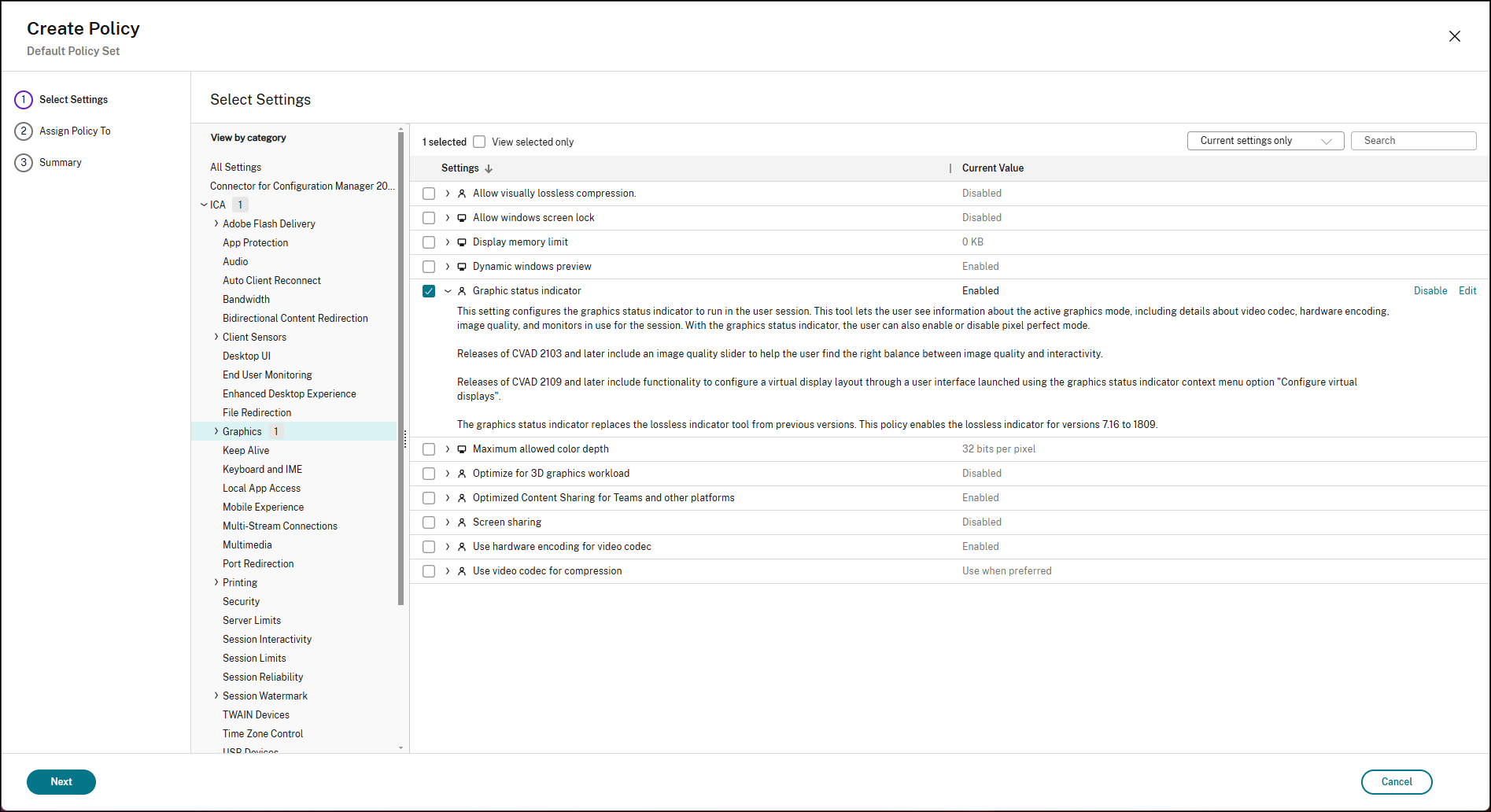
現在、グラフィック状態インジケーターはデフォルトでは有効になっていません。
グラフィック状態インジケーターを有効にするには:
- Citrix Studioのグラフィックポリシー設定に移動します。
- [グラフィック状態インジケーター]ポリシーを見つけます。
- ポリシーを[有効]に設定します。
- ポリシーの変更をデリバリーグループに適用して反映します。
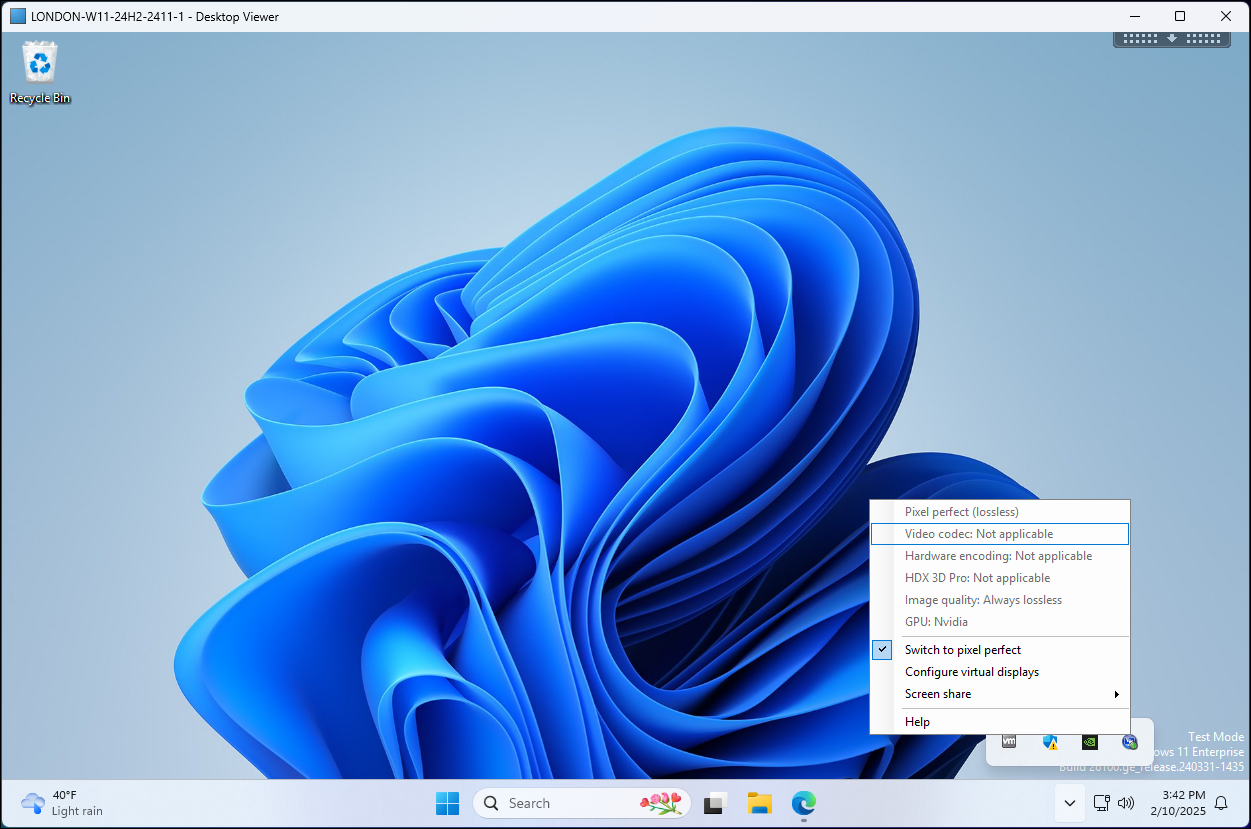
エンドユーザーが常に無損失モードを切り替えるには:
- タスクトレイでグラフィック状態インジケーターを見つけます。
- グラフィックス状態インジケーターを右クリックします。 1. (VDAのタスクトレイ内)。
- [完全に無損失に切り替える]を選択します。
グラフィックス状態インジケーターのアイコンに緑色のインジケーターが表示され、無損失モードが有効になっていることが示されます。
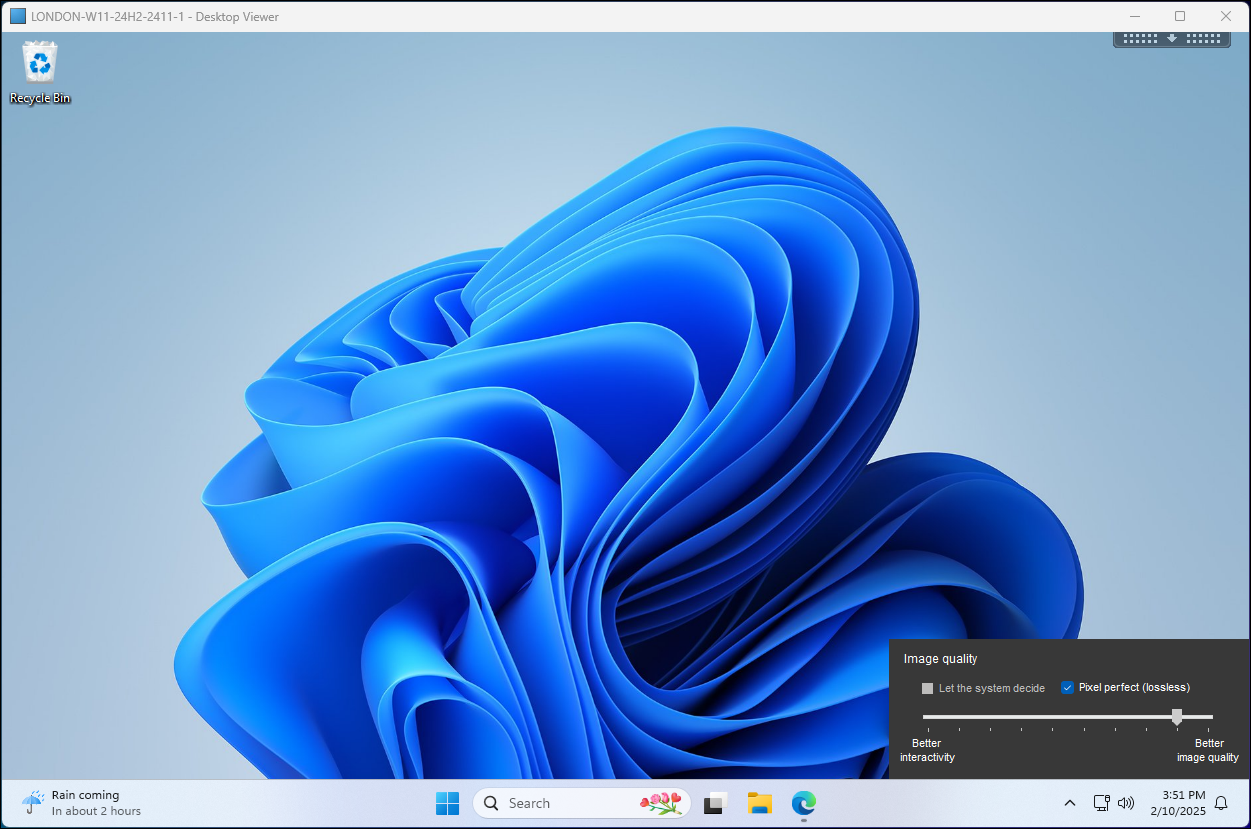
または、次のいずれかを行います:
- タスクトレイでグラフィック状態インジケーターを見つけます。
- VDAのタスクトレイでグラフィック状態インジケーターをクリックします。
- [システムに決定する]の選択を解除します。
- [完全に無損失]を選択します。
グラフィックス状態インジケーターのアイコンに緑色のインジケーターが表示され、無損失モードが有効になっていることが示されます。
共有
共有
この記事の概要
This Preview product documentation is Citrix Confidential.
You agree to hold this documentation confidential pursuant to the terms of your Citrix Beta/Tech Preview Agreement.
The development, release and timing of any features or functionality described in the Preview documentation remains at our sole discretion and are subject to change without notice or consultation.
The documentation is for informational purposes only and is not a commitment, promise or legal obligation to deliver any material, code or functionality and should not be relied upon in making Citrix product purchase decisions.
If you do not agree, select I DO NOT AGREE to exit.