
Disable Screen Capture Notifications
This document describes how to disable screen capture notifications.
You can disable screen capture notifications on Windows using the following method:
Disable Screen Capture Notification through GPO Setting
-
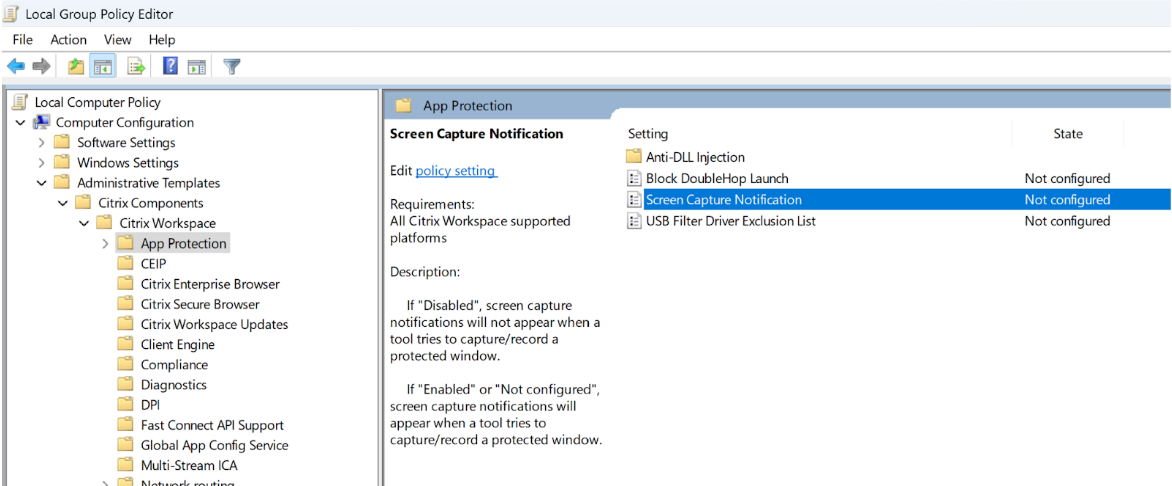
Open Group Policy Editor.
-
Navigate to Computer Configuration > Administrative Templates > Citrix Components > Citrix Workspace™ > App Protection > and select Screen Capture Notification.
-
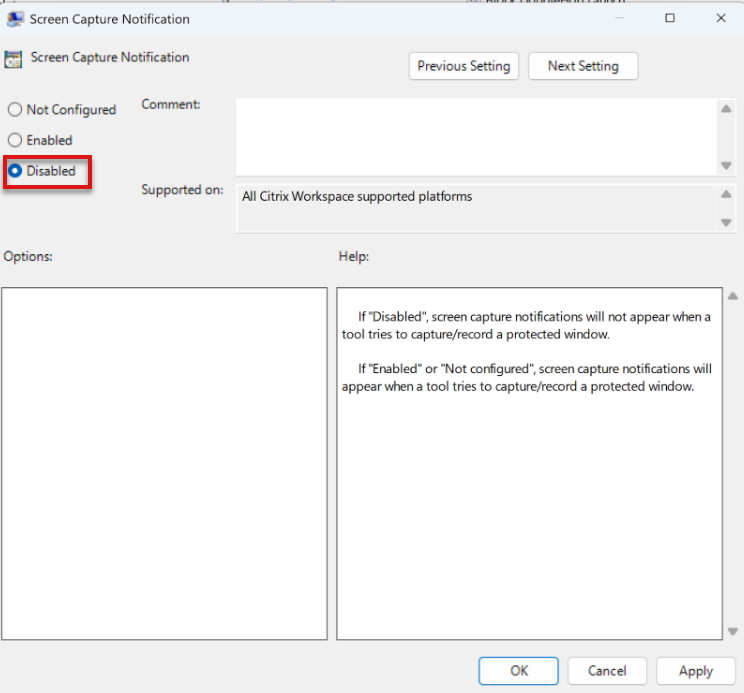
Select Disabled in the launched setting.
-
Select Apply.
Behavior Upon Disablement
Upon disablement, screen capture notifications do not appear when a user attempts to capture a protected resource.
Note:
If a screen capture allowlisted app is launched while this setting is configured, the screen capture notification setting is disregarded, and end users will begin to see notifications.