
Enable features for users
Use the Features tab to enable and disable features for your users.
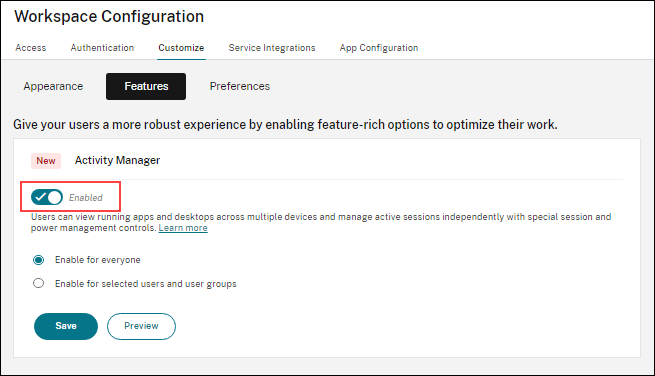
Currently the only configurable feature is Activity Manager power management.
Power management controls
Power management controls include Shut down, Force shutdown, and Hibernate. To enable the power management control using Citrix Cloud™, do the following:
-
Navigate to StoreFront Cloud > Customize > Features.
-
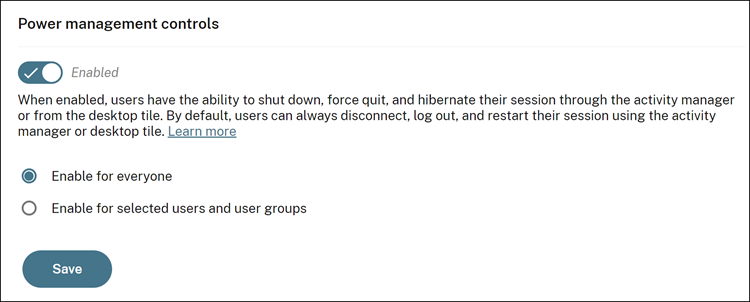
Enable the toggle button.
-
Select Enable for everyone to apply the setting to all users.
-
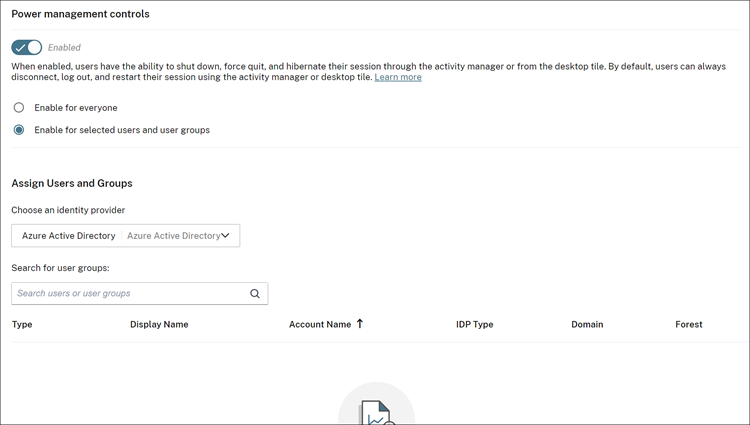
Alternatively, select Enable for selected users and user groups to apply the setting to selected users and user groups.
-
Click the down arrow and then choose an identity provider from the dropdown list.
-
In the Search for user groups text field, find users or groups to assign to this feature.Once you add the users or user groups, you can see their lists displayed on the screen.
-
Click Save.