
Search for recordings
You can search for recordings by using filters in the web player. The available filters include host name, client name, user name, application, client IP address, event text, event type, and time.

For example, after you select the host name filter, the following dialog box appears. Type in the host name (of the VDA where recorded sessions are hosted) and click Search to filter out irrelevant recordings and display only the relevant ones.

You can change to a different filter by clicking the currently selected Host name, as shown in the following screen capture. All filters are listed after you click Host name. Select a different filter as needed.
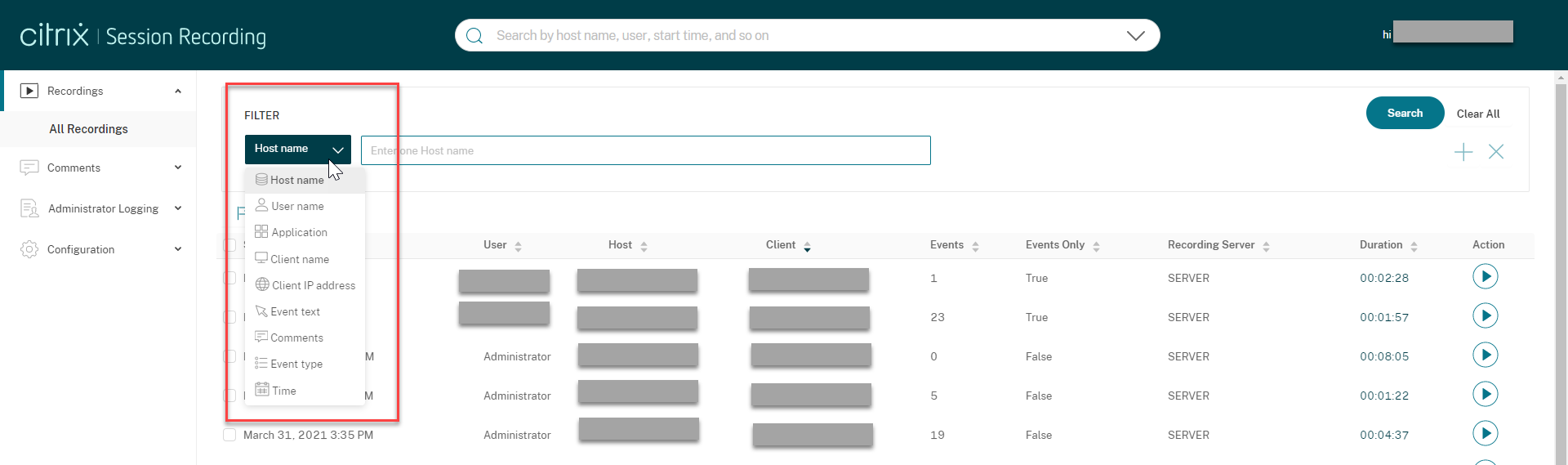
You can also click the + symbol to add filters.

For example, you can add the Time filter as shown in the following screen.
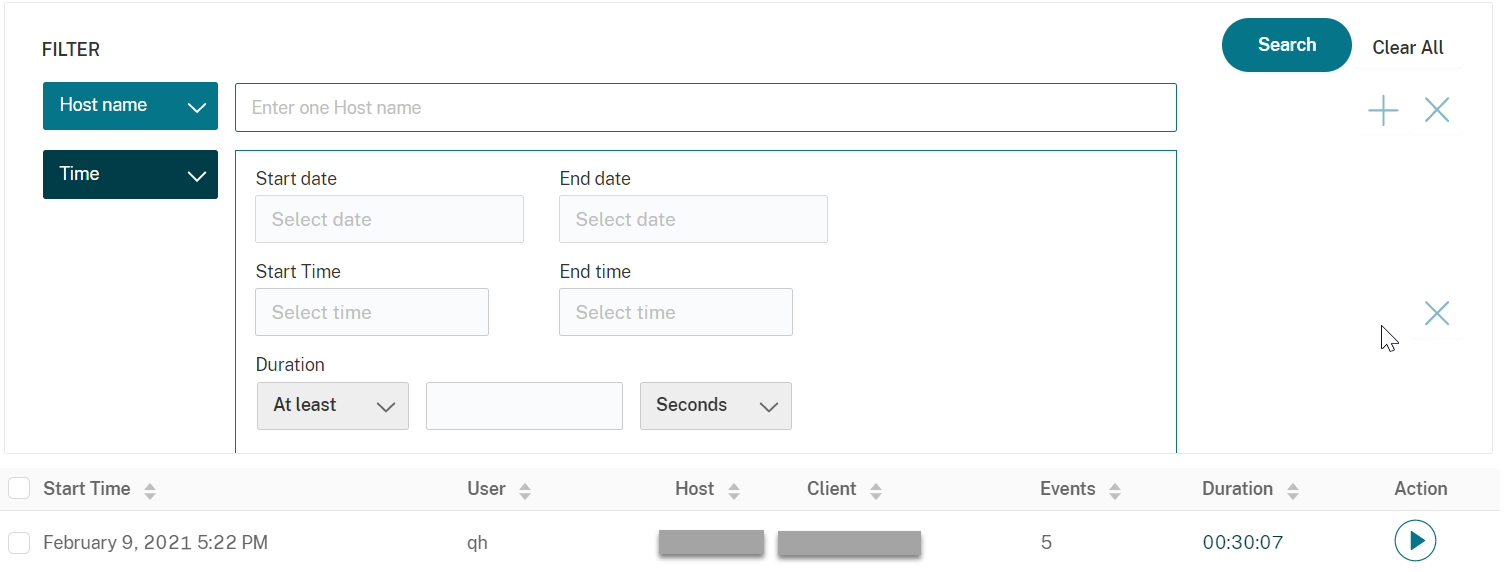
The Time filter consists of recording start date, start time, and duration.