
View data points related to each recorded session
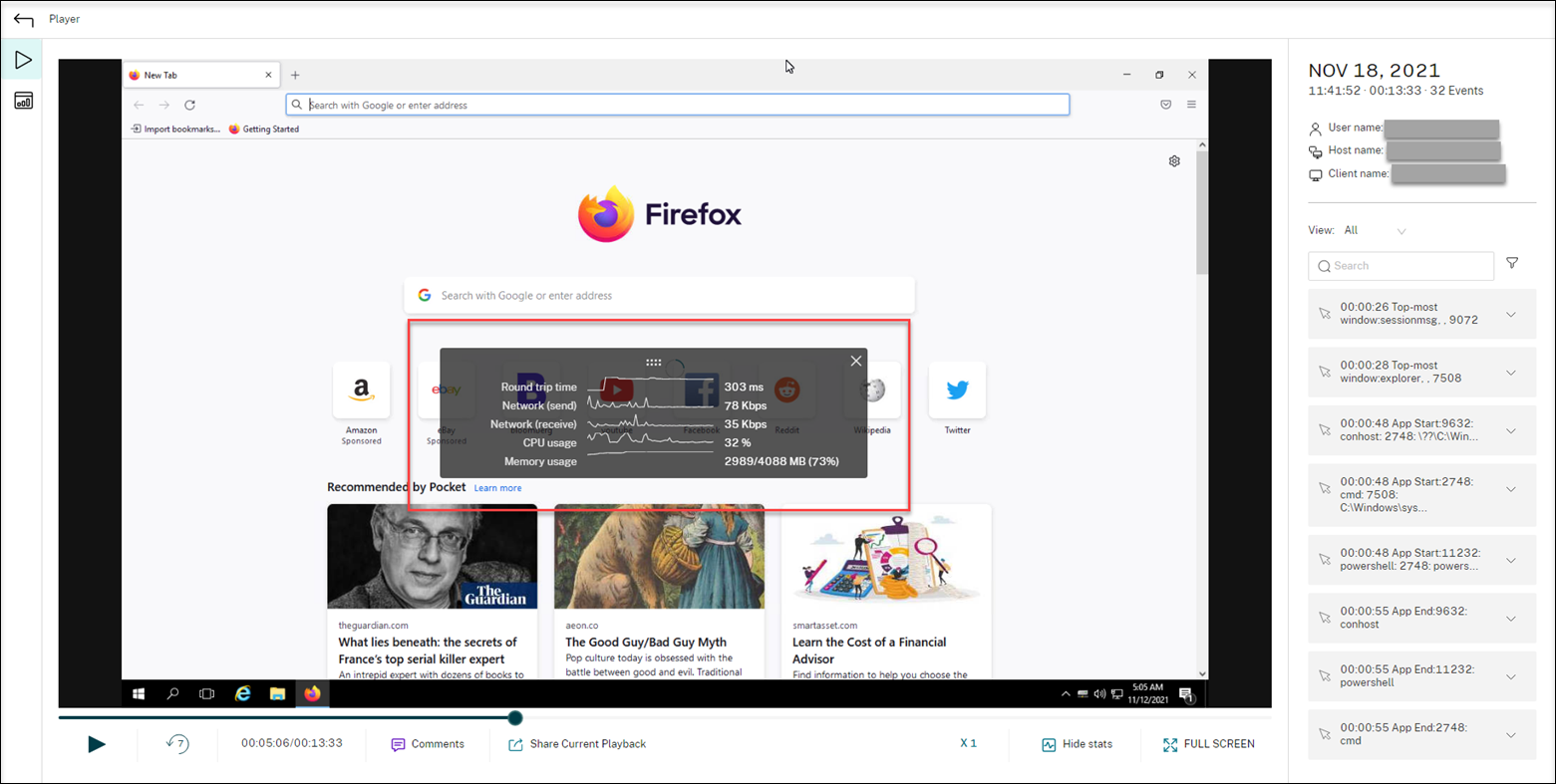
During playback, you can click the Show stats control to view, on an overlay, the following data points related to the recorded session:
-
Round trip time
-
Network (send)
-
Network (receive)
-
CPU usage
-
Memory usage
Note:
-
Session Recording collects round trip time every 15 seconds and the rest of the data points every second.
-
Theoretically, Session Recording refreshes data on round trip times every five seconds. However, round trip time data actually refreshes every 15 seconds because of the collection cycle.
-
Session recording refreshes the rest of the data points every 5 seconds and presents their average values on the overlay.
The overlay is semi-transparent. You can relocate and hide it.
-
To relocate the overlay, hover your mouse over the eight dots and then do a drag and drop.
-
To hide the overlay, click Hide stats.
You can enable the overlay by selecting Log performance data when creating your event detection policy. For more information, see Configure event detection policies.