
Site-level user activity reporting
Session Recording uses event detection in recorded sessions to display event data in the web console, offering a site-wide view of user activity.
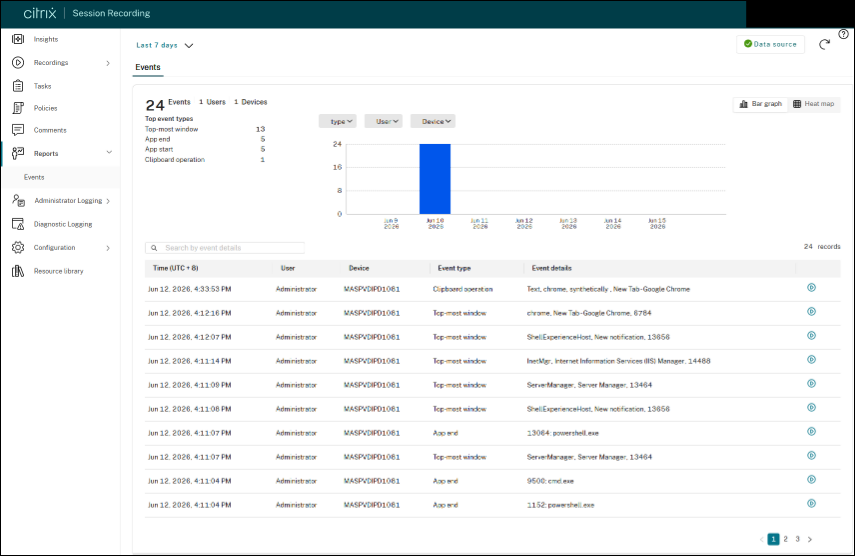
With site-level user activity reporting, you can:
-
Filter events by category to quickly locate specific activity
-
Identify abnormal behavior across your site
-
Gain a broader understanding of user activity patterns
Prerequisites
-
Session Recording 2609 or later
-
A configured and active event detection policy that includes the event types you want to monitor
For more information, see Configure event detection policies.
View site-level event reports
-
In the Session Recording web console, select Reports from the left navigation pane.
-
Select Events.
-
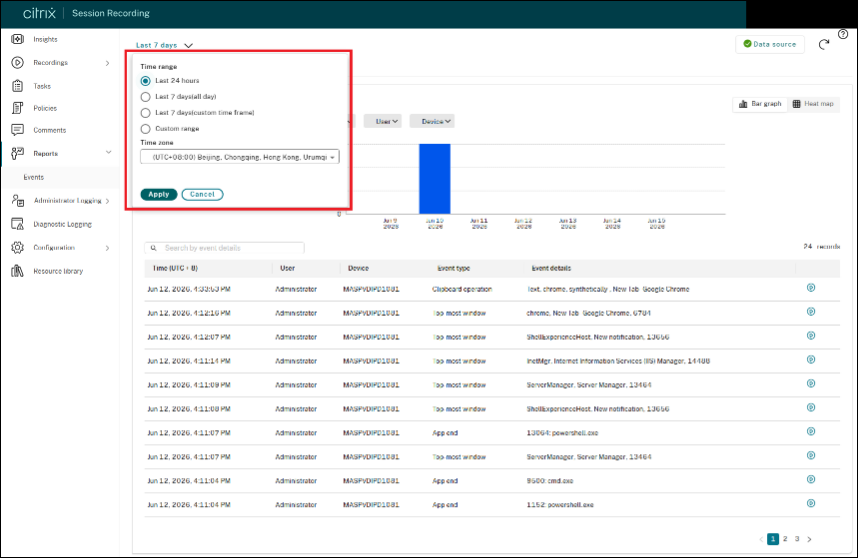
Specify the time range and time zone.
-
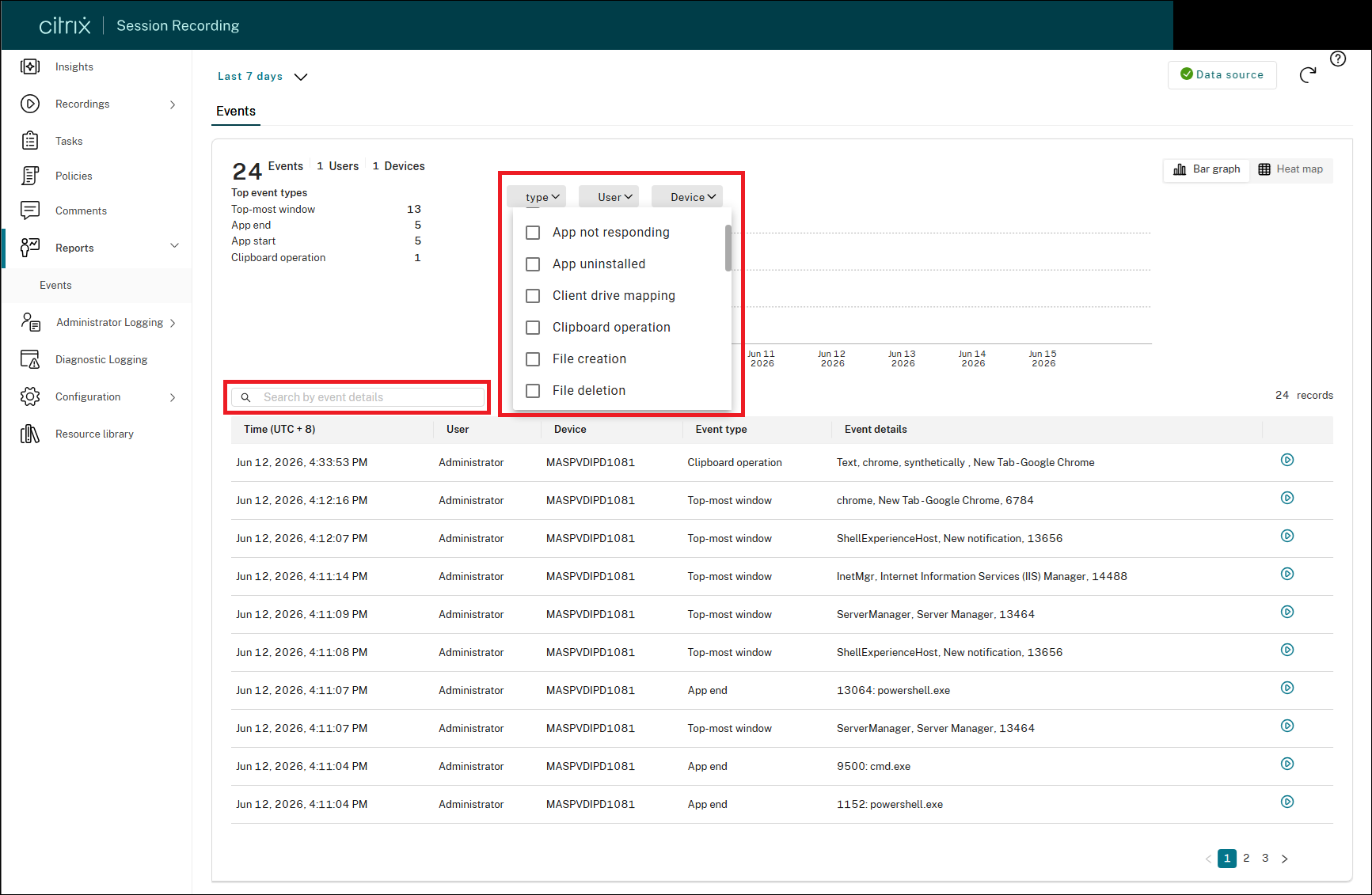
Use the filters to narrow results by event type, session user, or client device. You can also use the search box to find events by keyword. Filters are combined using AND logic.
-
Click the play button next to an event to navigate to the recording playback page, where events and comments are shown in context.