
Manage a website
When you create a store, a website is created for it automatically which users can access through either through a browser or through Citrix Workspace app. You must have at least one website. You can add additional websites to existing stores. This allows you to provide different URLs with different configurations to your users. However multiple websites can only be accessed through a web browser as Citrix Workspace Apps are configured to use one specific website for a store, see Configure Workspace app website.
To view the websites for a store:
-
From the management console, select the Stores node in the left pane.
-
Select the store you wish to configure.
-
In the Actions pane, click Manage Receiver for Web.
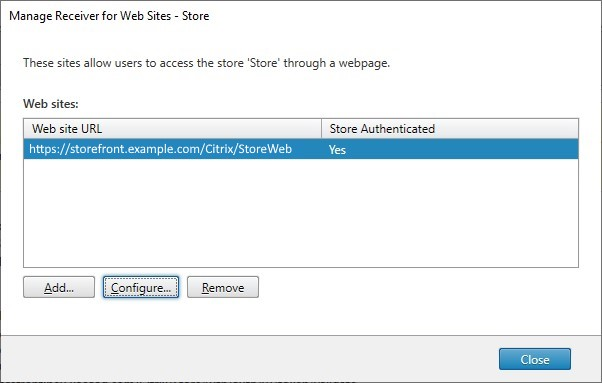
From the Manager Receiver for Web Sites screen, you can perform the following tasks:
| Task | Detail |
|---|---|
| Create a website | Create websites, which enable users to access stores through a web page or Workspace app. |
| Configure a website | Modify settings for your website. |
| Remove a website | Remove a Citrix Receiver for Web site. |
| Configure Workspace app website | Choose which website to use from within the Citrix Workspace app. |
PowerShell
To get a list of websites, use cmdlet Get-STFWebReceiverService.