Event Log Forwarding
uberAgent® can collect Windows system logs like Application, Security, System, etc. Events can be filtered based on their provider, event ID, and level (Information, Error, etc.). Additionally, more fine-grained event-filtering is possible with the XPath-querying functionality.
Requirements
-
Eventlog forwarding is supported on Windows
-
uberAgent 7.3 or newer
Configuring Eventlog Forwarding
Eventlog forwarding is configured with a configuration file. By default, no logs are collected. Eventlog collection needs to be enabled by an administrator.
The [EventLog] Stanza
The stanza
[EventLog] starts a new log configuration, followed by multiple settings.
| Setting | Description | Required | Values |
|---|---|---|---|
| EventLog | The name of the event log to query. | Yes | Any valid log name, like System. |
| LevelName | The event's level. Specify multiple levels separated by commas. | Yes | Information, Warning, Error, Critical, Verbose |
| EventID | Limit the collection to specific event IDs. Specify multiple IDs separated by commas. | No | Any valid event IDs |
| EventFilterXPath | Limit the collection with a XPath filter. XPath uses path expressions to select nodes or node-sets in an XML document. The node is selected by following a path or steps. | No | Any valid XPath filter. |
| Provider | Limit the collection to specific providers. | No | Any valid provider name. |
Collection Frequency
Eventlogs can be queried on a configurable schedule, or on-demand.
Schedule
To schedule the log collection, first create a new
[EventLog] stanza.
[EventLog Name=TimerBased-System-Errors-Warnings]
 EventLog = System
 LevelName = Error,Warning
Second, create a new timer and reference the name the Eventlog stanza's name.
[Timer]
 Name = System Eventlog collection
 EventLog = TimerBased-System-Errors-Warnings
 Interval = 60000
On-demand
Create a new
[EventLog] stanza without a corresponding timer. When uberAgent can't find the Eventlog stanza's name in any timer, it collects events as they occur.
[EventLog Name=OnDemand-Security-Events]
 EventLog = Security
 LevelName=Information
Collecting events as they occur can be resource intensive. Hence, collecting on a schedule is the preferred option.
Default Configuration
uberAgent does not collect any logs by default. Event log collection needs to be enabled by an administrator. However, the infrastructure is already prepared. uberAgent comes with the
uberAgent-ESA-eventlog-windows.conf file, which holds a few examples that can be activated by uncommenting the lines.
Metadata
Sourcetype
Windows Eventlog events are sent with the sourcetype
uberAgentESA:System:WinEvtLogForwarding (documentation)\.
Visualization
The collected Eventlogs are visualized on the Windows Eventlogs dashboard in the uberAgent ESA Splunk app.
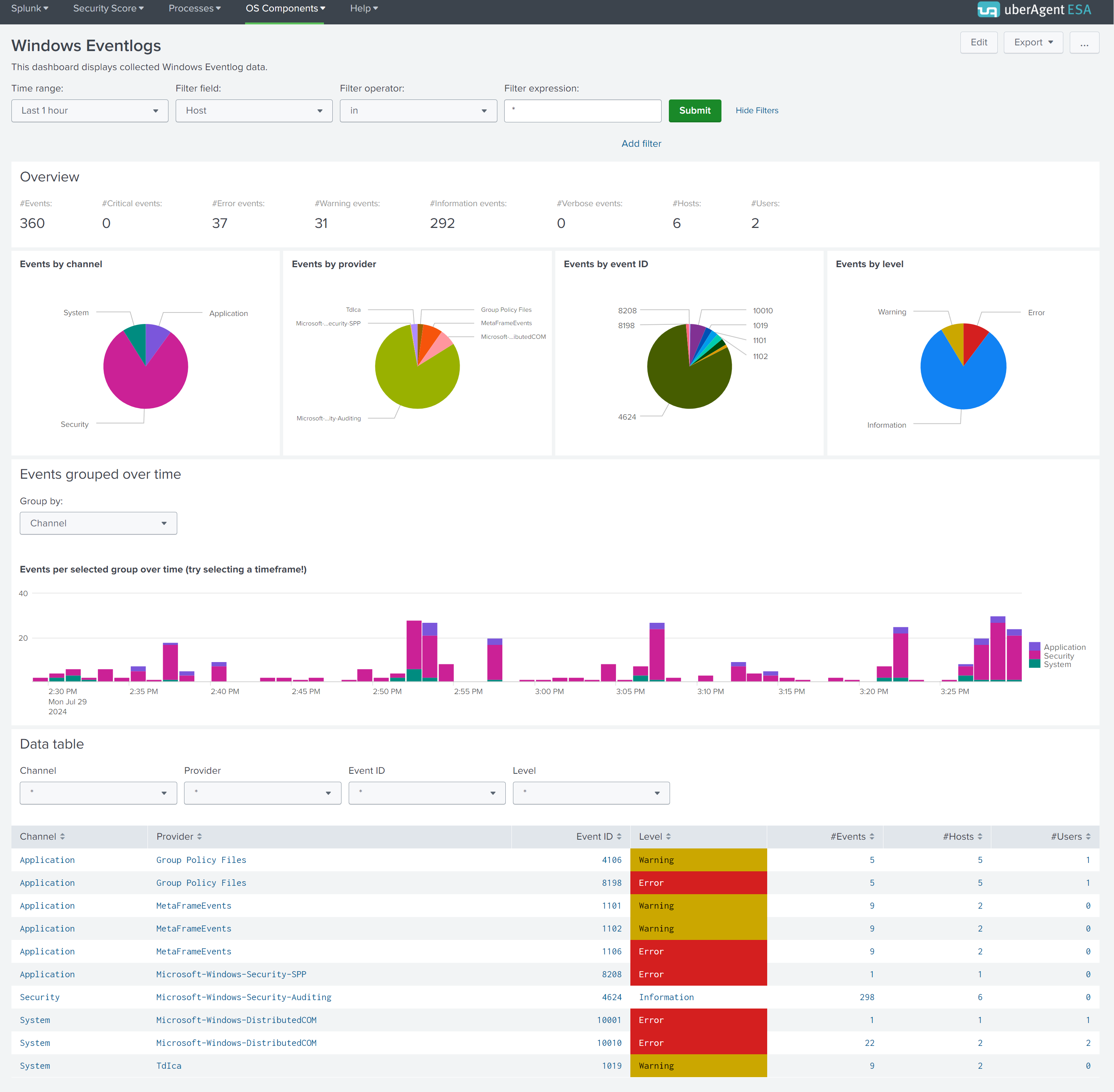
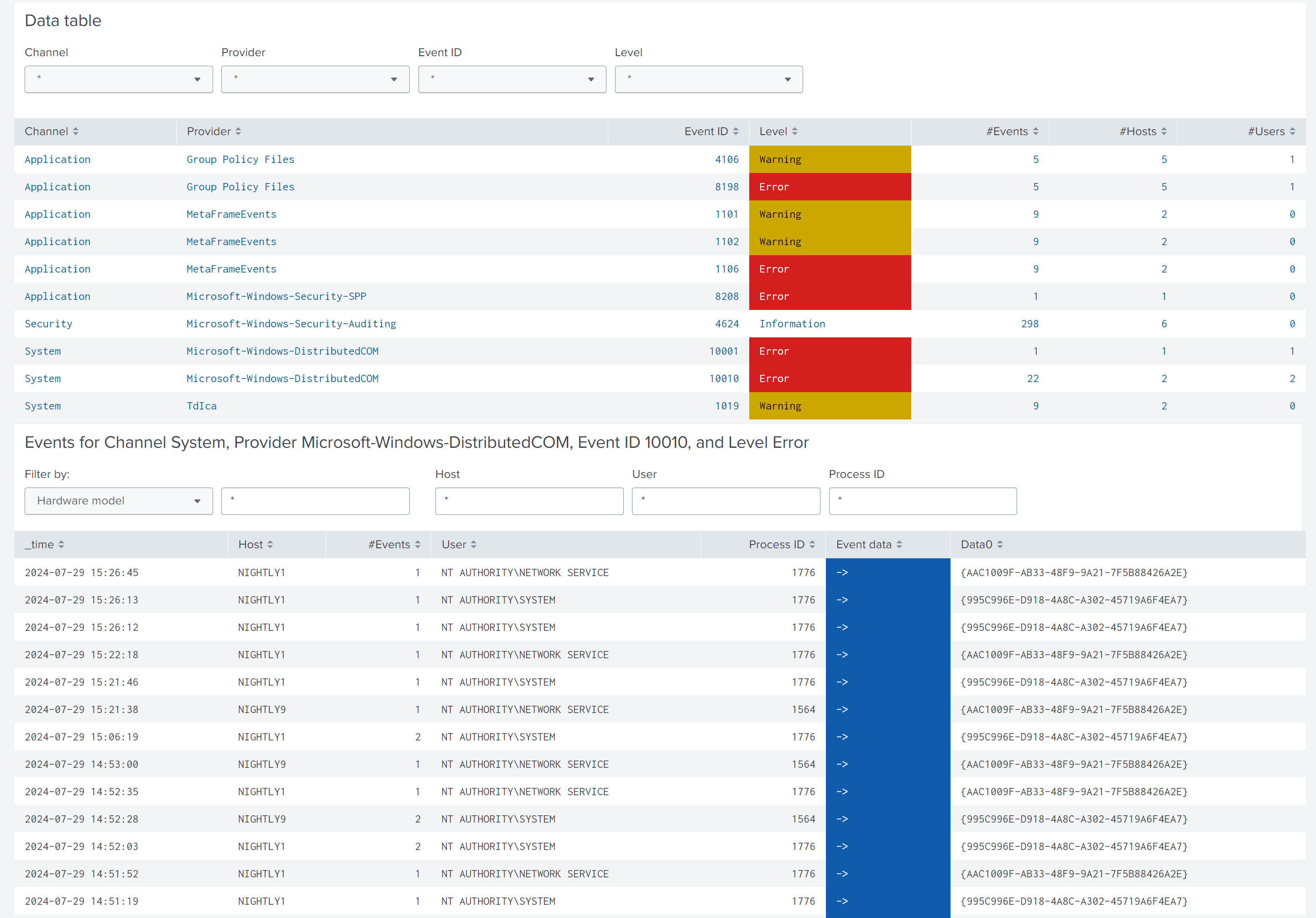
While the first charts give an overview of the collected Eventlogs, the data table at the bottom lists all of them grouped by channel, provider, ID, and level. Click a row in the table and a new chart with all details opens below. You can use the provided filter panels to limit the output to specific hosts, users, or process IDs.