deviceTRUST® integration in Monitor
The deviceTRUST® integration brings contextual security information directly into Monitor. This feature is visible only when the deviceTRUST components are installed and configured in your Citrix Virtual Apps and Desktops™ environment.
deviceTRUST continuously monitors the device context and ensures that remote devices connecting to your Citrix environment meet your organization's security policies. If a device falls out of compliance, deviceTRUST can automatically take action, such as disconnecting or signing out the session.
Highlighted session interruptions on the User Details page
Sessions that have been interrupted or terminated by a deviceTRUST action are highlighted on the User Details page. This indicates that the disconnection was a deliberate security measure.
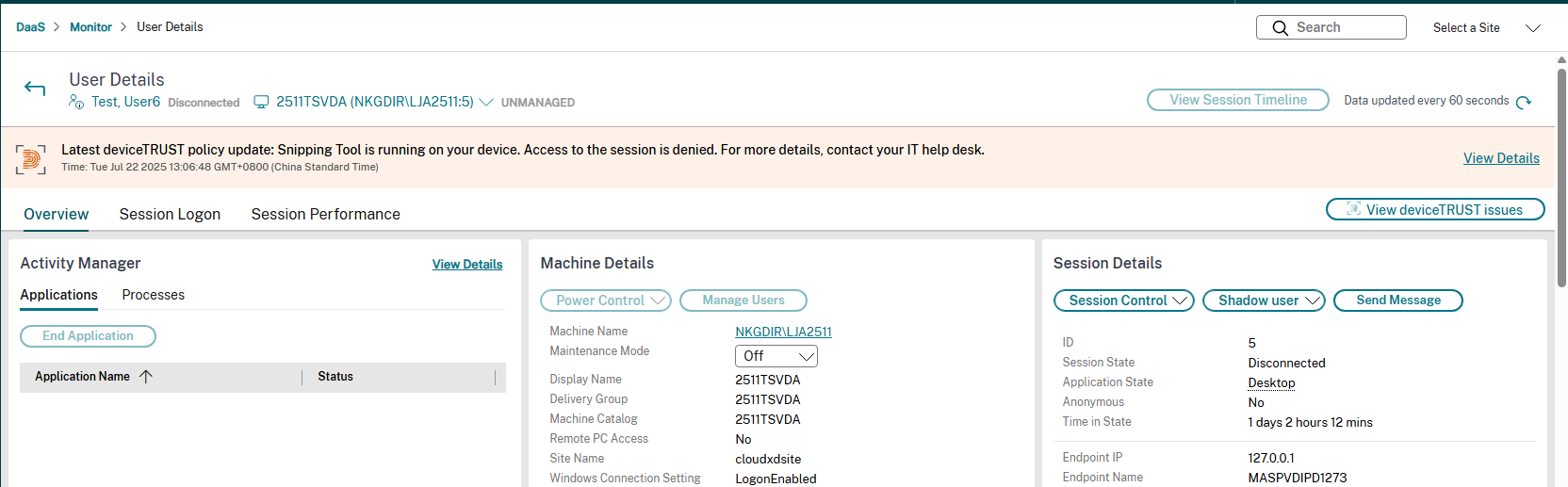
View deviceTRUST issues button on the User Details page
A View deviceTRUST issues button is available on the User Details page. Clicking this button takes the admin to the Denied Access tab if there are deviceTRUST issues for the session in the last two days. The button appears greyed out if there are no deviceTRUST issues for the session in the last two days.
Detailed deviceTRUST failure information
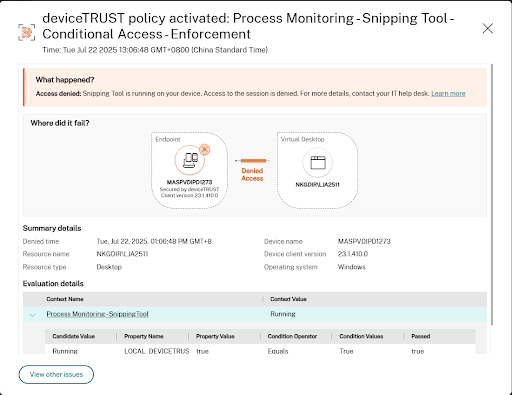
Admins can view the exact reason for an access denial due to deviceTRUST issues by clicking View Details from the highlighted issue banner. The following details are displayed:
-
The reason for the access denial.
-
A visual representation of where the connection was blocked between the user's endpoint device and the virtual desktop.
-
Summary details of the access denial, including the time the issue occurred, resource name, resource type, the device from which the connection attempt was made, and the deviceTRUST client version.
-
Policy evaluation details, including the properties and conditions that were not met.
Click View other issues to navigate to the Denied Access tab.
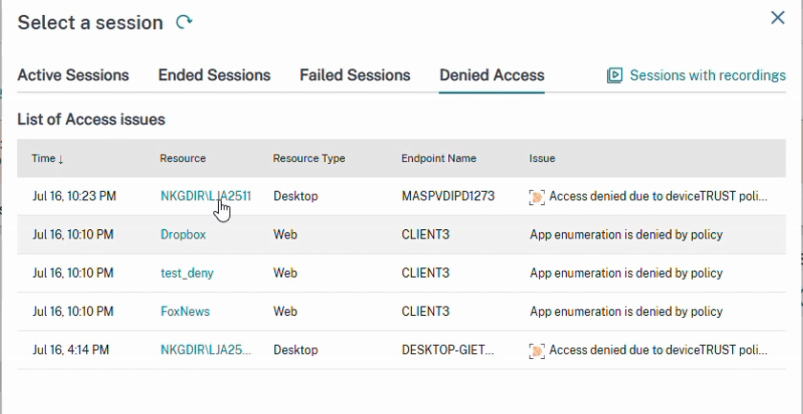
Updated Denied Access tab
The Denied Access tab has been updated to include deviceTRUST issues. This tab provides a historical list of all denied accesses from deviceTRUST and Secure Private Access. Admins can view detailed deviceTRUST failure information by clicking a deviceTRUST item.