Browser session reauthentication control
Citrix Secure Private Access allows administrators to enforce session timeout policies for Chrome Enterprise Premium (CEP) browser sessions. Users are required to re-authenticate after a configured session duration, regardless of browser activity. This strengthens Zero Trust access controls for applications accessed through the Google Chrome work profile.
Once a session expires, users must re-authenticate with enterprise credentials and multifactor authentication (MFA). Successful reauthentication restores their last active page and restarts the session timer.
Supported deployments: Secure Private Access service and hybrid deployments.
Supported platforms: Windows, macOS, Linux, ChromeOS.
Prerequisites
Ensure that the following prerequisite is met:
- Integration between Citrix Secure Access and Chrome Enterprise Premium (CEP) is complete.
Enable Browser session reauthentication control
- Log in to the Secure Private Access admin console.
- Go to Policies > Browser Policies, and then click Create browser policy.
-
Select Browser session reauthentication, and then click Manage.
-
Click Add Rule to add rules to enable browser session reauthentication.
- Enter the name for the rule and click Next.
- Select conditions based on your requirement such as user or group. You can also add conditions such as Geo-location, Network location, and Device posture check.
- Click Next.
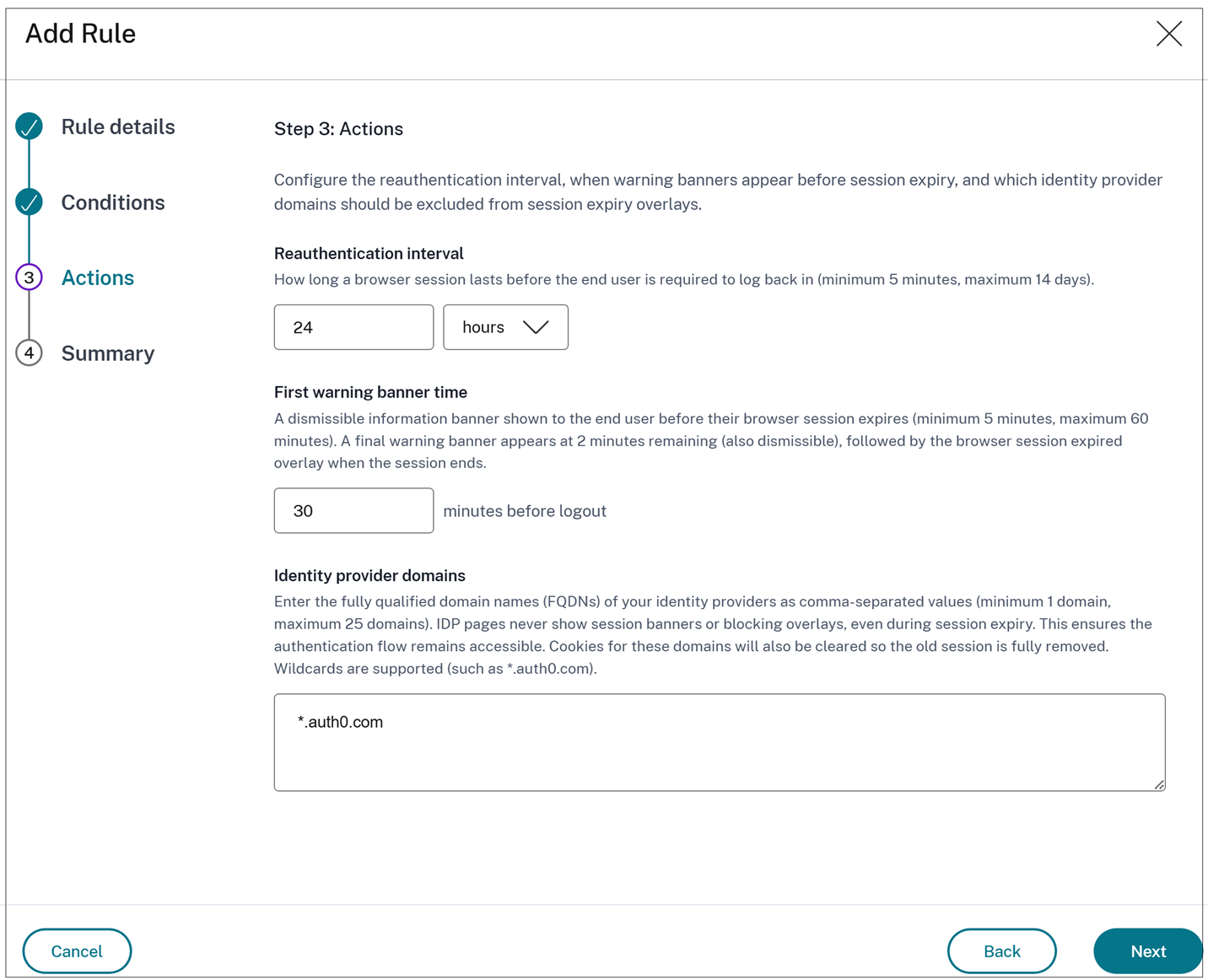
- Configure the following:
- Reauthentication interval: The duration of a browser session before the user is required to re-authenticate. The interval can be set between 5 minutes and 14 days, and configured in minutes, hours, or days.
- First warning banner time: A dismissible warning banner to be displayed to the user before their browser session expires. The value can be set between 5 and 60 minutes before expiry. A second warning banner appears when 2 minutes are left, followed by a session-expired overlay when the session ends.
- Identity provider domains: The fully qualified domain names (FQDNs) of your identity providers as comma-separated values. You can specify between 1 and 25 domains. Session banners and blocking overlays are suppressed on IdP pages to ensure that the authentication flow remains uninterrupted. Cookies for these domains are cleared when the session expires to ensure that the old session is fully removed. Wildcards are supported (for example, *.auth0.com).
-
Click Next and then click Save.
The number of rules configured for the clipboard container policy appears in the Browser Policies > Browser session reauthentication tab.