Citrix Secure Access extension for Chrome Enterprise Premium
The Citrix Secure Access extension for Chrome Enterprise Premium (CEP) enables secure, clientless access to internal and external applications directly from the Chrome browser. It combines Citrix Secure Private Access and Chrome Enterprise capabilities to deliver enterprise‑grade security, Zero Trust access, contextual controls, and a modern user experience.
Organizations can use this extension to provide secure access to SaaS applications, internal web apps, SSH servers, and RDP systems, all without requiring VPNs or native client installations.
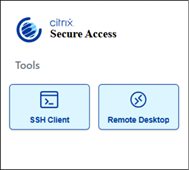
The Secure Access browser extension is automatically installed when you integrate Secure Private Access with Chrome Enterprise Premium. For setup instructions, see Setup Google Chrome integration. Once installed, you can access the extension from the icon in the upper-right corner of your Chrome browser.
Secure Access extension logs
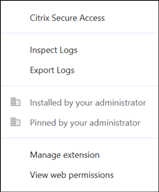
The Secure Access browser extension logs are essential for monitoring and troubleshooting. End users can review and download logs to share with administrators or support teams when issues occur.
To review or download logs:
-
Right-click the browser extension icon.
- Click Inspect Logs to review logs.
- Click Export Logs to download logs.
Citrix Secure Access controls for Chrome Enterprise
Citrix Secure Private Access supports security policies that are delivered to and enforced by the Citrix Secure Access extension for Google Chrome Enterprise Premium (CEP). For details, see Supported controls.
You can configure these policies from the Secure Private Access admin console.
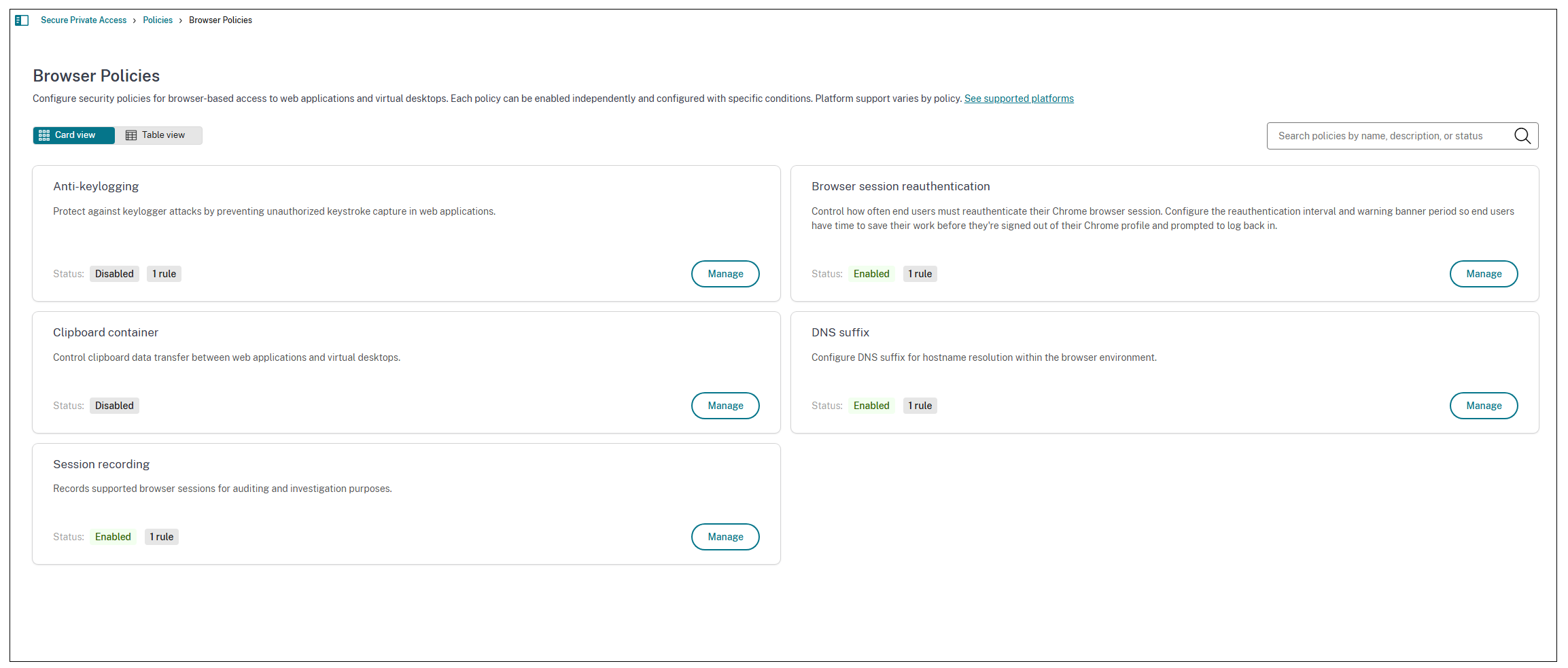
- Go to Policies > Browser policies, and then click Create browser policy.
-
Select the policy and then click Manage.
-
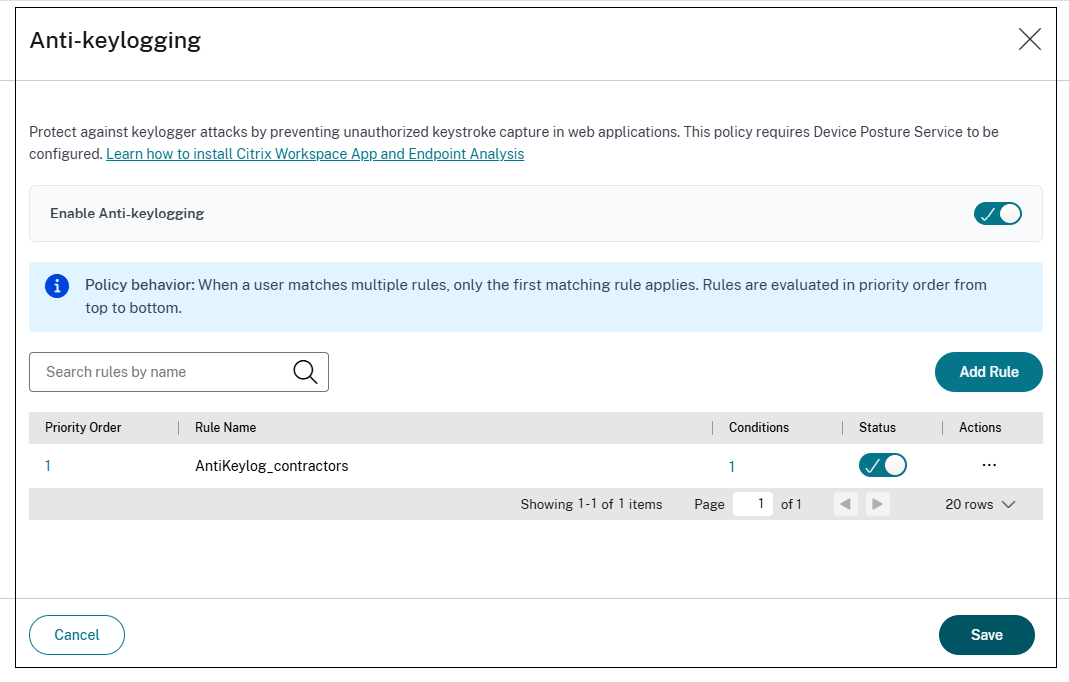
Add rules for the policy.
-
Select the conditions for which the policy must be evaluated.
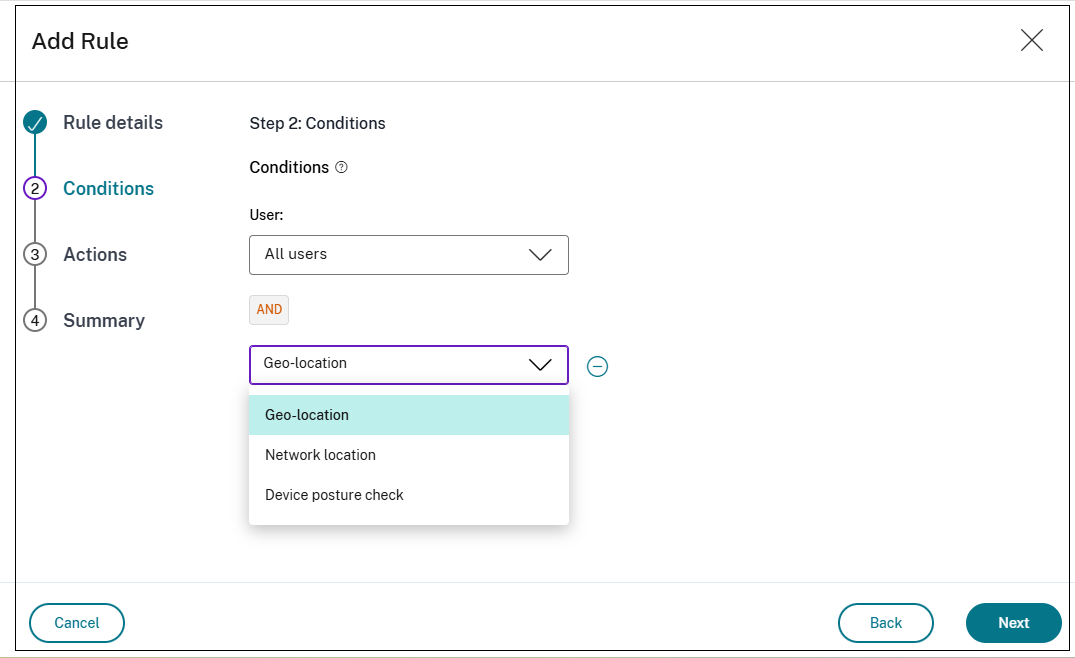
Note:
When selecting users or groups, administrators can verify whether entries from the selected user directory are synchronized with and correctly configured in Google Directory. Secure Private Access policies evaluate correctly only when they use synchronized users and groups. Otherwise, warnings might appear. For details, see For details, see Use synchronized users and groups.
For detailed configuration steps, see the documentation for each control.
Search for users or groups
The users and groups that you select appear in a grid. Each row in the grid displays the following identity details so that you can clearly distinguish between identically named users or groups across different domains, forests, or identity providers (IdPs):
- Name – The display name of the user or group.
- Email – The email address associated with the identity.
- IDP type – The identity provider, such as Azure AD, Active Directory, Okta, or Google.
- OID – The object ID or security identifier of the identity.
- Domain – The domain to which the user or group belongs.
You can filter the grid by name, remove individual rows, or select multiple entries and remove them together using Remove selected.
Use synchronized users and groups
When selecting users or groups, administrators can verify whether entries from the selected user directory are synchronized with and correctly configured in Google Directory. Secure Private Access policies evaluate correctly only when they use synchronized users and groups. Otherwise, the following warnings might appear:
-
Missing tenant account privileges.
Remediation: In the Google Admin console, assign the Users > Read and Groups > Read privileges to the tenant service account. SPA requires these privileges to verify that a user or group exists.
-
User or group not synchronized.
Remediation: The searched or selected user or group is not synchronized with Google Directory. Synchronize the directory entity with Google Directory before using it in an SPA policy.
-
Insufficient group access settings.
Remediation: In the Google Admin console, open the access settings for the selected group and make sure the Who can view members has at least the Group members option selected.
Note:
This feature is available only after the Google Chrome integration is successfully completed.
Supported controls
Citrix supports the following Secure Access controls with the Secure Private Access and Chrome Enterprise Premium integration:
| Control | What it does |
|---|---|
| Anti-keylogging | Obfuscates keystrokes to prevent keylogger malware on the endpoint from capturing user input. |
| Clipboard container | Controls what users can copy and paste between the browser and other apps. |
| DNS suffix | Automatically completes short internal URLs (like “wiki/”) into full addresses. |
| Session recording | Records browser session activity for audit and compliance. |
| Browser session reauthentication | Enforces periodic re-authentication of browser sessions after a configured time interval. |
| SSH connections | Enables users to establish SSH connections directly within a browser tab, without requiring a terminal client. |
| Remote Desktop (RDP) | Enables users to launch Remote Desktop sessions directly within a browser tab, without requiring an RDP client. |