Firmware
Firmware is where you configure the image file and the firmware update procedure.
Firmware settings
The Firmware section offers the following settings:
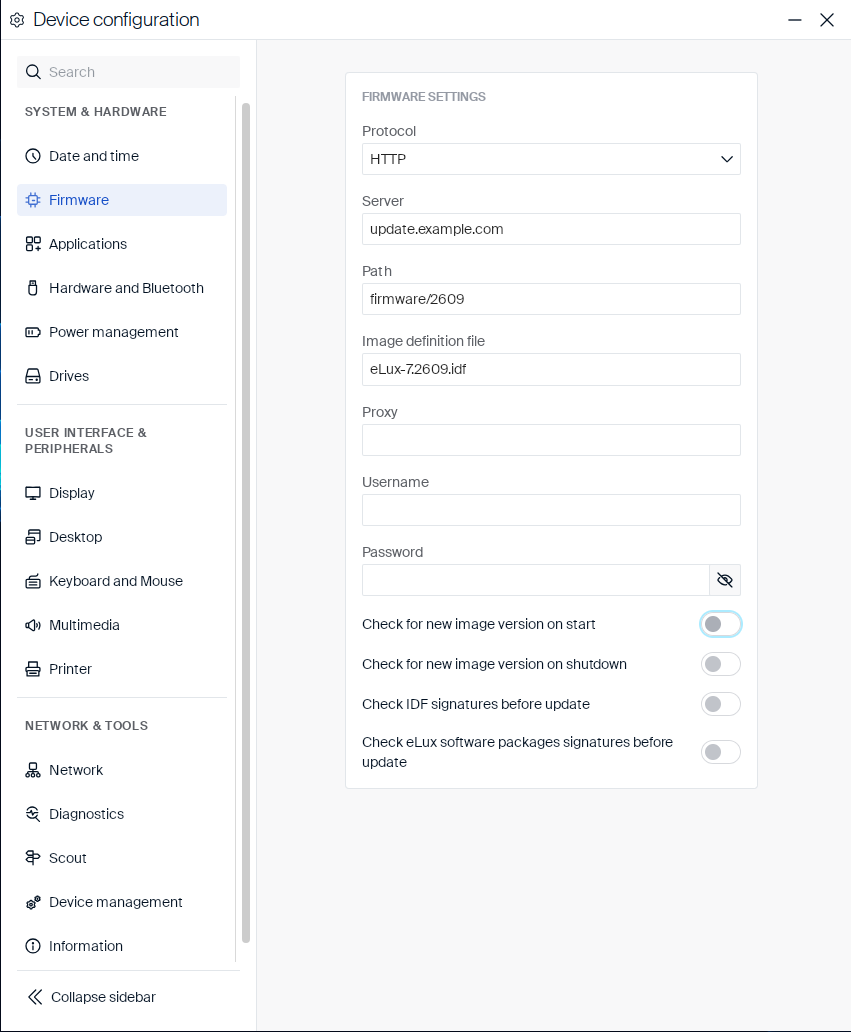
| Setting | Type | Description |
|---|---|---|
| Protocol | Dropdown |
HTTP, HTTPS, FTP, or FTPS. |
| Server | Text field | Address of the update server. |
| Path | Text field | Directory on the server that contains the firmware packages and Image Definition Files. |
| Image definition file | Text field | Name of the Image Definition File (.idf) that describes the software packages to install. |
| Proxy | Text field | Proxy server to use for the update connection, if required. |
| Username | Text field | User name for the update server, if authentication is required. |
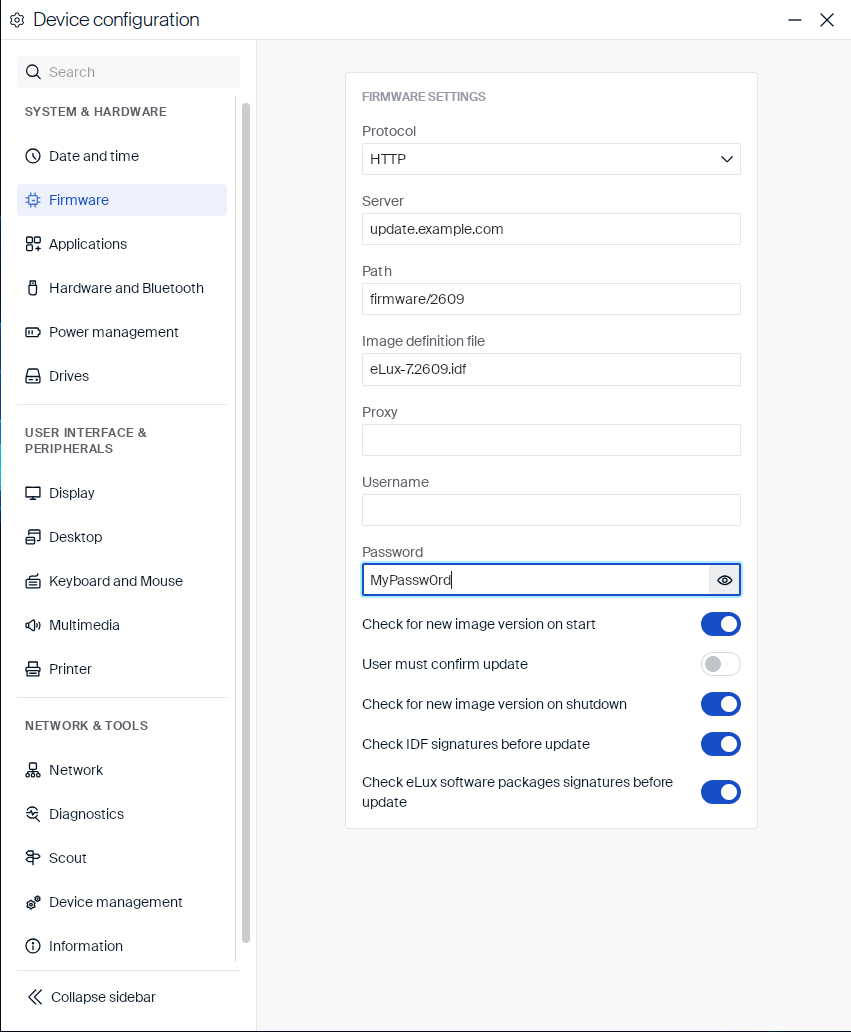
| Password | Text field | Password for the update server, if authentication is required. Click the eye icon next to the field to show or hide the entered password. |
| Check for new image version on start | Toggle | Checks for a new firmware version when the device starts. |
| Check for new image version on shutdown | Toggle | Checks for a new firmware version when the device shuts down. |
| Check IDF signatures before update | Toggle | Verifies the signature of the Image Definition File before installing an update. |
| Check eLux® software packages signatures before update | Toggle | Verifies the signature of the eLux software packages before installing an update. |
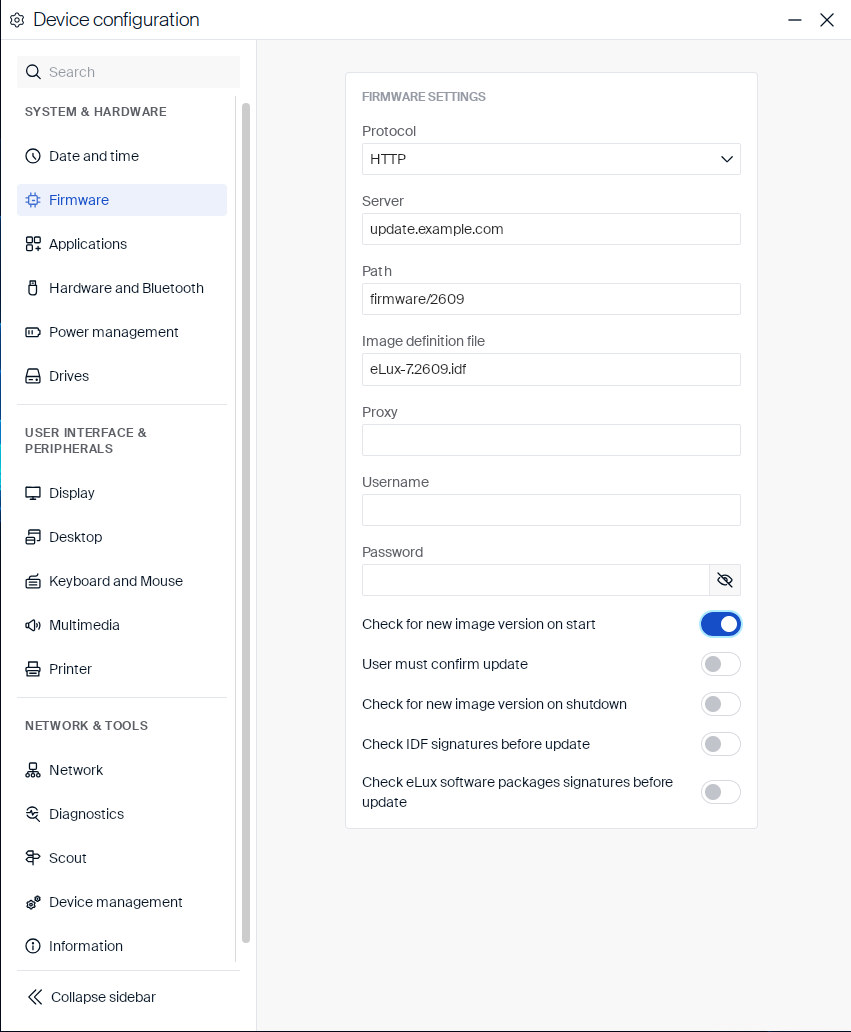
Enabling Check for new image version on start reveals an additional User must confirm update toggle:
| Setting | Type | Description |
|---|---|---|
| User must confirm update | Toggle | Requires the user to confirm before an update is installed. |
Clicking the eye icon next to the Password field shows the entered password as plain text:
Firmware
In this article
Copied!
Failed!