
Client printer redirection
This is often the default mechanism, where printers configured on the user's endpoint device are automatically mapped into the Citrix® session when the user logs on. This includes printers directly attached to the client (USB, LPT, etc.) as well as network printers that are mapped on the client machine. End users typically cannot manually select which local printers get redirected; this is controlled by administrative policy.
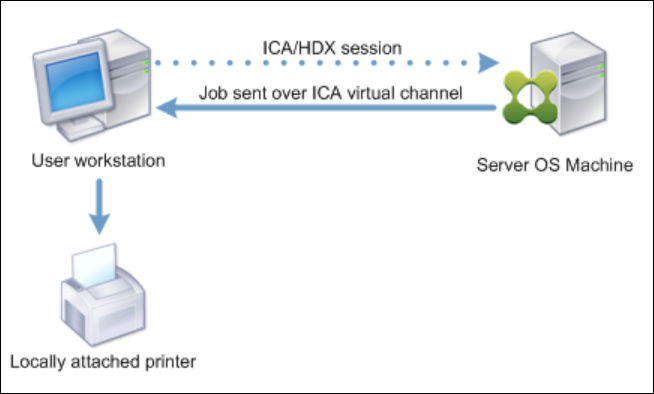
Steps to setup
This functionality is enabled by default. Related settings and configurations can be found in the “Client Printers” template. The policy settings in this template can be used to further customize and optimize the client print redirection experience.
Policies associated with client printer redirection can be found Client printers policy settings.
Considerations
The primary challenge is the potential for performance degradation and instability if a large number of printers are mapped on the client endpoint and redirected. Additionally, printer mapping failures can occur due to driver incompatibilities or client-side issues. The reliability depends heavily on the configuration and health of the client device. Some administrators prefer to avoid autocreation of client printers altogether due to the potential load and driver management complexities.
Use Case
Users needing access to printers directly connected to their local machine (USB, LPT, COM, network printers mapped only on the client).