
Fixed issues
Citrix Workspace app 2402 LTSR CU2 Hotfix 1 fixed issues
-
This fix addresses a security issue for CVE-2025-4879. For more information, see Knowledge Center article CTX694718.
Citrix Workspace app 2402 LTSR CU2 fixed issues
The following issues have been fixed since Citrix Workspace app for Windows 2402 LTSR CU1:
User Experience
-
When a .NET Desktop Runtime version update is applied to a Windows machine, Citrix Workspace™ app might close and disconnect any active sessions. To enable the fix, set the following registry key on the endpoint:
-
Path: HKLM/Software/Wow6432Node/Citrix/Dazzle
-
Name: WorkspaceRestarterEnabled
-
Type: Boolean
-
Value: False
-
Installing, Uninstalling, Upgrading
-
The installation might fail midway when updating Citrix Workspace app using the
/CleanInstallcommand if App Protection is running. With the fix, you will receive the following error message at the beginning of the installation: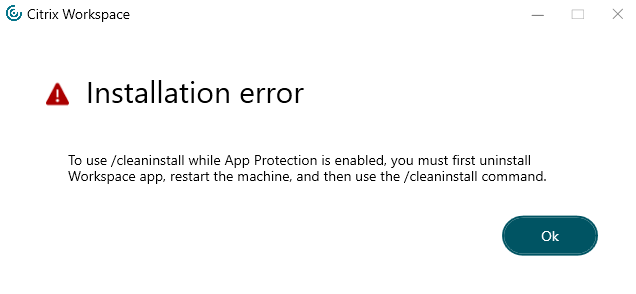 It is recommended to either uninstall Citrix Workspace app first or upgrade without using the
/CleanInstallif App Protection is already running.
Session/Connection
Seamless Windows
Logon/Authentication
User Interface
-
You might not be able to sign in to Citrix Workspace app using single sign-on or might not see the authentication prompt in cloud stores. This issue occurs when the account is configured through the GPO or command line for the first time and when the SelfService mode is set to false and the Silent authentication to Citrix Workspace policy is enabled.