
Manage recordings on schedule
You can schedule site-level tasks to automatically archive and delete recordings on a regular basis.
Note:
Only Citrix Cloud™ administrators of the following roles can schedule the tasks:
-
Full access
-
The Cloud Administrator, All role
-
The Session Recording-FullAdmin, All role
Archive and delete recordings on schedule
-
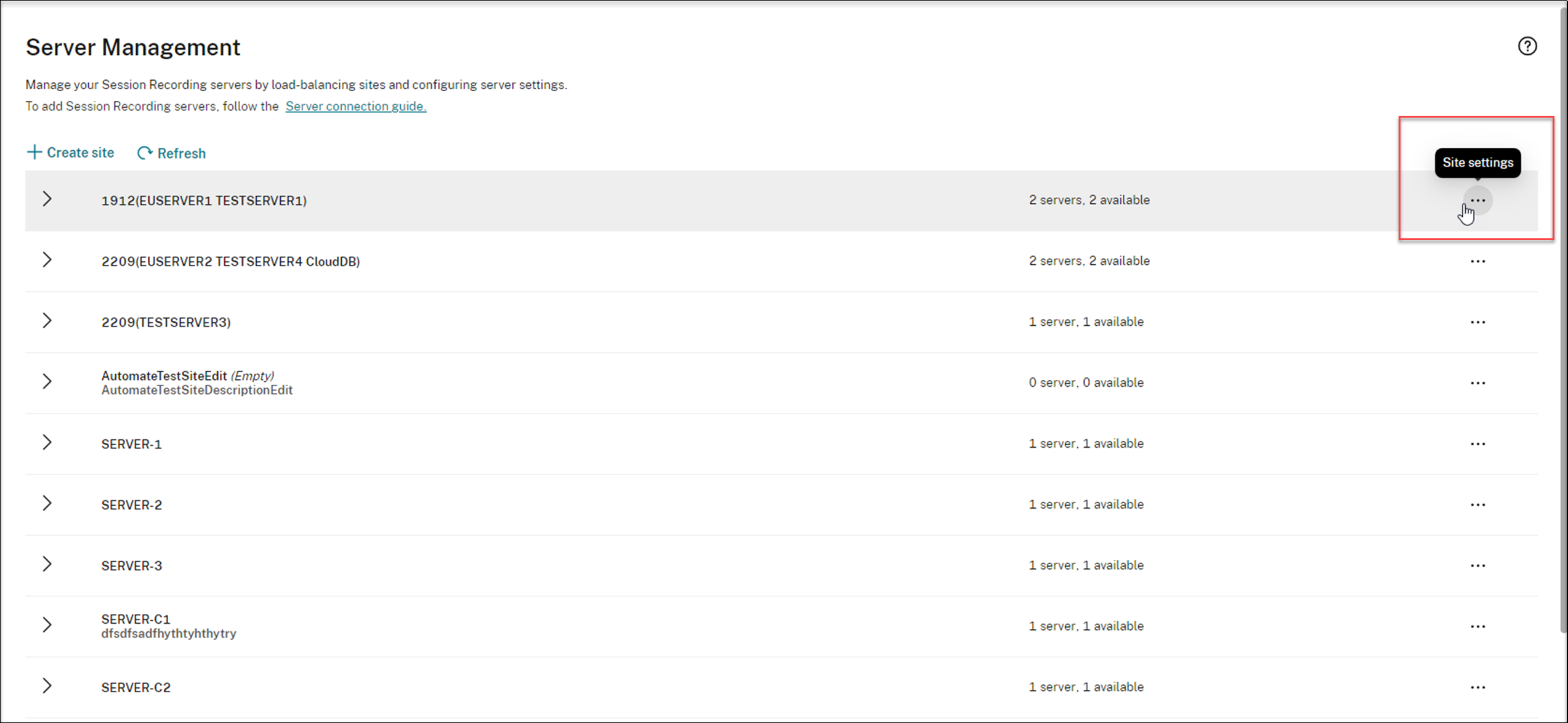
Select Configuration > Server Management from the left navigation of the Session Recording service.
-
Click the ellipsis (…) next to a target site.
-
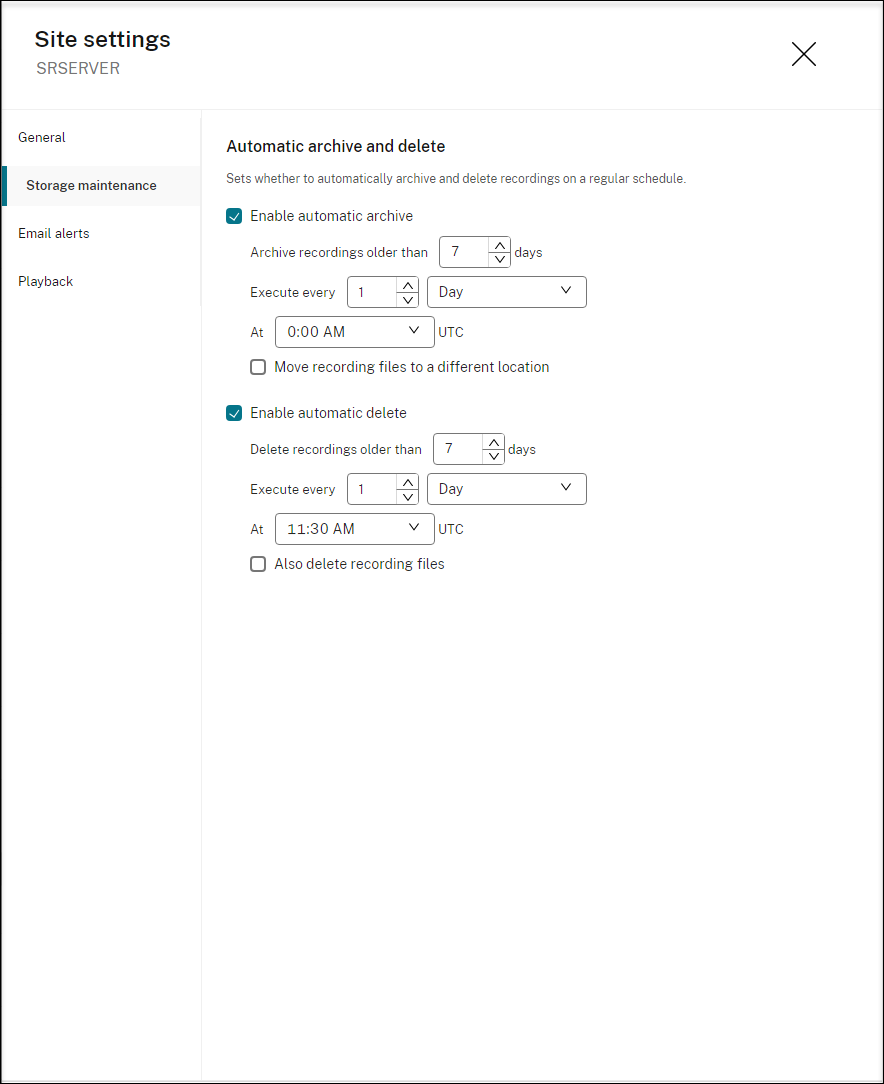
On the Site settings page, select Storage maintenance.
-
Schedule tasks as needed and then click Apply changes.Note:The time you set for automatic archiving and deletion must be later than the time you set for automatic cloud client upgrades. Otherwise, automatic archiving and deletion might fail.