Search for recordings
Search for recordings
On each subpage of Recordings, you can search for recordings by specifying:
-
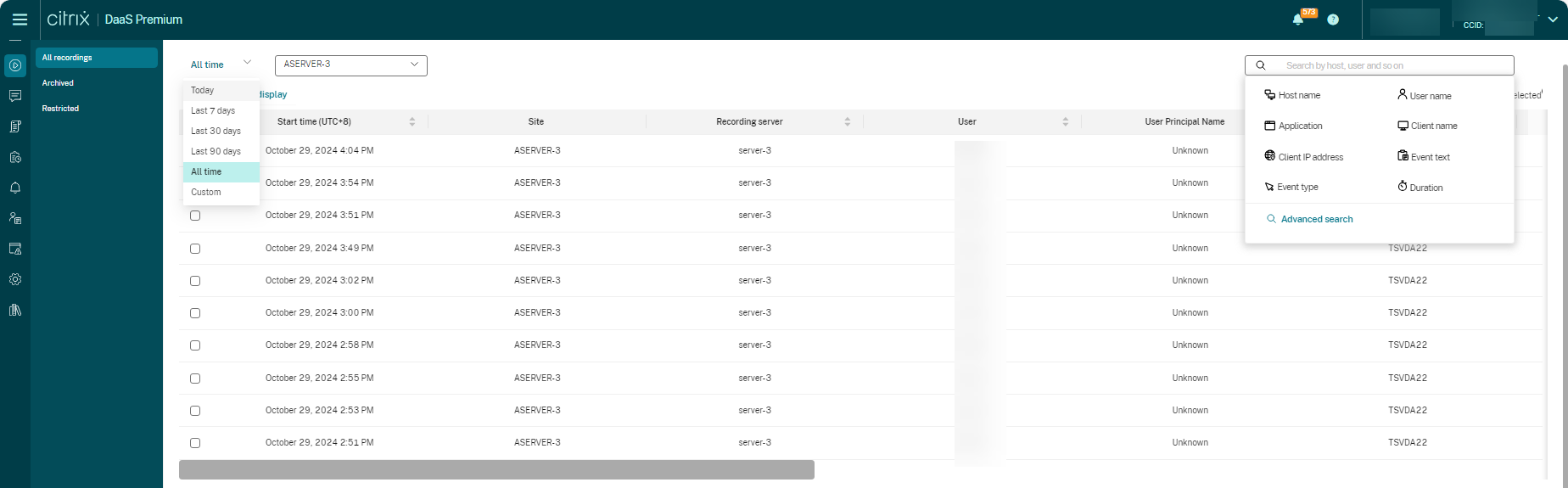
A specific time period. The options include Today, Last 7 days, Last 30 days, Last 90 days, All time, and Custom.
-
One or more sites.
-
Filters include Host name, Client name, User name, Application, Client IP address, Event text, Event type, and duration.
-
Advanced search criteria.
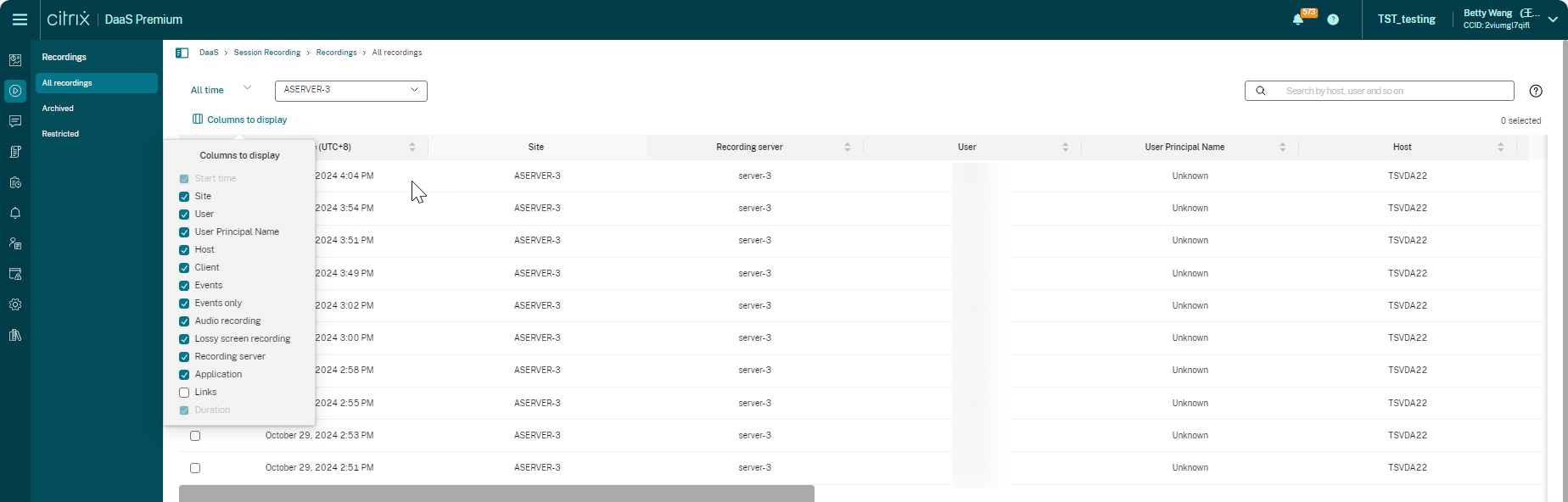
You can also specify Columns to display.
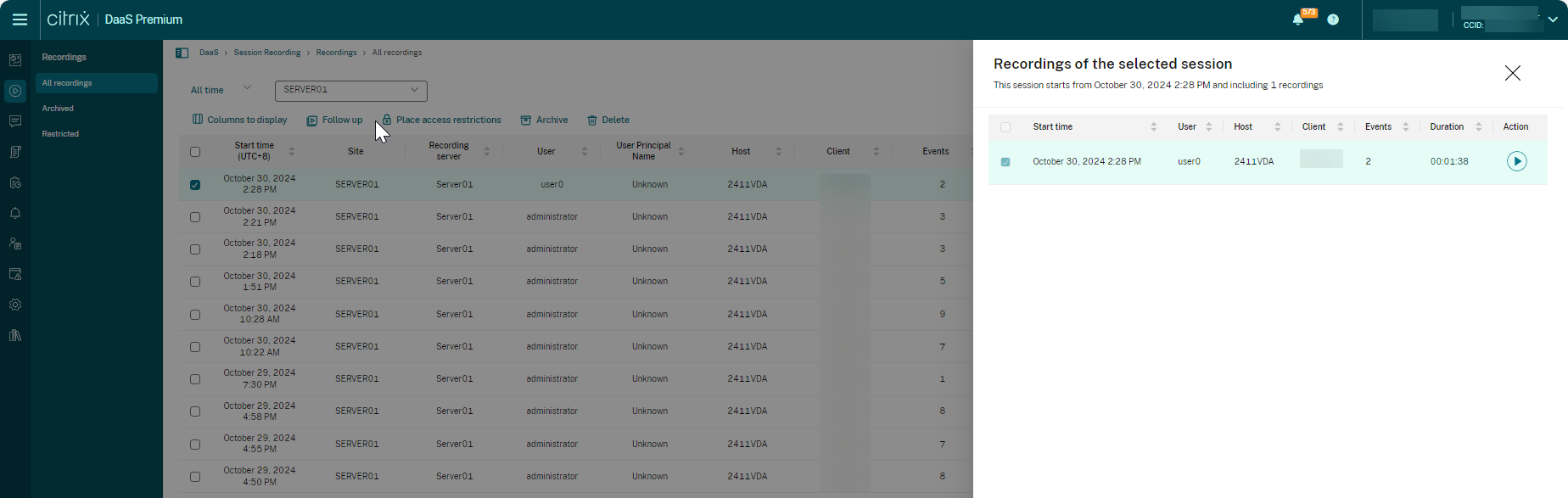
Show all recordings of a session
You can select a recording and click the Follow up button to show all recordings of the recorded session.