
将 NetScaler Gateway 迁移到 Citrix Gateway 服务以用于 HDX 代理
您可以将 Citrix Gateway for HDX Proxy 迁移到由 Citrix Cloud 上的 Citrix Gateway 服务提供支持的完全托管的基于云的 HDX 代理。
基于云的 HDX™ 代理
默认情况下,有权使用 Citrix DaaS 的客户将启用 Citrix Gateway 服务。客户无需申请单独的 Citrix Gateway 服务试用。
图 1. 将 NetScaler® Gateway 作为 HDX 代理的部署 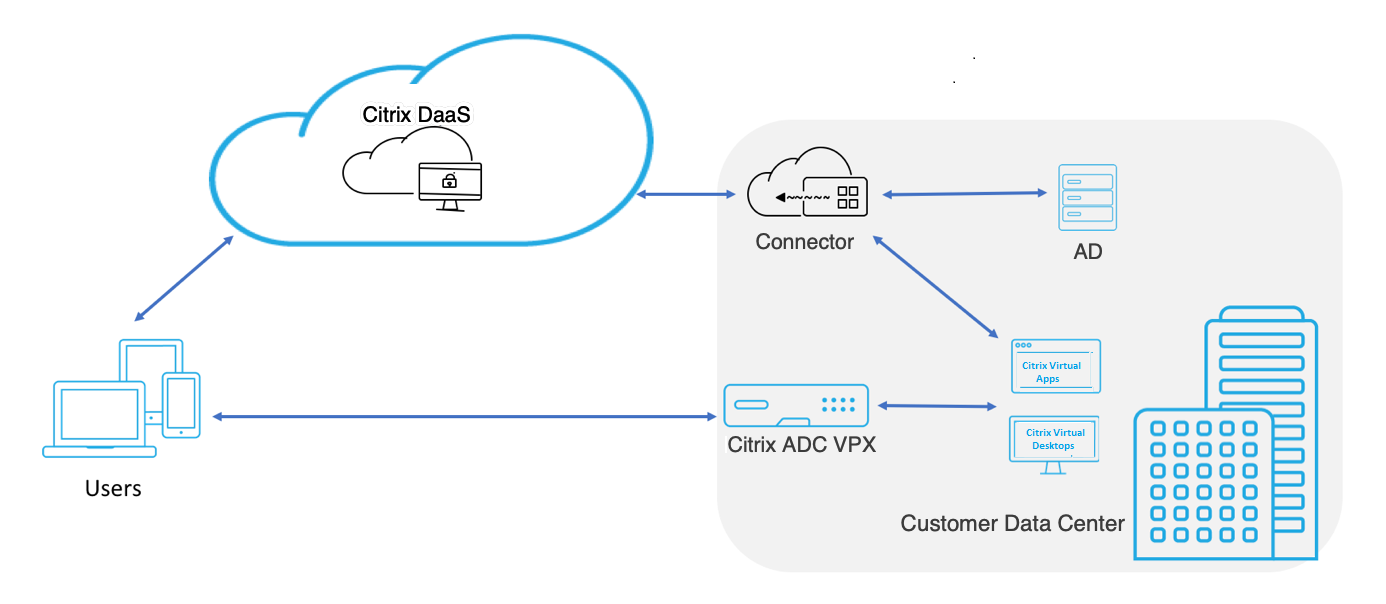
Citrix Gateway 服务是一种基于云的 HDX 代理,它通过基于云的网关提供安全的远程访问,该网关作为 Citrix DaaS 环境中的虚拟应用程序和桌面环境的前端。
图 2. 将 Citrix Gateway 服务作为 HDX 代理的部署 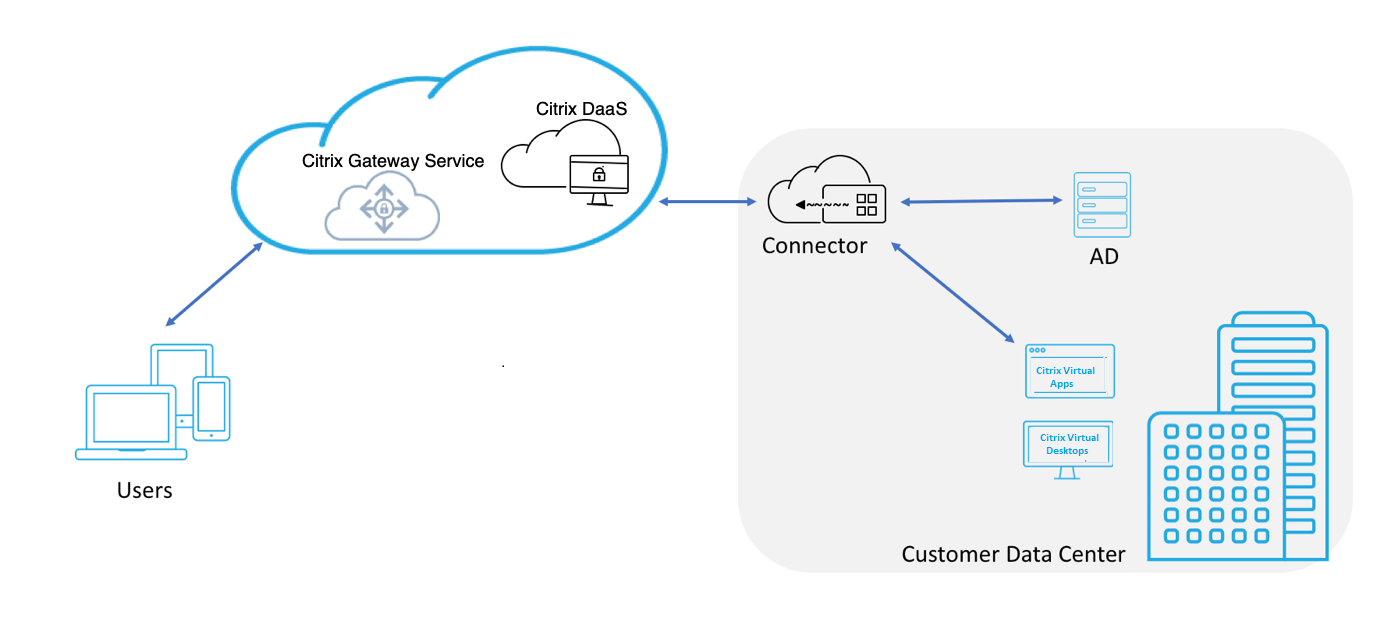
此功能现已包含在您的 Citrix DaaS 和 Workspace 服务授权中。您可以启用此功能。
从本地 NetScaler Gateway 迁移到基于云的 Citrix Gateway 服务
NetScaler Gateway 设备由客户管理,而基于云的 Citrix Gateway 服务由 Citrix 管理。本节介绍如何将本地 NetScaler Gateway 迁移到云托管的 Citrix Gateway 服务以用于 HDX 代理。尽管 NetScaler Gateway 和 Citrix Gateway 服务都提供 HDX 代理,但底层基础架构和工作机制不同。但是,在云上启用 HDX 代理的步骤非常简单,只需点击几下即可完成。
要启用此迁移,请为 Citrix DaaS 启用 Citrix Gateway 服务。启用后,流量将开始通过 Citrix Gateway 服务传输,不再需要本地 NetScaler Gateway。
在开始从本地 NetScaler Gateway 迁移到基于云的 Citrix Gateway 服务之前,请注意以下假设。
-
客户已订阅 Citrix Cloud Service 并购买了 Citrix DaaS。
-
客户使用本地 Active Directory 在云上对用户进行身份验证。
启用 Citrix Gateway 服务
以下是为 Citrix DaaS 用户启用 Citrix Gateway 服务的步骤:
-
以管理员用户身份登录 Citrix Cloud Services。
-
单击汉堡图标,然后选择 Workspace Configuration。
-
单击 服务集成。
-
找到 Gateway 旁边的省略号,单击省略号,然后单击 Enable。
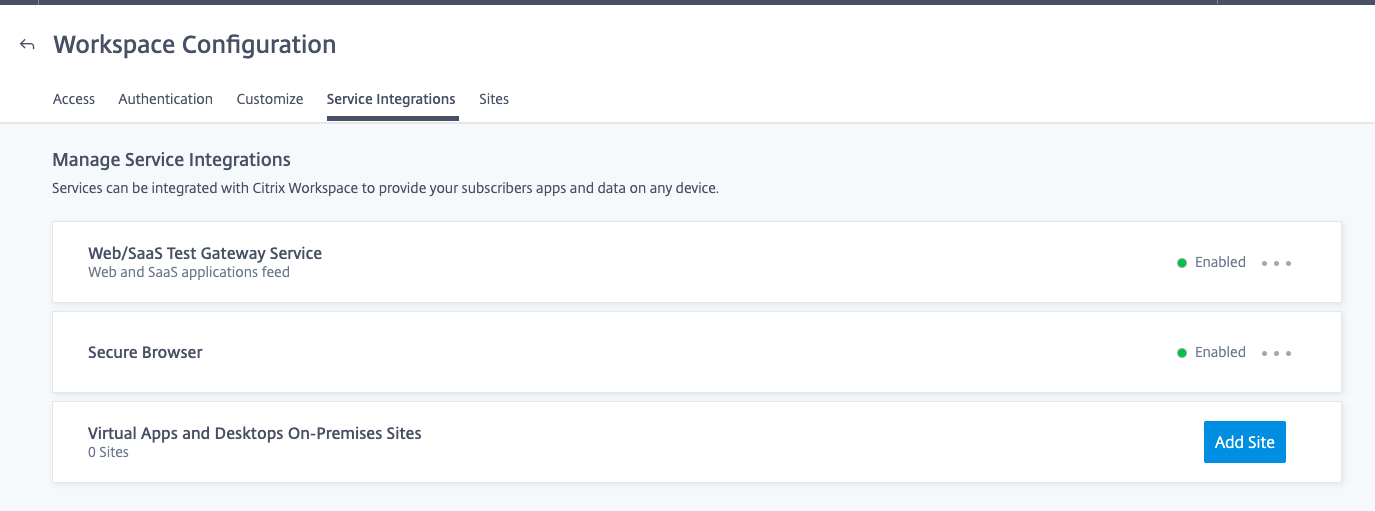
以下是为 Citrix Workspace 用户启用 Citrix Gateway 服务的步骤。
-
以管理员用户身份登录 Citrix Cloud Services。
-
单击汉堡图标,然后选择 Workspace Configuration。
-
在 Access 选项卡中,在 External Connectivity 部分下,找到 Citrix DaaS 下 My Resource Location 旁边的省略号。
-
单击省略号,然后单击 Configure Connectivity。
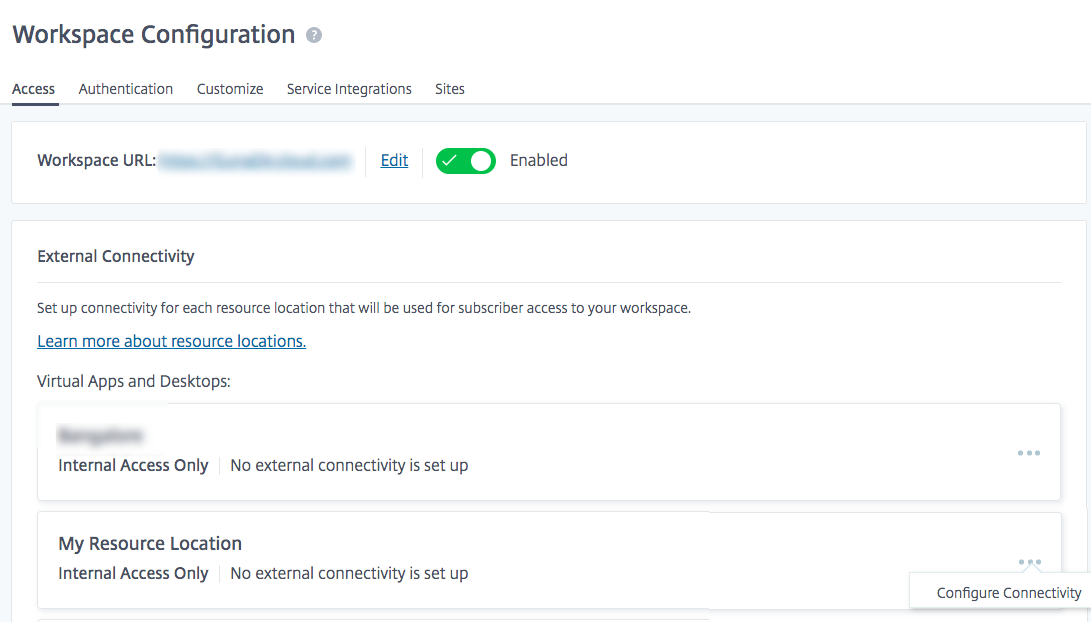
-
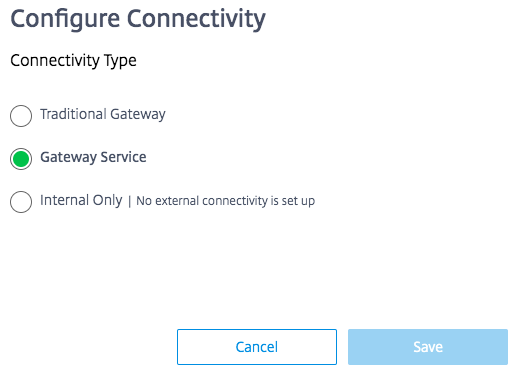
在弹出窗口中选择 Citrix Gateway service,然后单击 Save。
回滚到 NetScaler Gateway
要将 HDX 代理回滚到本地 NetScaler Gateway,请执行以下操作。
-
以管理员用户身份登录 Citrix Cloud Services。
-
单击左上角的汉堡图标,然后选择 Workspace Configuration。
-
在 External Connectivity 部分下的 Access 选项卡中,找到 Citrix DaaS 下 My Resource Location 旁边的省略号。
-
单击省略号,然后单击 Configure Connectivity。
-
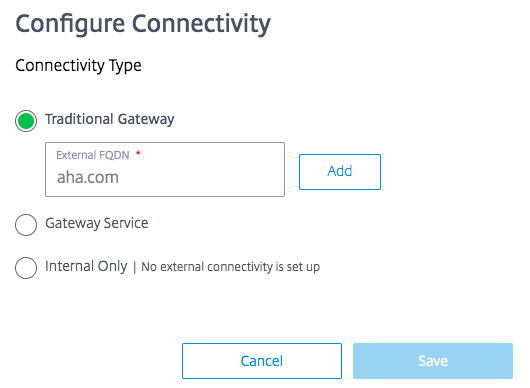
选择 Traditional Gateway 并输入 FQDN。
-
单击 Add,然后单击 Save。