First configuration
During the first boot procedure, a wizard opens to guide you through the first configuration. The First Configuration Wizard also starts when you reset the device to factory state.
The First Configuration Wizard offers the following options:
- Manage the device through the Scout Console. The configuration data is transferred from the Scout Server.
- Connect the device through the Scout Cloud Gateway and manage it through the Scout Console. The configuration data is transferred from the Scout Server.
- Configure eLux® manually, which means locally on the device.
Going through the first configuration and connecting to a Scout Server
-
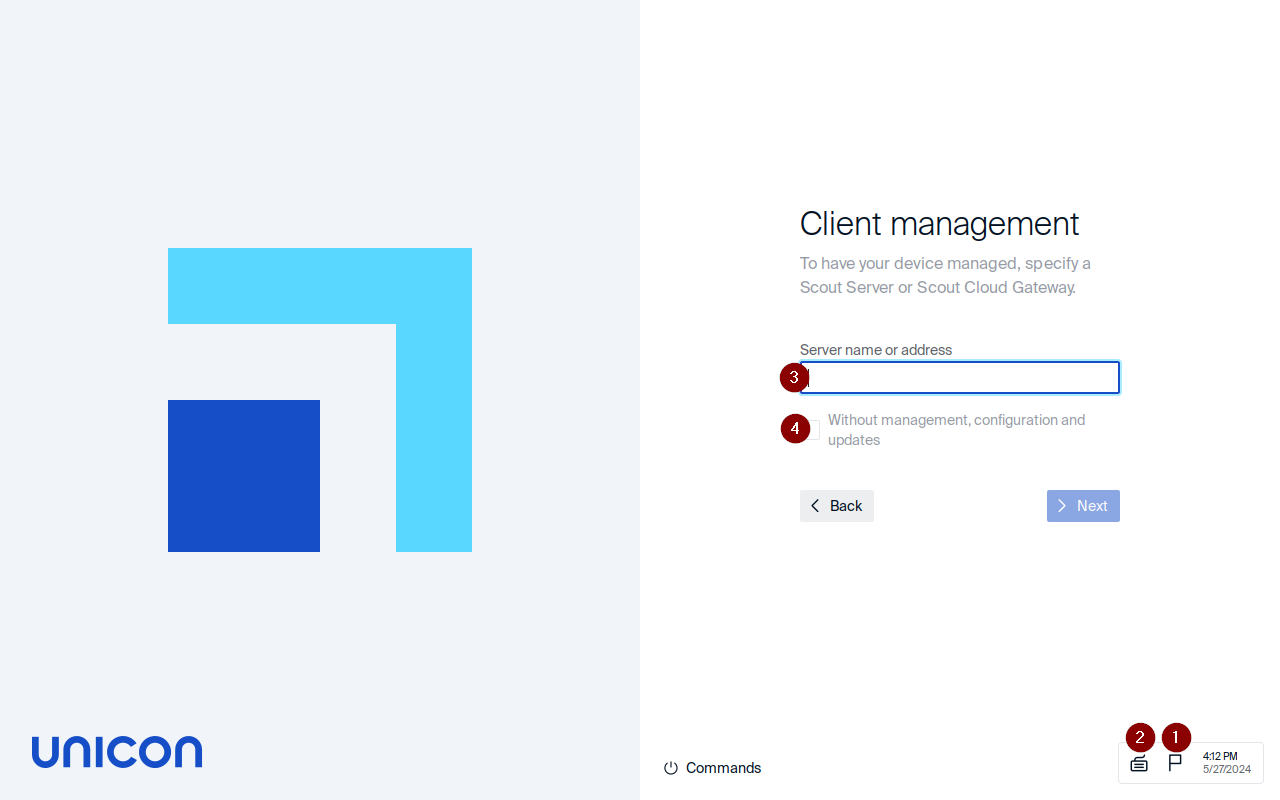
Select the display language (1) and keyboard language (2).
The following languages are supported: English, German, French, Spanish, Korean, Hebrew, Turkish, and Dutch.
-
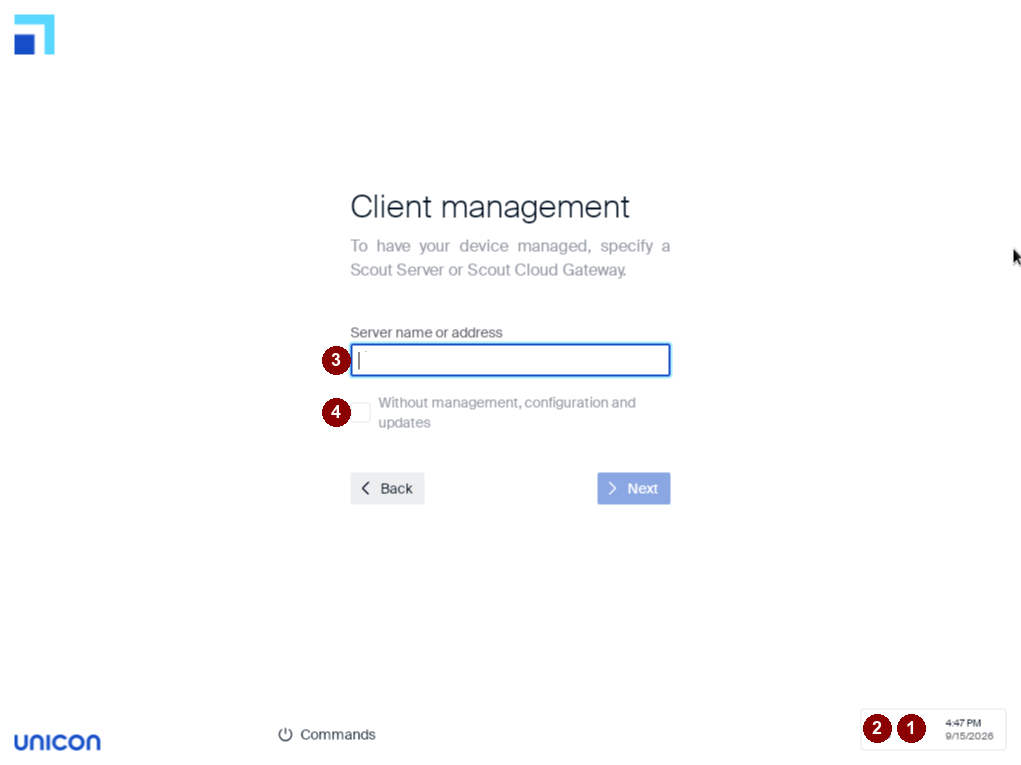
Enter the address of the Scout Server as FQDN or IP address (3).
If your device connects through the Scout Cloud Gateway, enter the address of the Scout Cloud Gateway instead.
If you don’t want the device managed through a Scout Server or Scout Cloud Gateway, select Without management, configuration and updates (4) instead. In this case, the wizard skips directly to the license agreement, and then to the Summary screen, without the organization unit and device name steps described below.
-
Click Next.
-
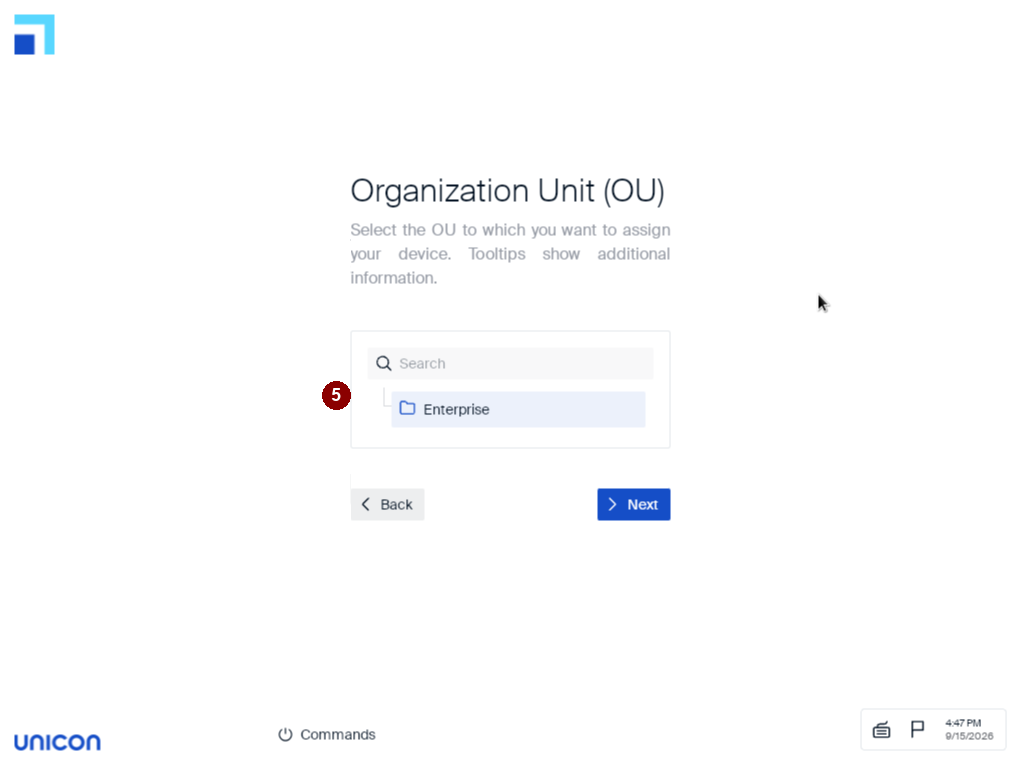
If you specified a Scout Server or Scout Cloud Gateway, select the destination OU (organization unit) to which the device is added (5).
Use the search box to find the OU. Tooltips show additional information about each entry.
-
Click Next.
-
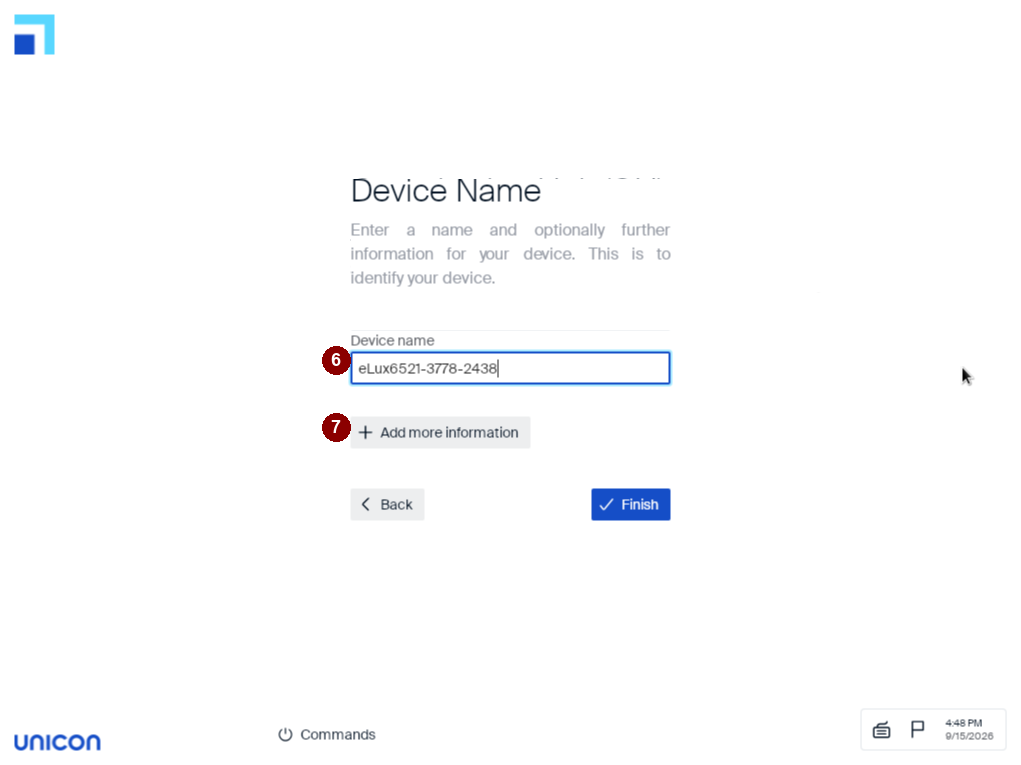
Enter a name for the device (6).
For the device name format rules, see Device names in the Scout guide.
Optionally, click + Add more information (7) to enter further device details.
-
Confirm with Finish.
-
Review your entries on the Summary screen.
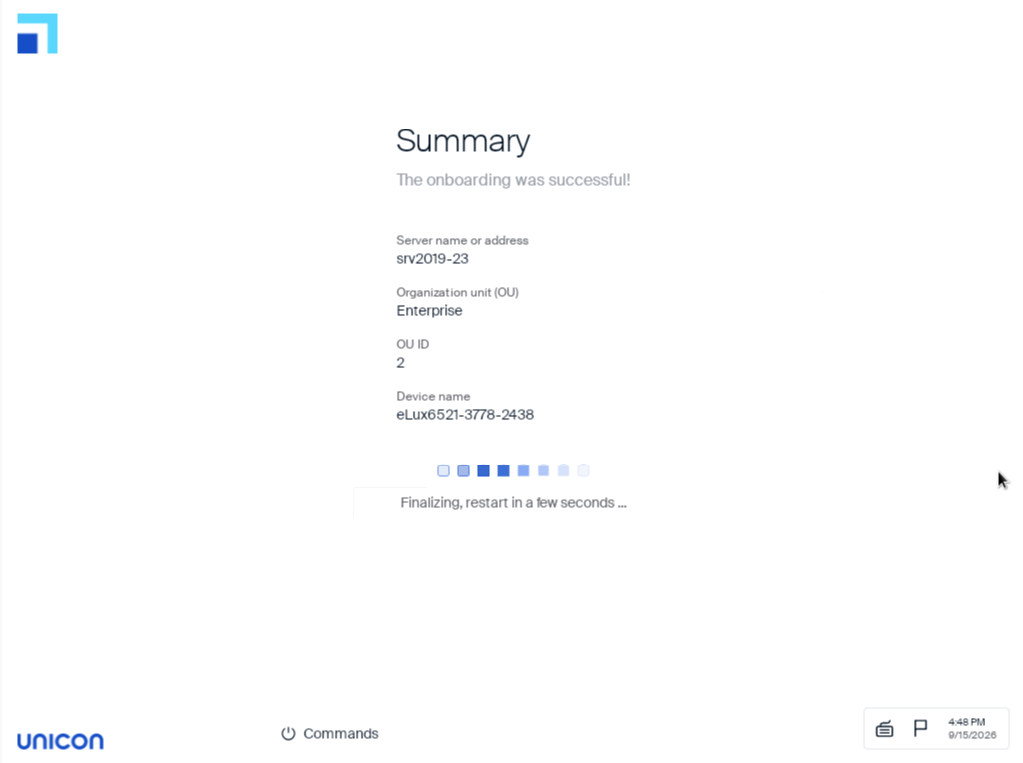
If you specified a Scout Server or Scout Cloud Gateway, the device is registered in the Scout infrastructure, added to its destination OU, and restarted. The device contacts the Scout Server and downloads the configuration and application data of the destination OU. If you selected Without management, configuration and updates, the device restarts without connecting to a Scout Server or Scout Cloud Gateway. If you installed eLux using a USB recovery stick, remove the stick before the device restarts.
If a profile for this device already exists in the Scout Console, the device is assigned the configuration of the existing profile.
For further information on connecting through the Scout Cloud Gateway, see Integrating new devices in the Scout Cloud Gateway guide. For further information on managing devices with Scout, see the Scout guide.