
Configuration
Enable on VDA
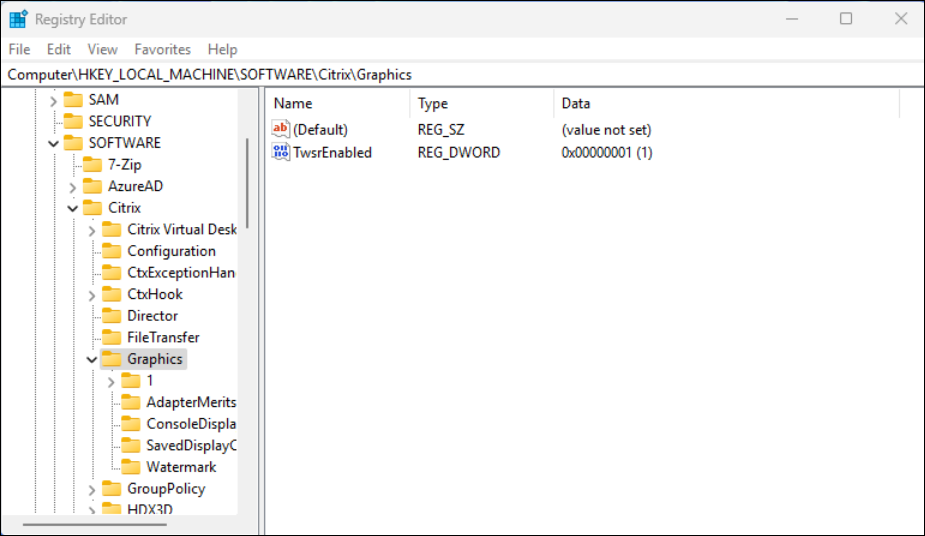
The HDX™ Graphics Superresolution upscaling Preview can be enabled by creating the following registry entry on the VDA:
-
Open Windows Registry Editor (regedit.exe)
-
Navigate to
HKEY_LOCAL_MACHINE\Software\Citrix\Graphics\ -
Create a DWORD value named TwsrEnabled and set the value to 1.
Enable on Client
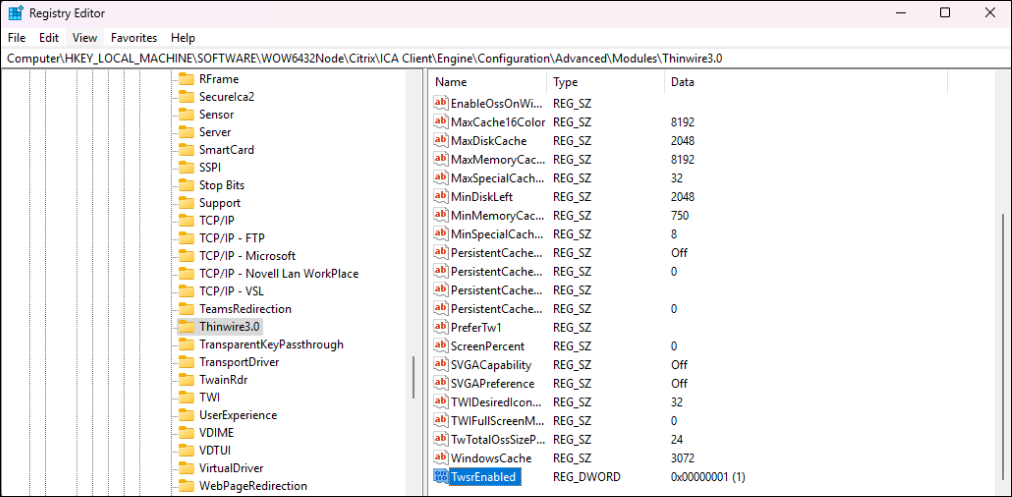
To enable HDX Graphics Superresolution upscaling Preview on the client, the following registry entry needs to be created:
-
Open Windows Registry Editor (regedit.exe)
-
Navigate to
HKEY_LOCAL_MACHINE\Software\WOW6432Node\Citrix\ICA Client\Engine\Configuration\Advanced\Modules\Thinwire3.0\ -
Create a DWORD value named TwsrEnabled and set the value to 1.
Note:
Both registry keys must be configured and the client device must meet system requirements for the feature to work.