Known issues
The following known issues exist in this release:
-
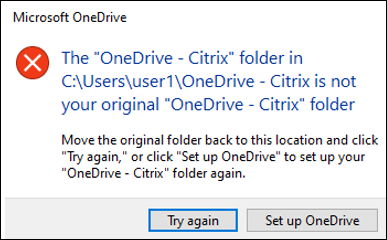
With the full profile container or the OneDrive container enabled, the following message appears when a user logs on to a machine:
-
The user has been using the OneDrive folder before the container is enabled, and
-
This is the first time that the user logs on to a machine after the container is enabled.
-
-
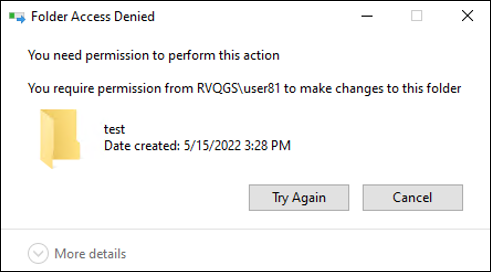
The message "Folder Access Denied" appears when users move a folder to the Recycle Bin in the following situations:
-
With the partial profile container or the OneDrive container enabled, users try to delete a folder from either container.
-
With the full profile container enabled, users try to delete a folder that is not in the user profile folder but on the same disk as the profile.
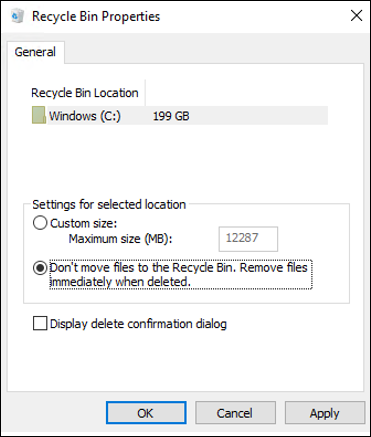
To work around this issue, perform permanent deletion instead: -
-
You are prompted to restart your machine after installing a VDA. However, the Profile Management service might not start after you restart the machine. When this issue happens, you can see that the following message about Event 7000 appears in the system Event log: “The ctxProfile service failed to start due to the following error: The service did not respond to the start or control request in a timely fashion.” As a workaround, change the value of the following registry key to a greater number (for example, 300,000):
-
HKEY_LOCAL_MACHINE\SYSTEM\CurrentControlSet\Control\
-
Name: ServicesPipeTimeout
-
Type: REG_DWORD
-