Known issues
-
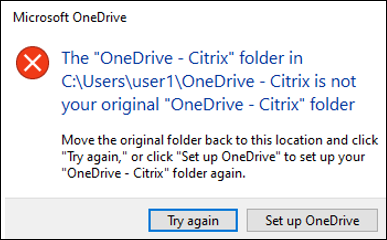
With the full profile container or the OneDrive container enabled, the following message appears when a user logs on to a machine:
-
The user has been using the OneDrive folder before the container is enabled, and
-
This is the first time that the user logs on to a machine after the container is enabled.
-
-
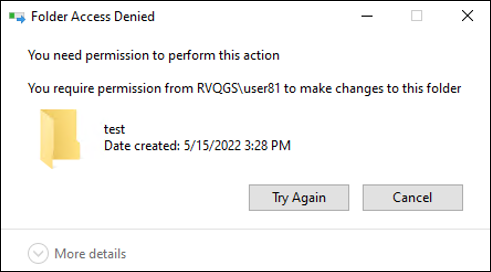
The message "Folder Access Denied" appears when users move a folder to the Recycle Bin in the following situations:
-
With the partial profile container or the OneDrive container enabled, users try to delete a folder from either container.
-
With the full profile container enabled, users try to delete a folder that is not in the user profile folder but on the same disk as the profile.
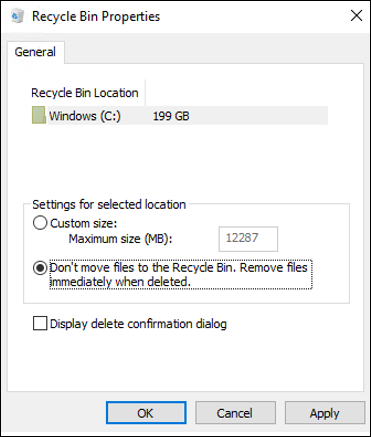
To work around this issue, perform permanent deletion instead: -
-
The registry changes in the first RO session are discarded when Enable multi-session write-back for profile container and Profile container are enabled. If Replicate user stores is also configured, the registry exclusion or inclusion does not work once switching from the current store to another replicator. For example, the current store is inaccessible due to permissions or network issues.