
Searching the tree view including search options (dialog)
-
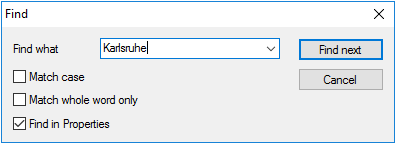
Press CTRL+SHIFT+F or click Edit > FindThe Find window opens.
-
Type the name of an application, device or OU.If configured accordingly, you may type only partial words.
-
If required, modify the search parameters.
Option Description Match case Search is case-sensitive Match whole word Only exact matches are found, no partial words. Find in properties Search is also applied to Properties and Assets fields. This allows you to search for a vendor or a MAC address. Note:The search parameters remain active after the search and are also applied to the Quick searchThe first matching object is shown in the tree view. -
To find the next match, click Find next or press F3.