
Intelligence Settings device policy
The Intelligence Settings device policy lets you manage Apple Intelligence features using Apple's Declarative Device Management. This policy replaces the deprecated Intelligence restriction keys. This policy only supports supervised devices.
To add or configure this policy, go to Configure > Device Policies. For more information, see Device policies.
Prerequisites
-
CEM version is equal to or greater than 26.8.0.
-
Available for iOS 26.4 or later and iPadOS 26.4 or later, only support supervised devices.
iOS settings
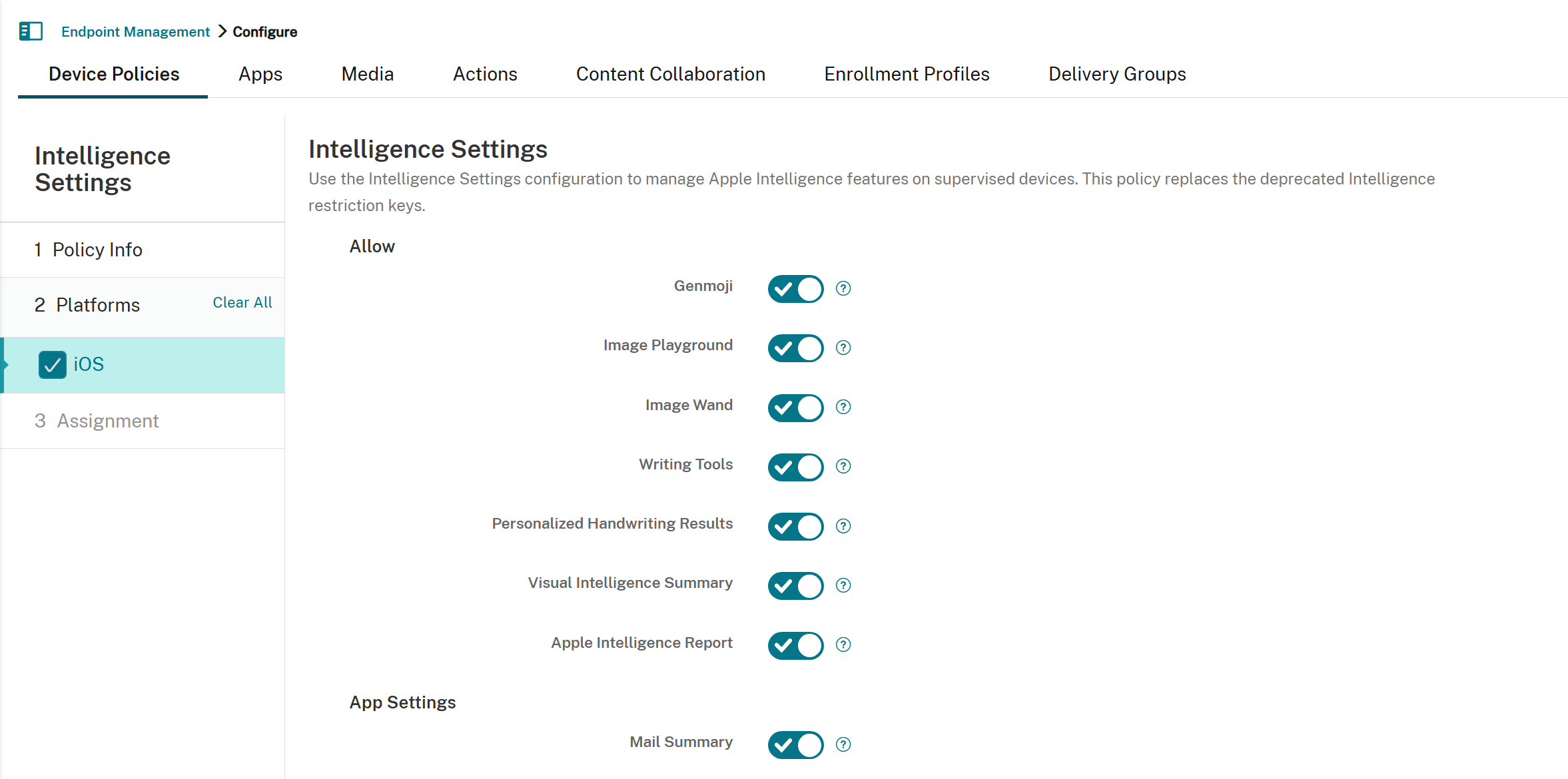
-
Allow
-
Genmoji: If Off, disables Genmoji. The default is On.
-
Image Playground: If Off, disables Image Playground. The default is On.
-
Image Wand: If Off, disables Image Wand. The default is On.
-
Writing Tools: If Off, disables Apple Intelligence Writing Tools. The default is On.
-
Personalized Handwriting Results: If Off, disables Personalized Handwriting Results, prevents the system from generating text in the user's handwriting. The default is On.
-
Visual Intelligence Summary: If Off, disables Visual Intelligence summarization. The default is On.
-
Apple Intelligence Report: If Off, disables Apple Intelligence Report. The default is On.
-
-
App Settings
-
Mail Summary: If Off, disables Mail Summary. The default is On.
-
Mail Smart Replies: If Off, disables Mail Smart Replies. The default is On.
-
Notes Transcription: If Off, disables Notes Transcription. The default is On.
-
Notes Transcription Summary: If Off, disables Notes Transcription Summary. The default is On.
-
Safari Summary: If Off, disables Safari Summary. The default is On.
-
-
Force
-
Force On-Device Only Dictation: If On, forces On-Device Only Dictation. The default is Off.
-
Force On-Device Only Translation: If On, forces On-Device Only Translation. The default is Off.
-