Display
Display is where you configure the monitor layout and screen resolution.
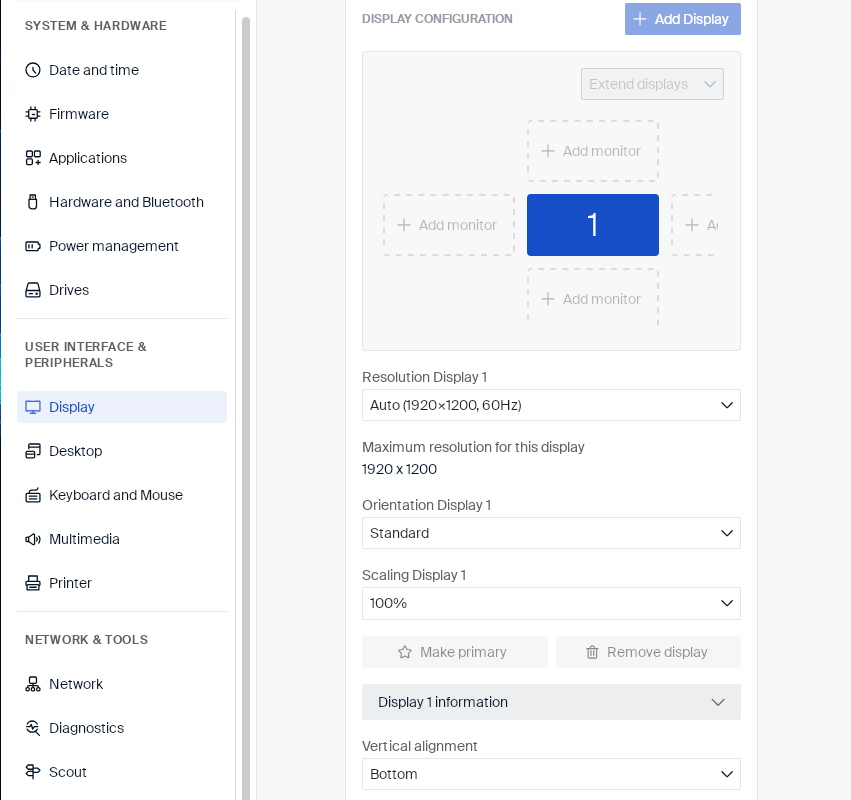
Arranging monitors
Connected monitors are shown as numbered boxes in the layout diagram:
-
Click Add monitor on the side where an additional monitor is physically positioned, to add it to the layout.
-
Click Add Display to add a monitor that isn’t currently detected.
-
Use Extend displays to control whether connected monitors extend the desktop or mirror it.
Per-display settings
Each connected display has its own settings, covering its resolution, rotation, and how it lines up with other displays:
| Setting | Type | Description |
|---|---|---|
| Resolution | Dropdown | The display’s resolution and refresh rate, or Auto to use the maximum supported resolution. Below it, a Maximum resolution for this display line shows the highest resolution the display supports. |
| Orientation | Dropdown | Rotates the display’s output. |
| Scaling | Dropdown | Sets the display’s scaling percentage. |
| Vertical alignment | Dropdown | How the display lines up with other displays that have a different height, for example Bottom. |
Click Make primary to set a display as the primary display, or Remove display to remove it from the layout. With only one display connected, both buttons are disabled.
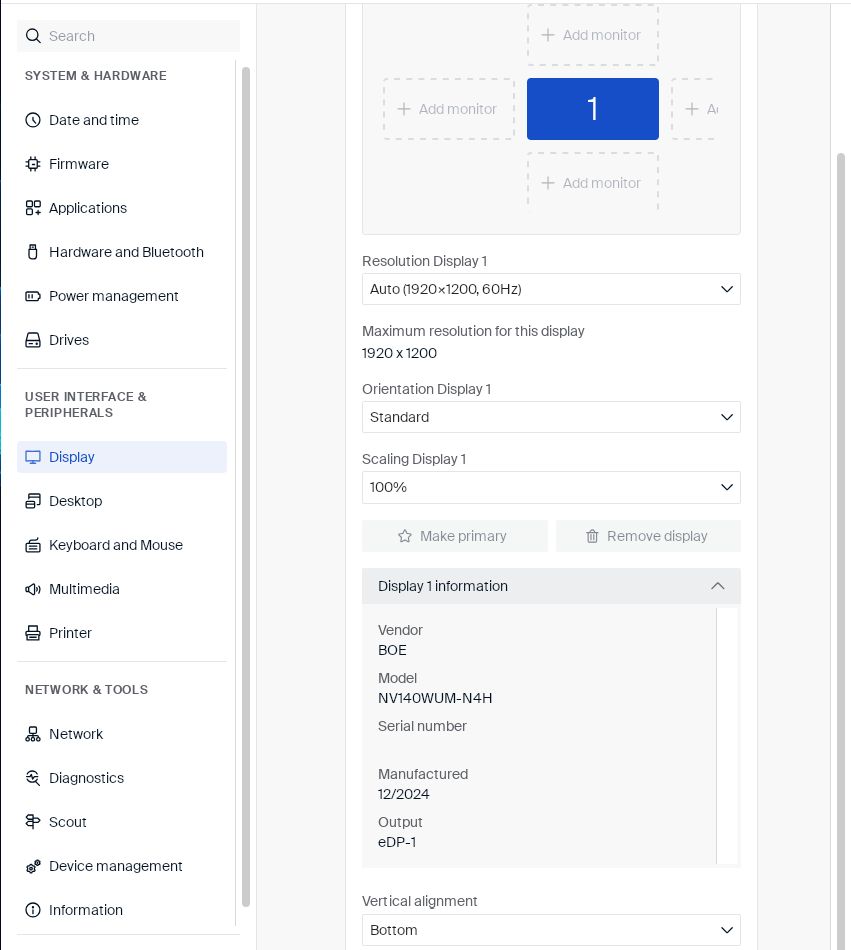
Click Display information to expand further details about the selected display:
| Field | Description |
|---|---|
| Vendor | The display panel’s vendor. |
| Model | The display panel’s model name. |
| Serial number | The display’s serial number, if reported. Shown blank if not. |
| Manufactured | The display’s manufacture date (month/year). |
| Output | The video output the display is connected to, for example eDP-1 for an internal laptop panel. |
Note:
While the Display page is open, each connected monitor shows a large identifying number overlay on screen (for example, a monitor labeled 1 shows a large 1), matching the number in the layout diagram.
Note:
An administrator can lock individual display settings on this page through Scout Board User rights. A locked setting stays visible but greyed out.