
Require Citrix Workspace™ app when connecting through a gateway
You can require users to use Citrix Workspace app when connecting through a gateway by using a plug-in.
To deploy the plug-in to your gateway:
-
Download the plugin from Citrix Downloads.
-
Extract the zip file and citrix-gateway-plugin.tar.gz. It consists consists of an HTML file and a JavaScript file.
-
Copy the files to the NetScaler gateway under
/var/netscaler/gui/vpn/init
Configure using the Management GUI
-
Sign in to the Netscaler® admin GUI.
-
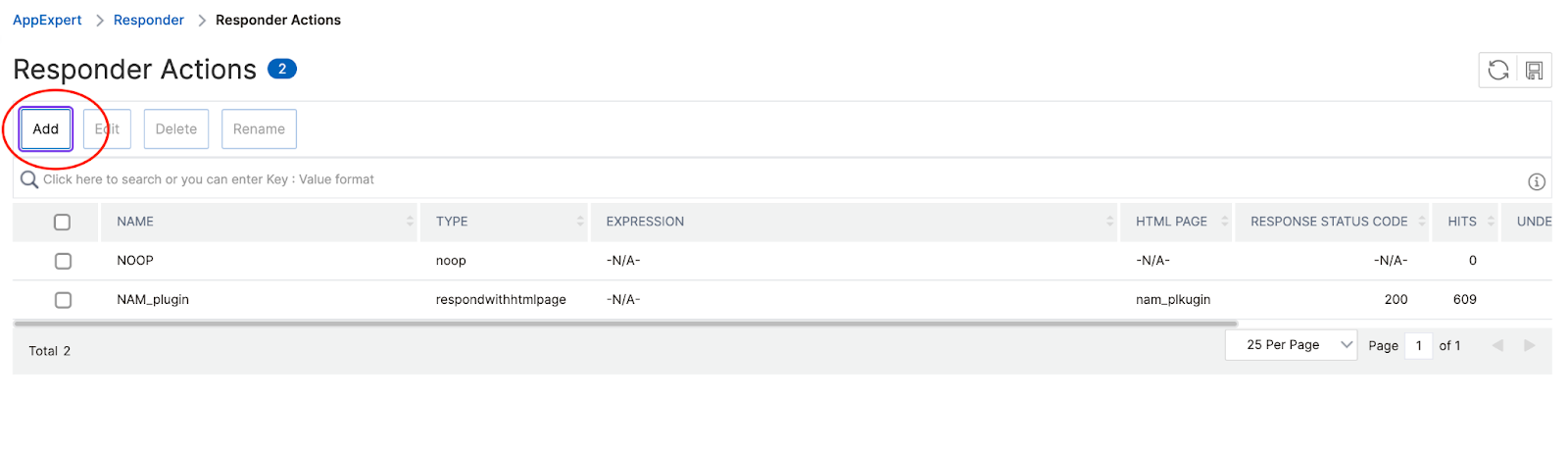
Create a responder action and click Add.
-
Configure the responder action:Type: Respond with HTML pageAdd: Enter path
/vpn/init/native-app-mandate.html -
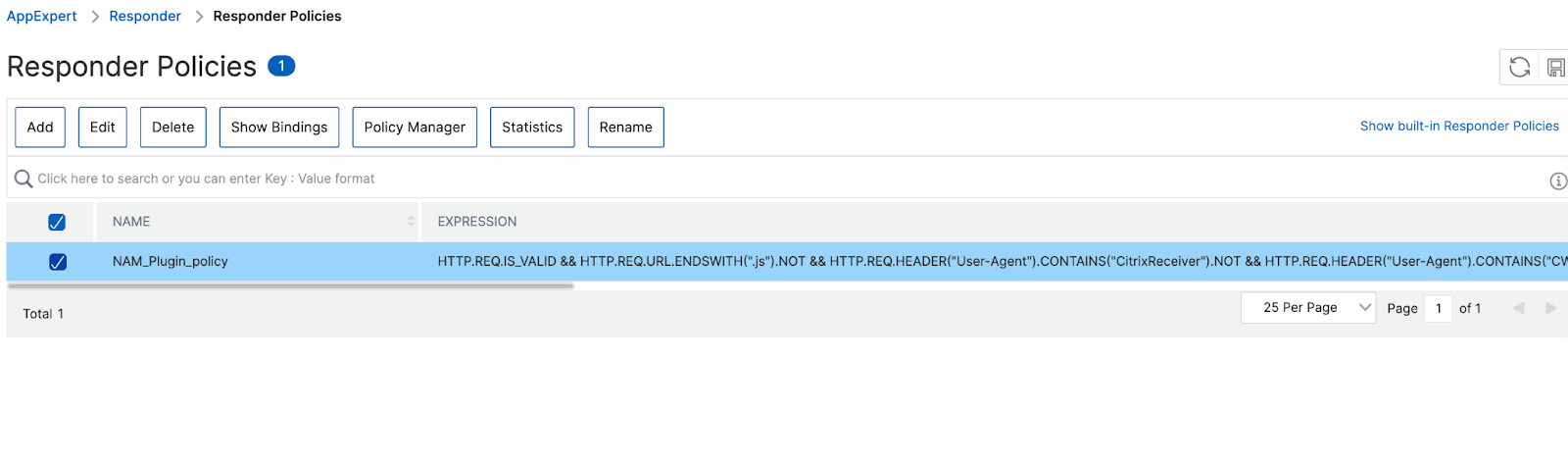
Create a responder policy.
-
Configure the responder policy:Action: The name of the action you created above.Expression:
HTTP.REQ.IS_VALID && HTTP.REQ.URL.ENDSWITH(".js").NOT && HTTP.REQ.HEADER("User-Agent").CONTAINS("CitrixReceiver").NOT && HTTP.REQ.HEADER("User-Agent").CONTAINS("CWAWEBVIEW").NOT && HTTP.REQ.HEADER("X-Requested-With").CONTAINS("com.citrix.Receiver").NOT && HTTP.REQ.HEADER("X-Requested-With").CONTAINS("XMLHttpRequest").NOT && HTTP.REQ.HEADER("User-Agent").CONTAINS("AuthManager").NOT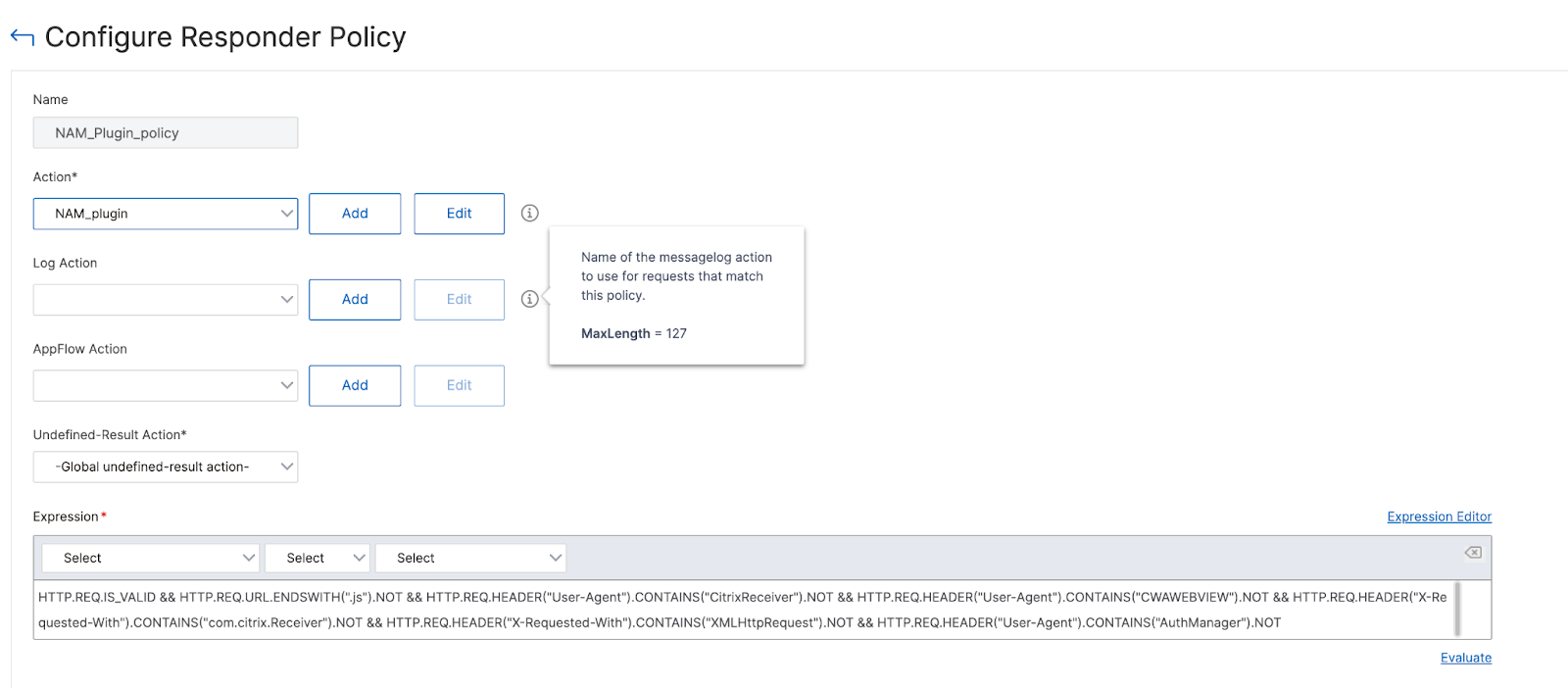
-
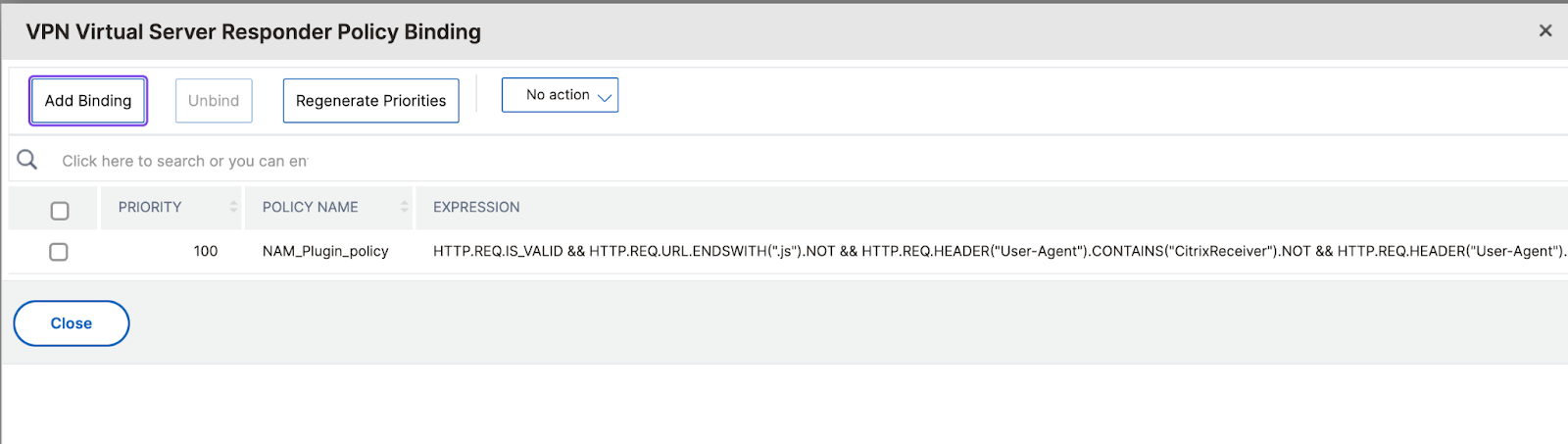
Navigate to the virtual server where you want to bind the responder policy.
-
Bind the policy you created.
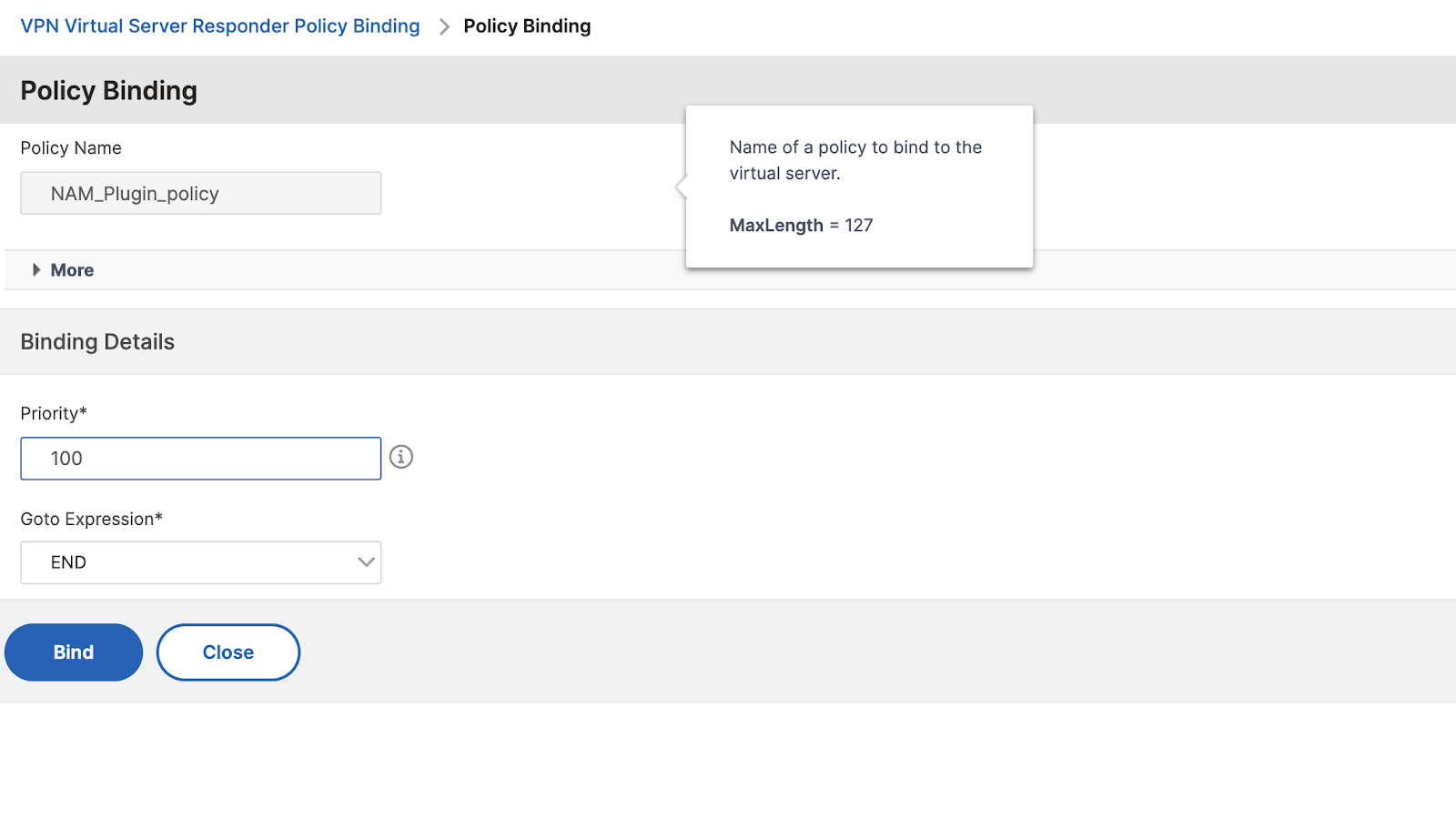
-
To verify it is configured correctly, open the gateway URL to confirm that it displays the Citrix Workspace app required screen. Add the Netscaler URL to Citrix Workspace app and confirm that it does not display the Citrix Workspace app required screen.
Configure using the CLI
To configure the require Citrix Workspace app feature using the CLI, perform the following:
-
Create a responder action with an HTML file (you can edit the configuration in GUI)
add responder action respond_with_html_act respondwithhtmlpage sample_page -responseStatusCode 200 -
Create a responder policy to handle requests from a web browser, not Citrix Workspace app.
add responder policy respond_with_html_pol "HTTP.REQ.IS_VALID && HTTP.REQ.URL.ENDSWITH(".js").NOT && HTTP.REQ.HEADER("User-Agent").CONTAINS("CitrixReceiver").NOT && HTTP.REQ.HEADER("User-Agent").CONTAINS("CWAWEBVIEW").NOT && HTTP.REQ.HEADER("X-Requested-With").CONTAINS("com.citrix.Receiver").NOT && HTTP.REQ.HEADER("X-Requested-With").CONTAINS("XMLHttpRequest").NOT && HTTP.REQ.HEADER("User-Agent").CONTAINS("AuthManager").NOT" respond_with_html_act -
Bind the policy to the VPN vserver
bind vpn vserver vpn_vs -policy respond_with_html_pol -priority 100 -gotoPriorityExpression END -type AAA_REQUEST