
UI Experience
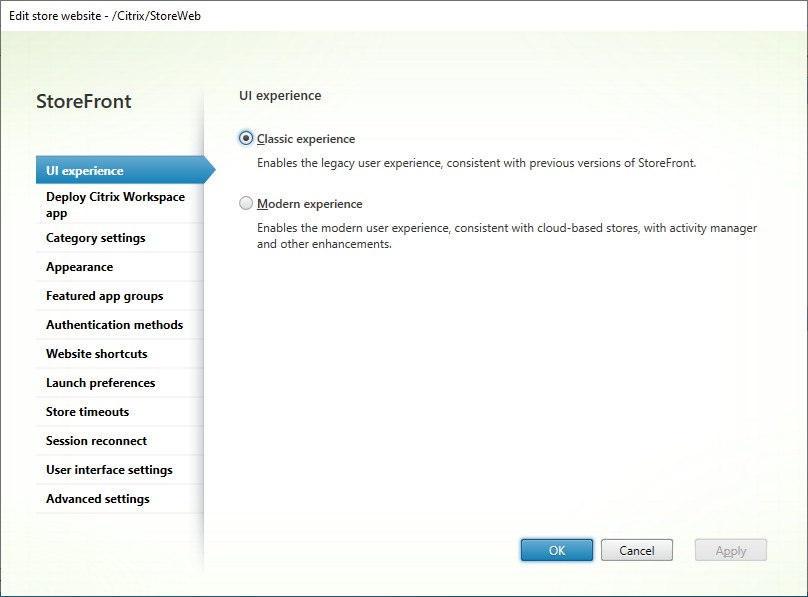
On the UI experience tab, you can choose a UI experience for your end-users. You can choose between:
-
Classic experience - For more information, see Classic experience.
-
Modern experience - For more information, see Modern experience.
If you use a Citrix Gateway for remote access, you can choose a theme to match the selected experience. For more information, see NetScaler documentation.
PowerShell
To get the UI experience using PowerShell, call cmdlet
Get-STFWebReceiverService and view the WebReceiver.WebUIExperience property.
For example:
(Get-STFWebReceiverService -VirtualPath "/Citrix/StoreWeb").WebReceiver.WebUIExperience
WebUIExperience takes the following values:
-
ReceiverForWeb- Classic experience -
Workspace- Modern experience
To change the UI experience using PowerShell, call cmdlet
Set-STFWebReceiverService with parameter WebUIExperience.
For example to use the classic experience:
$rfw=Get-STFWebReceiverService -VirtualPath "/Citrix/StoreWeb"
 Set-STFWebReceiverService -WebReceiverService $rfw -WebUIExperience Workspace