
Manage stores
In Citrix StoreFront, you create one or more stores to allow end-users to access their resources. Each store defines how the user authenticates, which resources are aggregated and the appearance. End users can open these stores through a web browser or by adding them to their locally installed Citrix Workspace app.
View Stores
-
From the management console, select the Stores node in the left pane.
-
Select the store you wish to view.
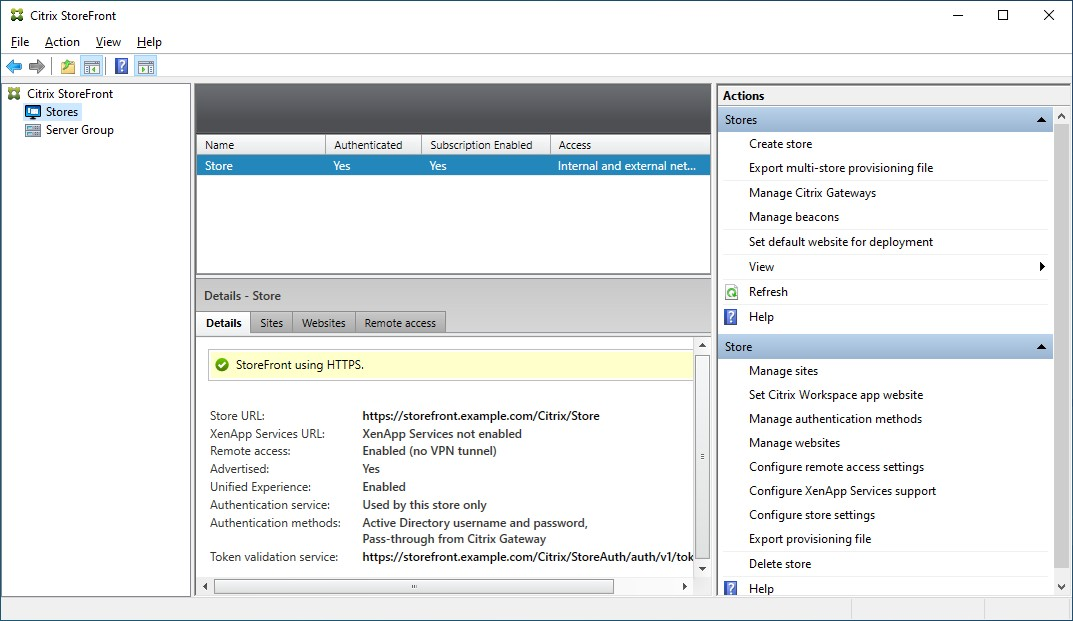
In the Details pane you can view the following tabs:
| Tab | Detail |
|---|---|
| Details | Gives store details such as the URL and authentication methods |
| Sites | Lists all sites that have been configured for the store |
| Websites | Lists all websites configured for the store. |
| Remote Access | Details of whether remote access is enabled using a Citrix Gateway |
Create a store
From the Actions pane Stores section, press Create store. For more details, see Create Store.
Configure store
From the Actions pane Store section, you can perform the following store configuration actions:
| Action | Detail |
|---|---|
| Manage sites | Add and remove sites. |
| Set Citrix Workspace app website | Configure which website is used when accessing the store using Citrix Workspace app |
| Manage authentication methods | Choose which methods users can use to authenticate to the store |
| Manage websites | Manage the website used to access the store |
| Configure remote access settings | Configure access to stores through Citrix Gateway for users connecting from public networks. |
| Configure XenApp® services support | Enable or disable the XenApp services URL |
| Configure store settings | Opens the Configure store settings windows where you can configure Favorites, Kerberos Delegation, Optimal HDX routing, Advertise Store and Advanced Settings |
You can perform the following advanced store configuration outside of the management console:
| Task | Detail |
|---|---|
| Default ica settings | Configure HDX settings by adding them to default.ica |
| Citrix Workspace app Configuration | Use StoreFront to configure Citrix Workspace app |
| Configure Federated authentication service | Configure Federated authentication service (FAS) for single sign-on to VDAs |
Export provisioning files
You can generate files containing connection details for one or multiple stores, including any Citrix Gateway deployments and beacons configured for the store. For more information, see Export provisioning files.
Delete a store
To delete a store:
-
Select the Stores node in the left pane of the Citrix StoreFront management console
-
In the Actions pane, click Delete Store
-
In the confirmation window Click Yes.
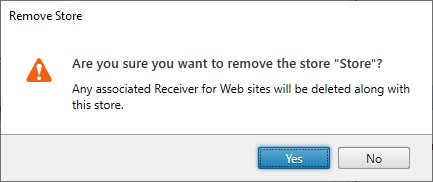
When you delete a store, any associated websites are also deleted.