Default website for deployment
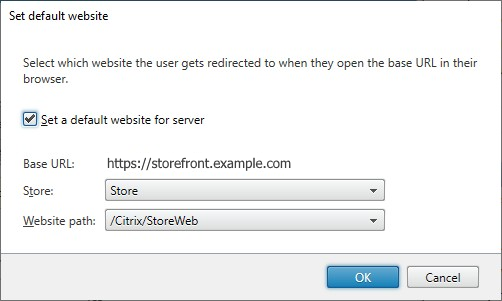
When users open the base URL in their web browser, you can configure StoreFront to redirect the user to a particular website.
-
Open the StoreFront management console.
-
From the Actions pane, select Set default website for deployment.
-
If you wish to set a default website then
-
Select Set a default website for server
-
Select a Store
-
Select a Website path.
-
-
Select OK to save the changes.