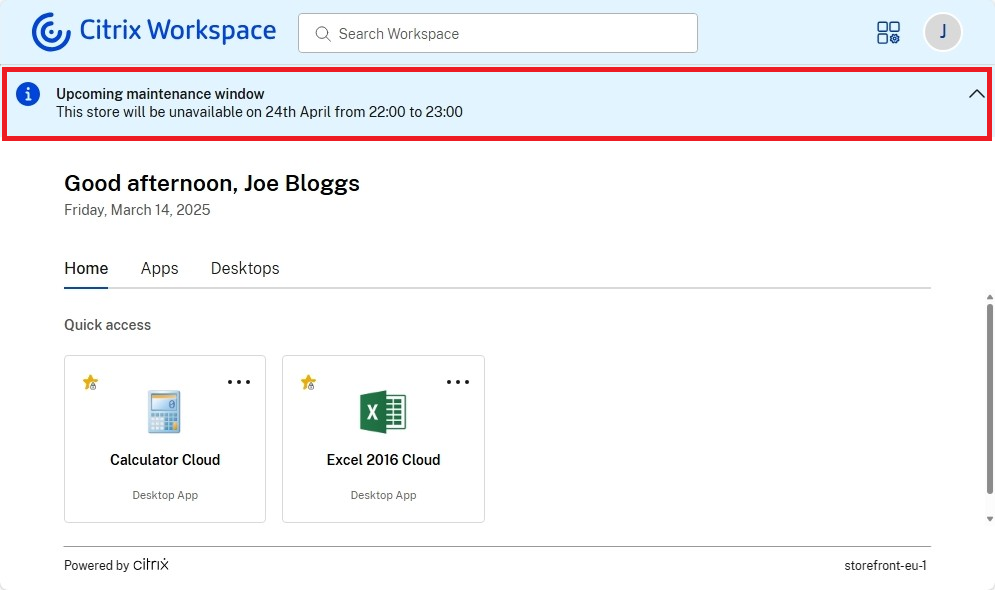
Custom announcements
You can configure a banner that is displayed to the end-users, for instance to notify them of upcoming changes or maintenance windows.
Note:
This functionality is available only using the modern experience. If you are using the classic experience then you create a custom announcement using the StoreFront Client UI Customization API. See example Add a dynamic header.
To set or modify a the custom announcement:
-
Go to Edit store website
-
Select the Category Settings tab.
-
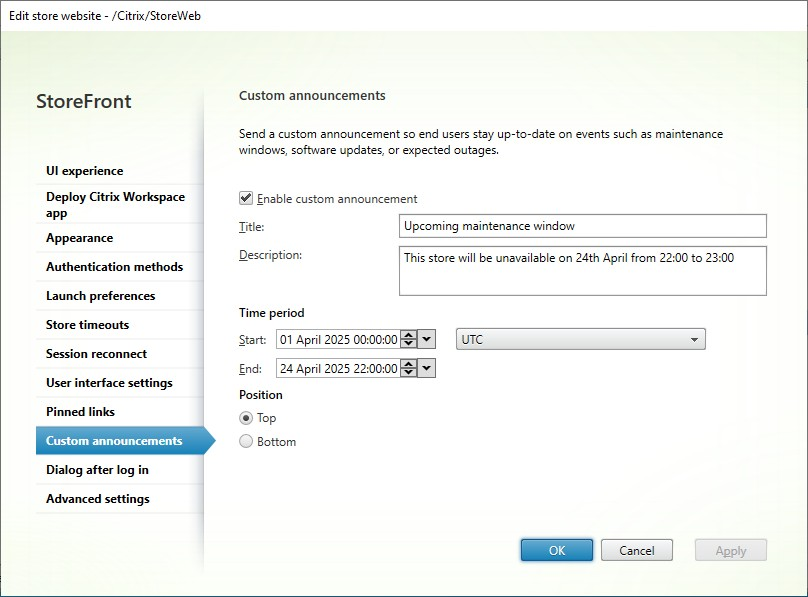
Select Enable custom announcement.
-
Enter a Title.
-
Enter a Description.
-
Enter the date and time you wish the custom announcement to start being displayed.
-
Enter the date and time you wish the customer announcement to be hidden.
-
Choose whether to display the announcement at the top or the bottom of the screen.
When users log in, the announcement is displayed permanently at the top or bottom of the screen.